URS-069 · Account Creation Updates (Required Fields, Pricing, Review)
Title: Account Creation Updates (Required Fields, Pricing, Review) Date: 2026-09-29T02:25:19.078Z Duration: 152.0s Overall Status: ✅ PASS
User Requirement
Section titled “User Requirement”Account creation updates: require hospital/ASC label, require contact & invoicing details, enforce required fields, pricing logic, review screen, comment section.
Source: User_Requirement_Specifications_Vantis_DeviceFlow.xlsx — the run below proves the system meets this requirement.
Environment
Section titled “Environment”- Inbox URL: http://localhost:42297
- Database: localhost:38907/cc_repinbox_dev
Status: ✅ PASS
Test Steps
Section titled “Test Steps”Each step below corresponds to one Playwright test that ran sequentially. Screenshots and video recordings provide visual evidence of the UI behaviour.
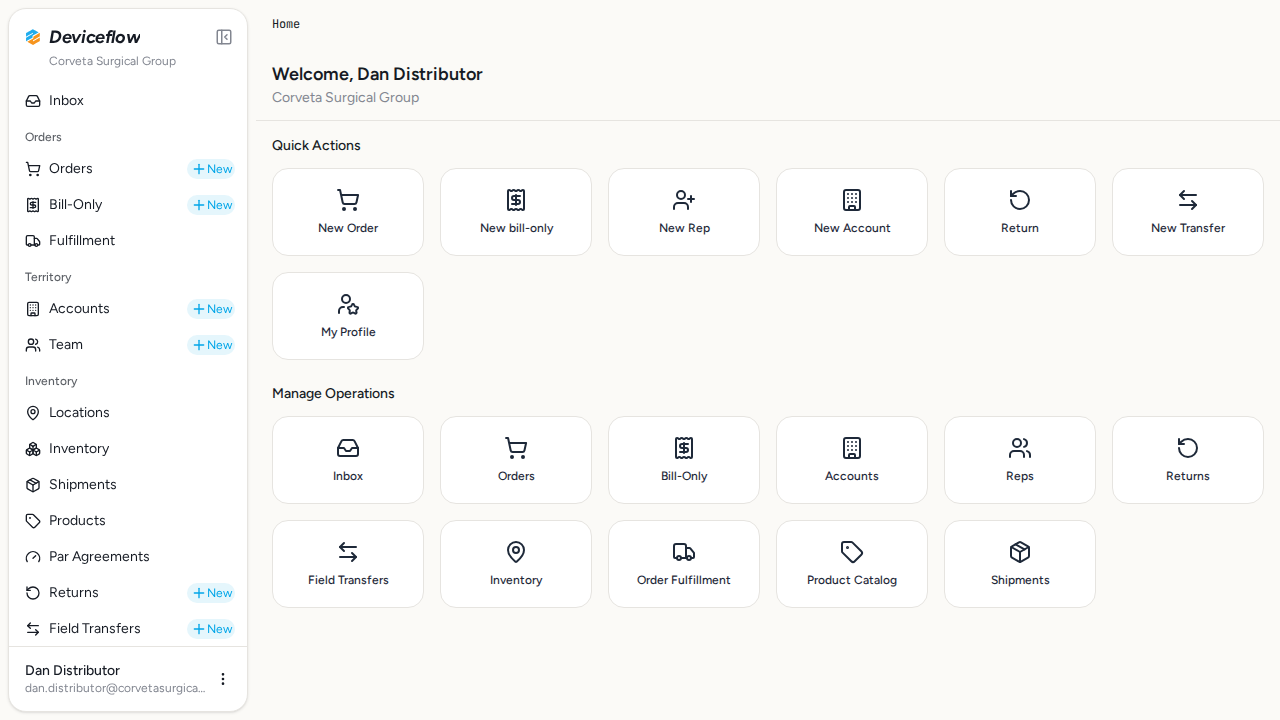
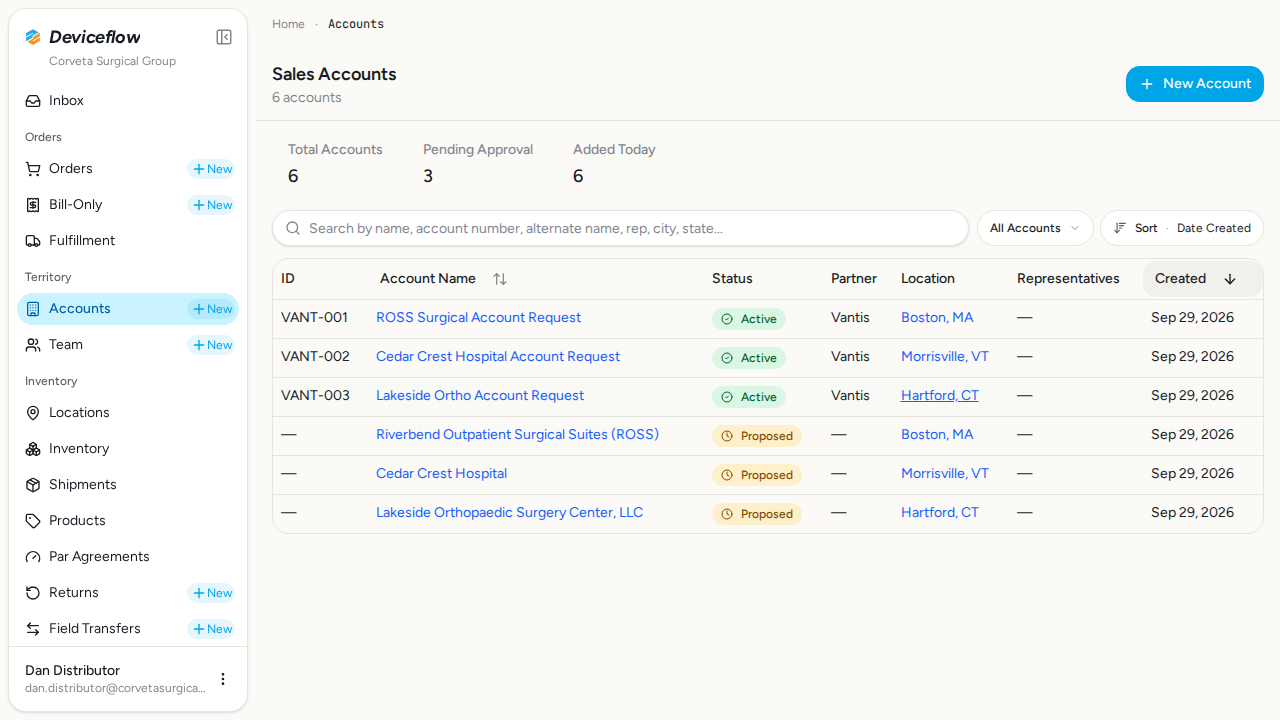
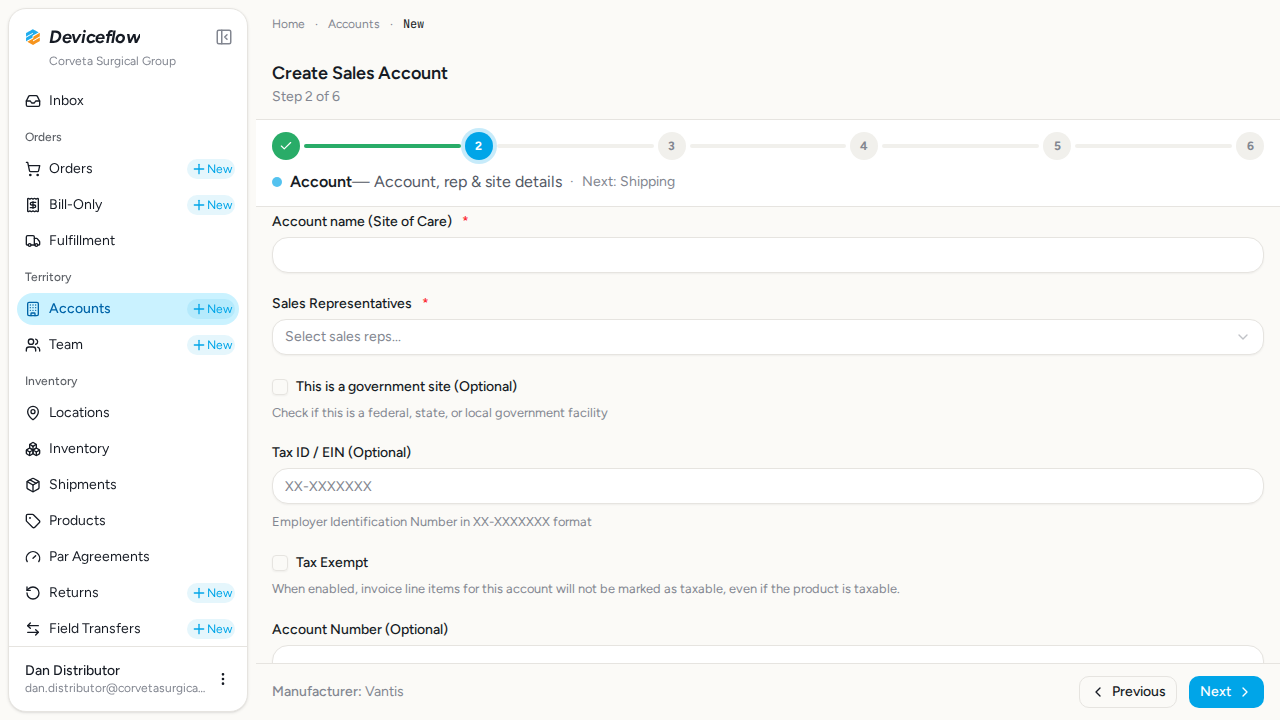
1. Step 1: Login and navigate — ✅ PASS
Section titled “1. Step 1: Login and navigate — ✅ PASS”What this step proves:
Logs in as the distributor admin (Dan Distributor) and navigates to the new account creation wizard. Confirms the multi-step form is accessible to authorized users with the sales_accounts:create permission.
Audit events generated by this step:
(Evidence matched by declared name — step timing not available or no events fell in window)
| Time | Type | Action | User | Org | Performed |
|---|---|---|---|---|---|
| 2026-09-29 02:25:29Z | user_log | user:login | dan.distributor@corvetasurgical.com | Corveta Surgical Group | — |
| 2026-09-29 02:25:46Z | user_log | user:login | dan.distributor@corvetasurgical.com | Corveta Surgical Group | — |
Screenshots:
Video recording:
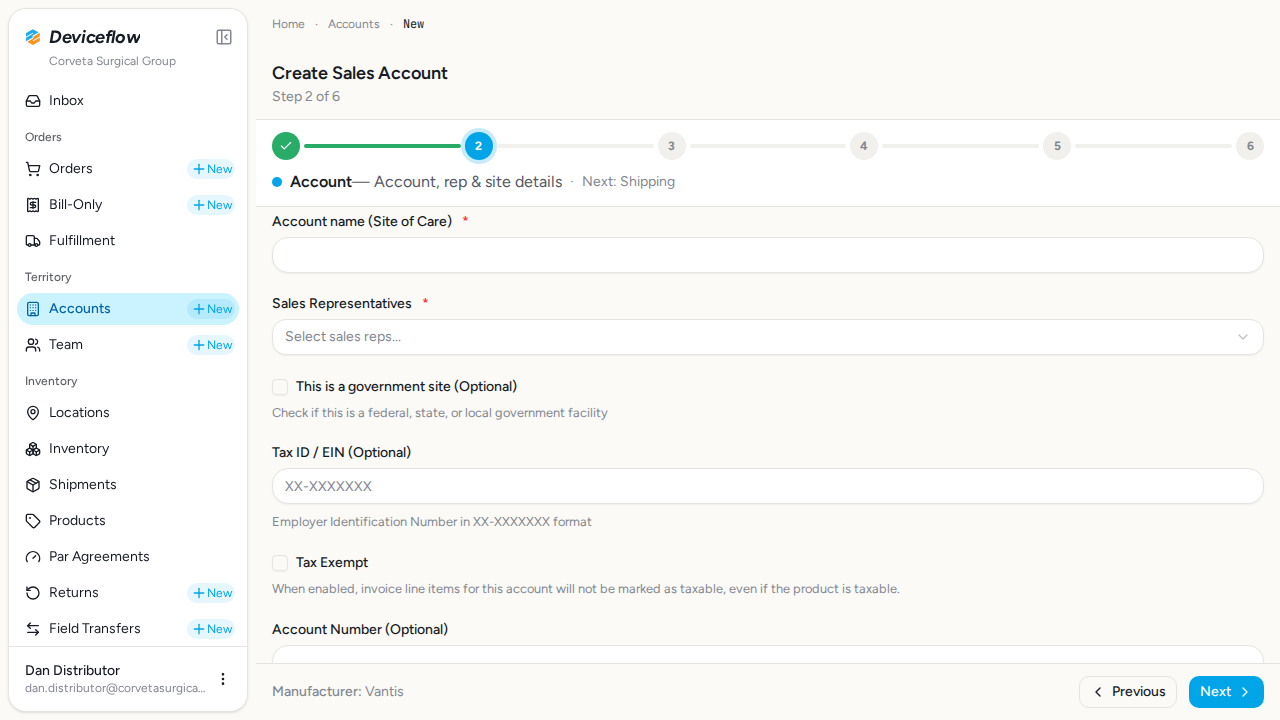
2. Step 2: Manufacturer auto-selected — ✅ PASS
Section titled “2. Step 2: Manufacturer auto-selected — ✅ PASS”What this step proves:
Verifies that the manufacturer step is skipped and Vantis is auto-selected because Corveta has only one manufacturer partner. The form advances directly to the Account Details step and displays the auto-selected manufacturer name in the navigation footer.
Screenshots:
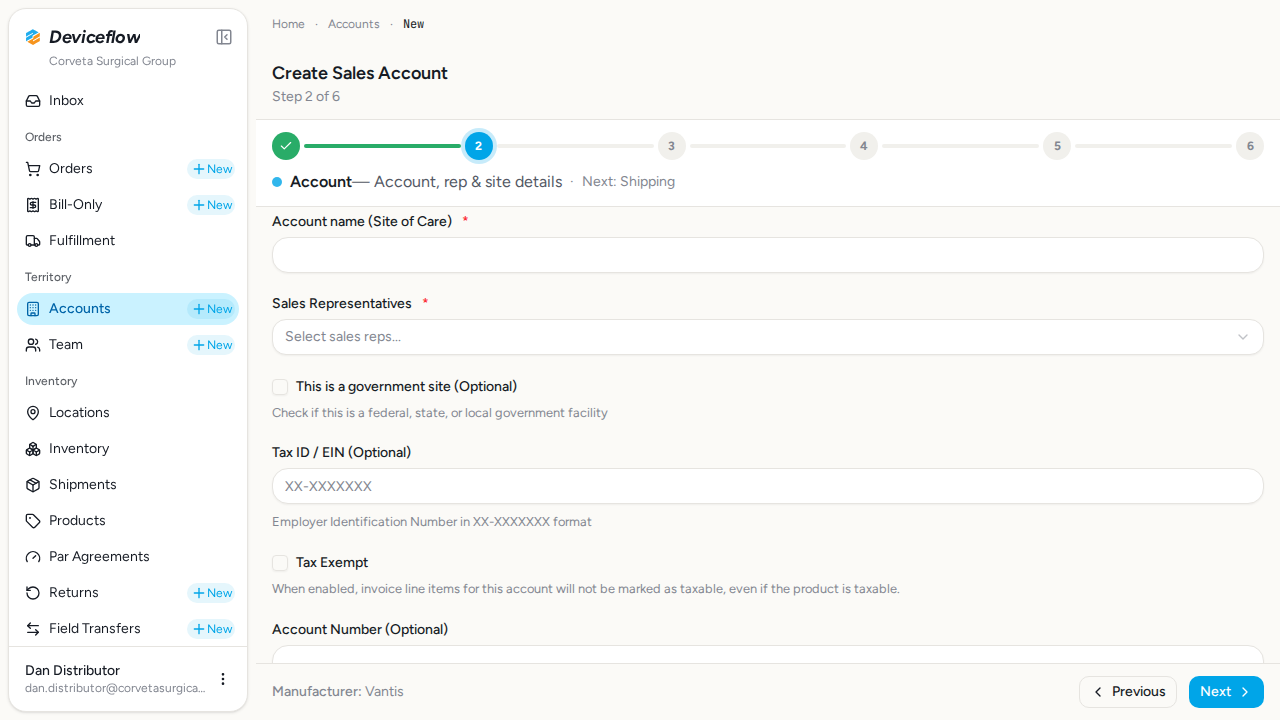
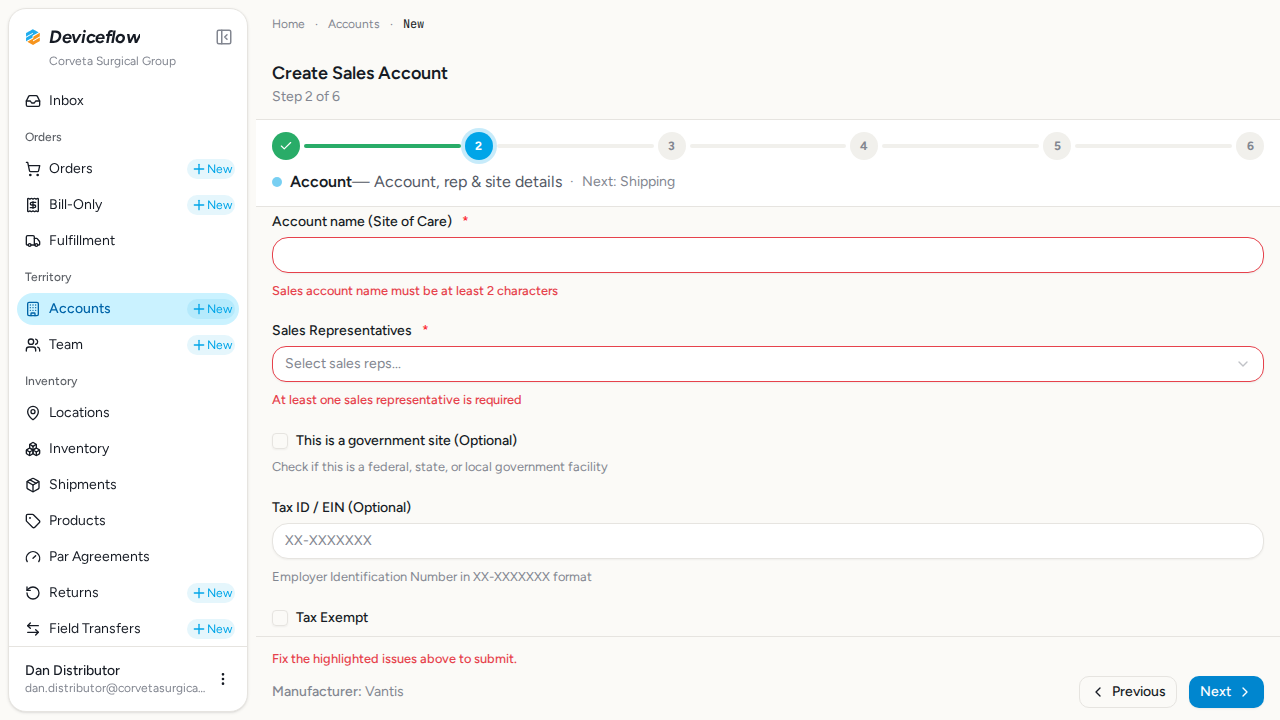
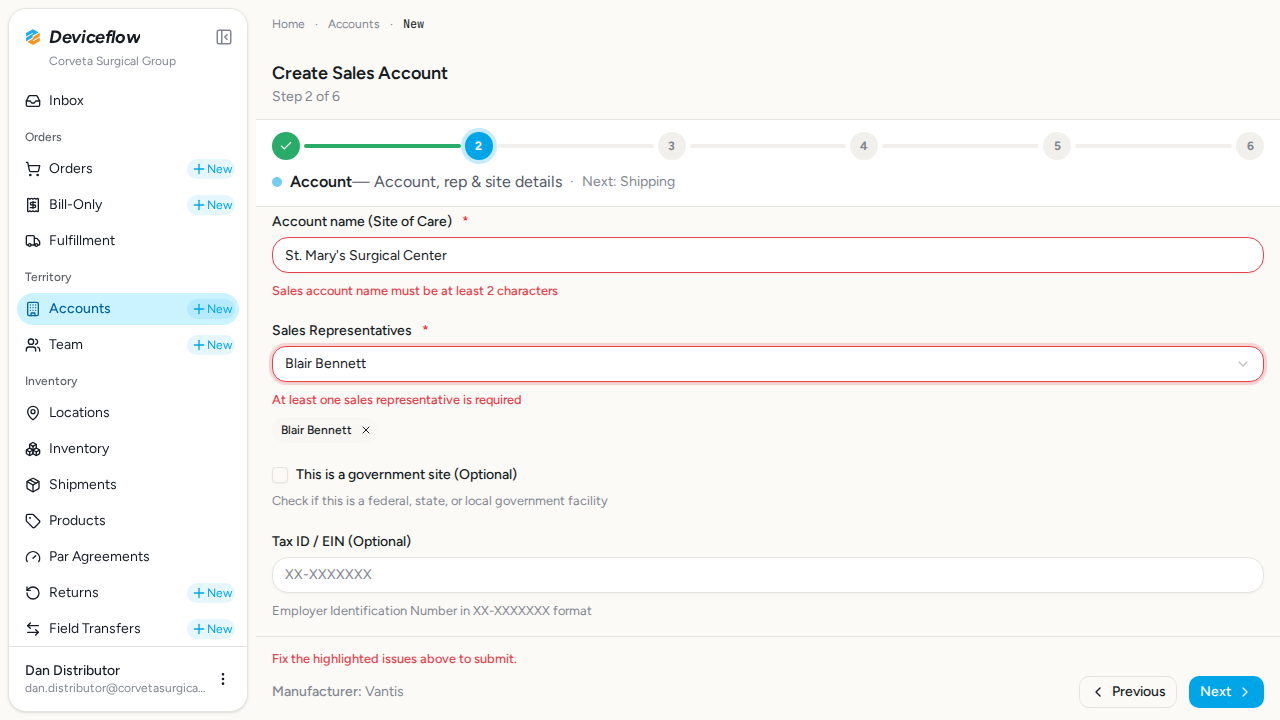
3. Step 3: Account details required fields — ✅ PASS
Section titled “3. Step 3: Account details required fields — ✅ PASS”What this step proves:
Confirms that the Account Details step enforces required fields: submitting with an empty account name and no sales representative triggers inline validation errors. After filling in the account name and selecting a sales rep the form advances normally.
Screenshots:
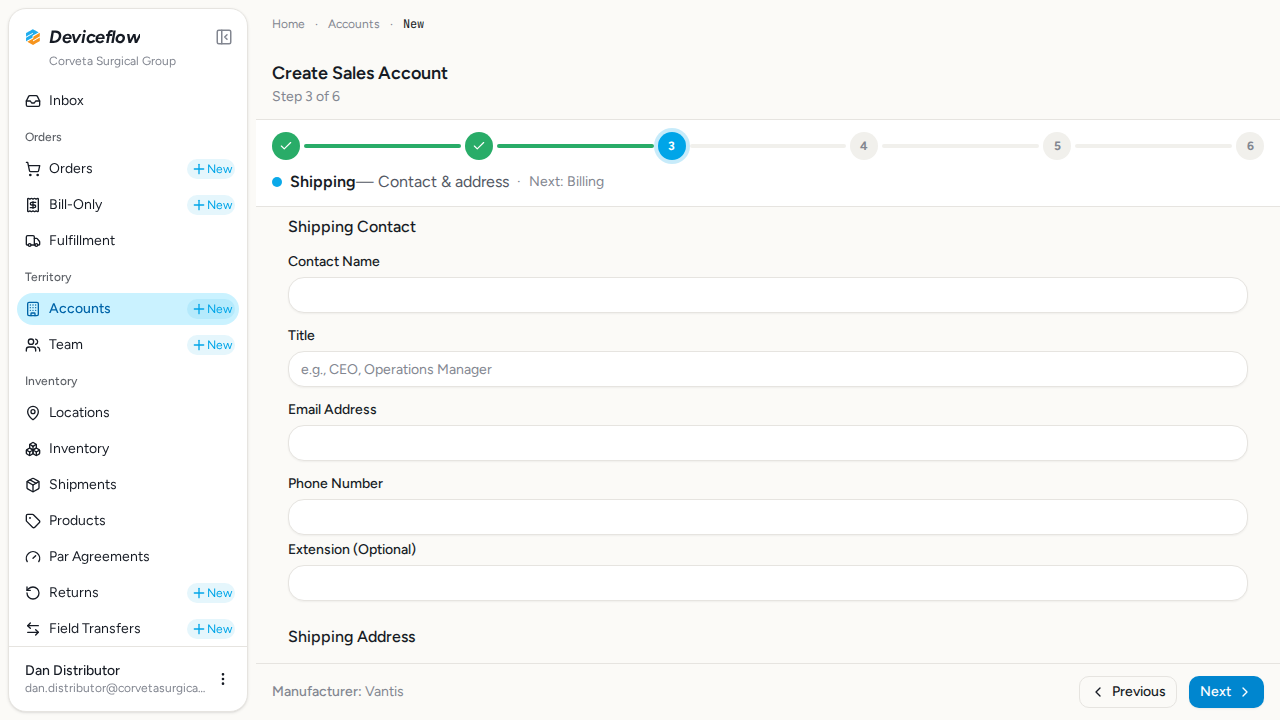
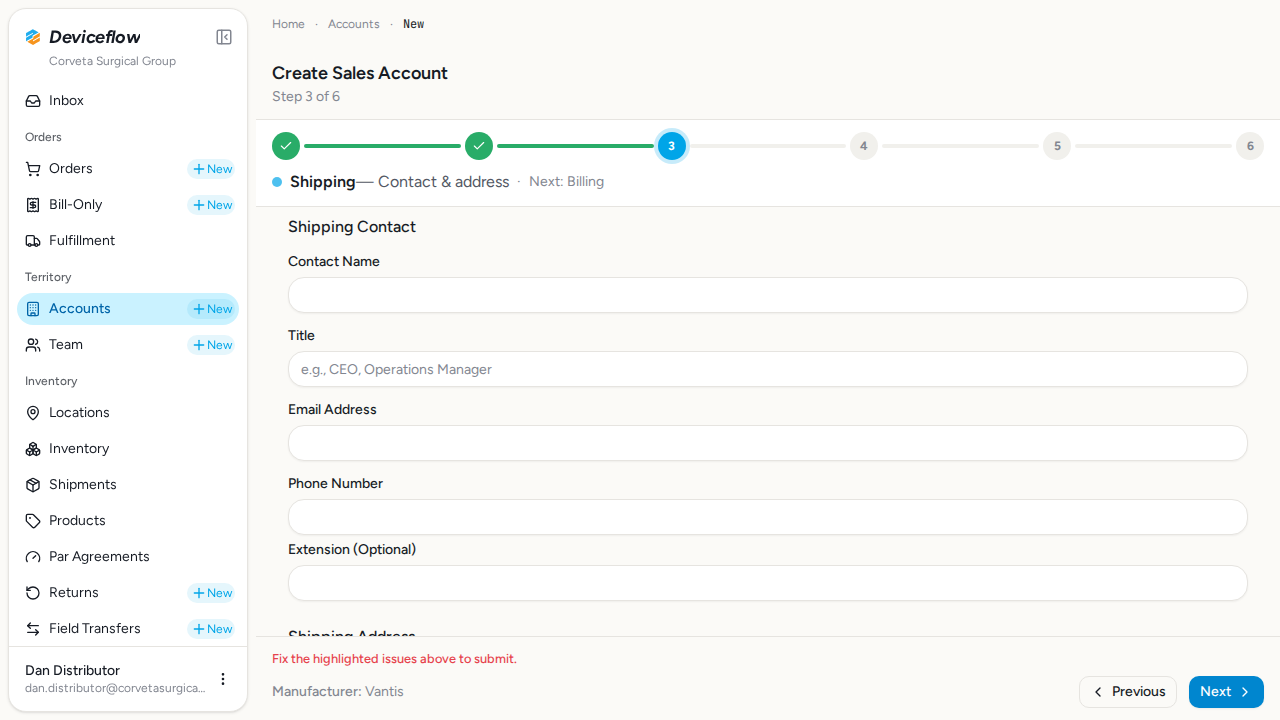
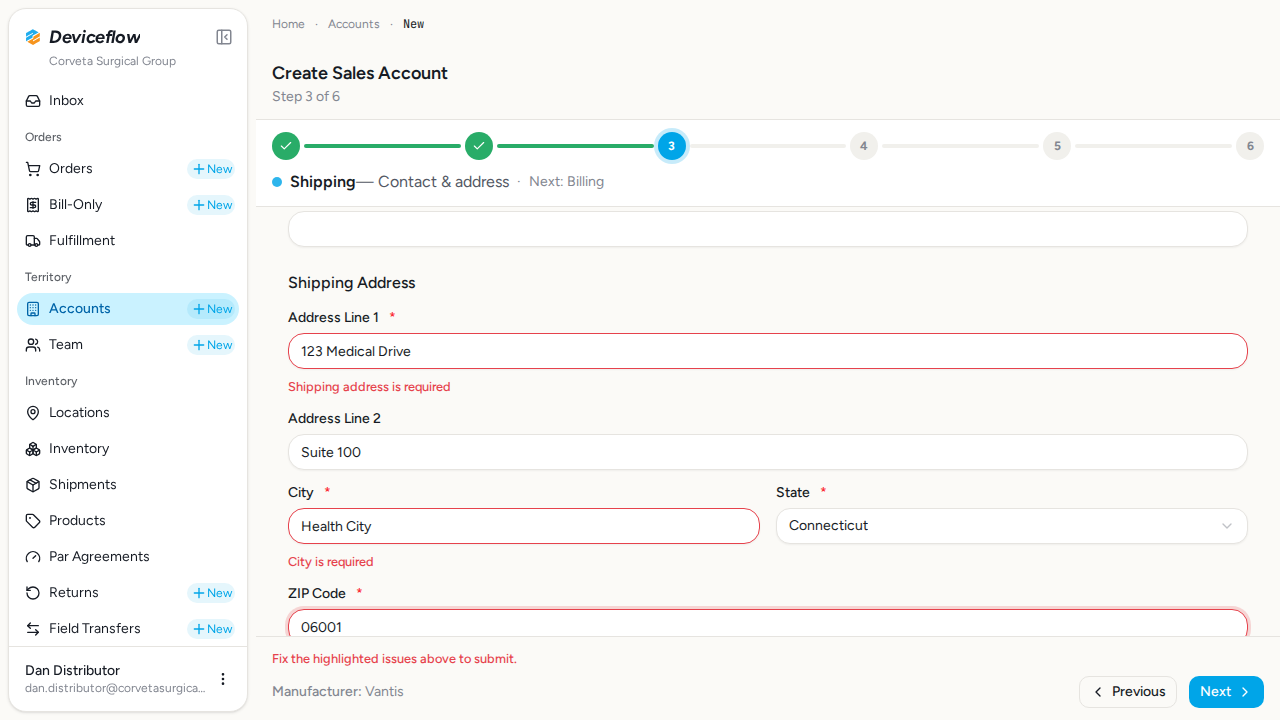
4. Step 4: Shipping required fields — ✅ PASS
Section titled “4. Step 4: Shipping required fields — ✅ PASS”What this step proves:
Confirms that the Shipping step enforces the required shipping address fields — line 1, city, state, and ZIP are each annotated as required in step3Schema via .min(1) (ZIP via regex). Submitting an empty form surfaces validation errors. Shipping contact name, email, and phone are optional at the schema level but are still collected on this step for downstream use, and the scenario fills them before advancing to the Billing step.
Screenshots:
5. Step 5: Billing required fields — ✅ PASS
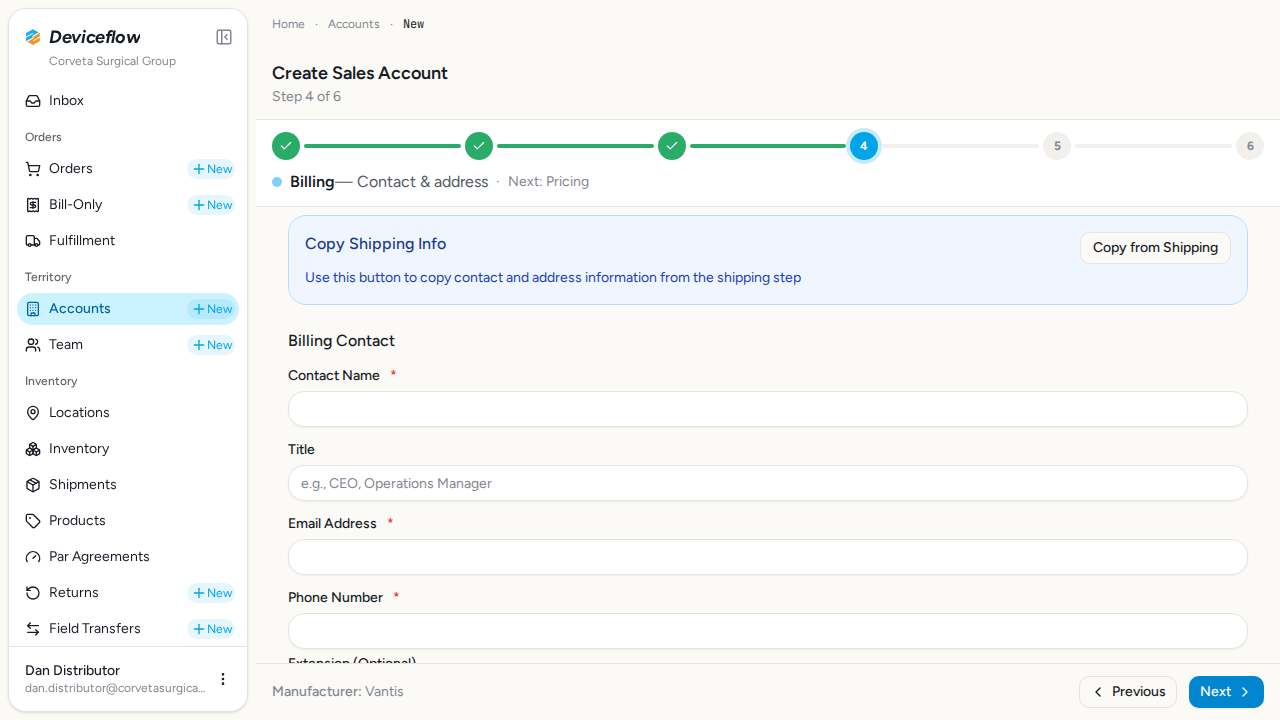
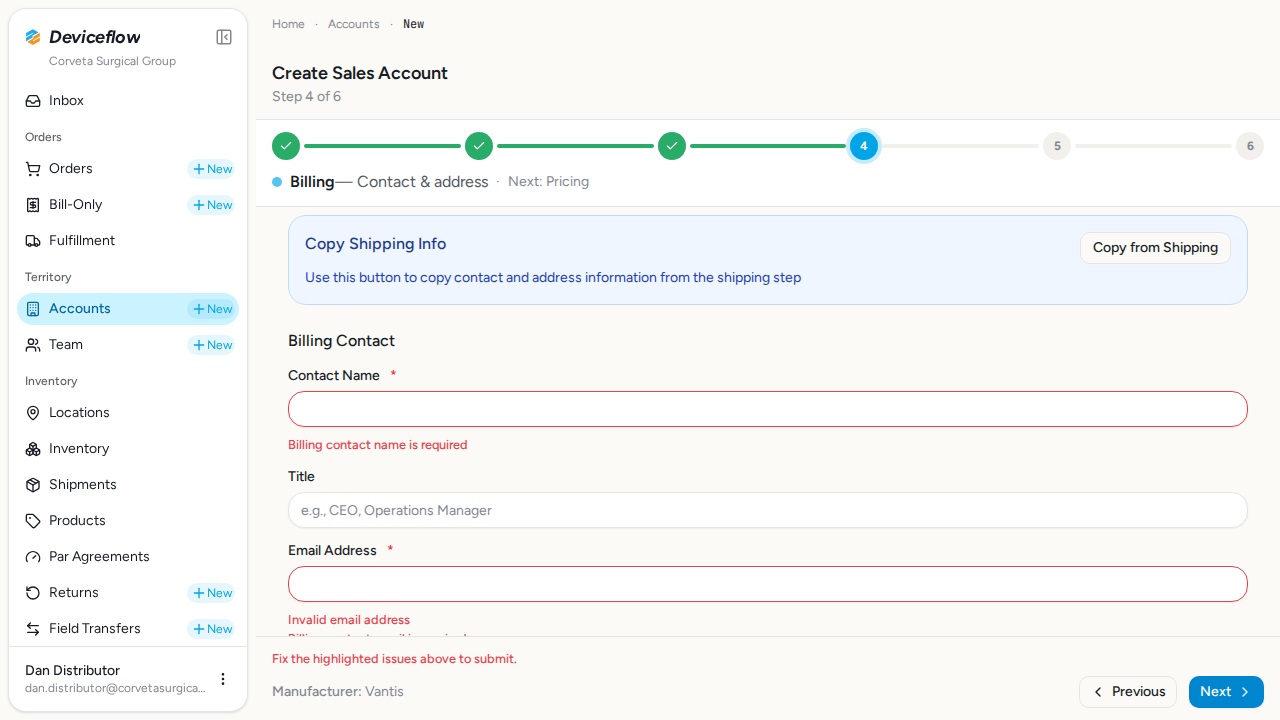
Section titled “5. Step 5: Billing required fields — ✅ PASS”What this step proves:
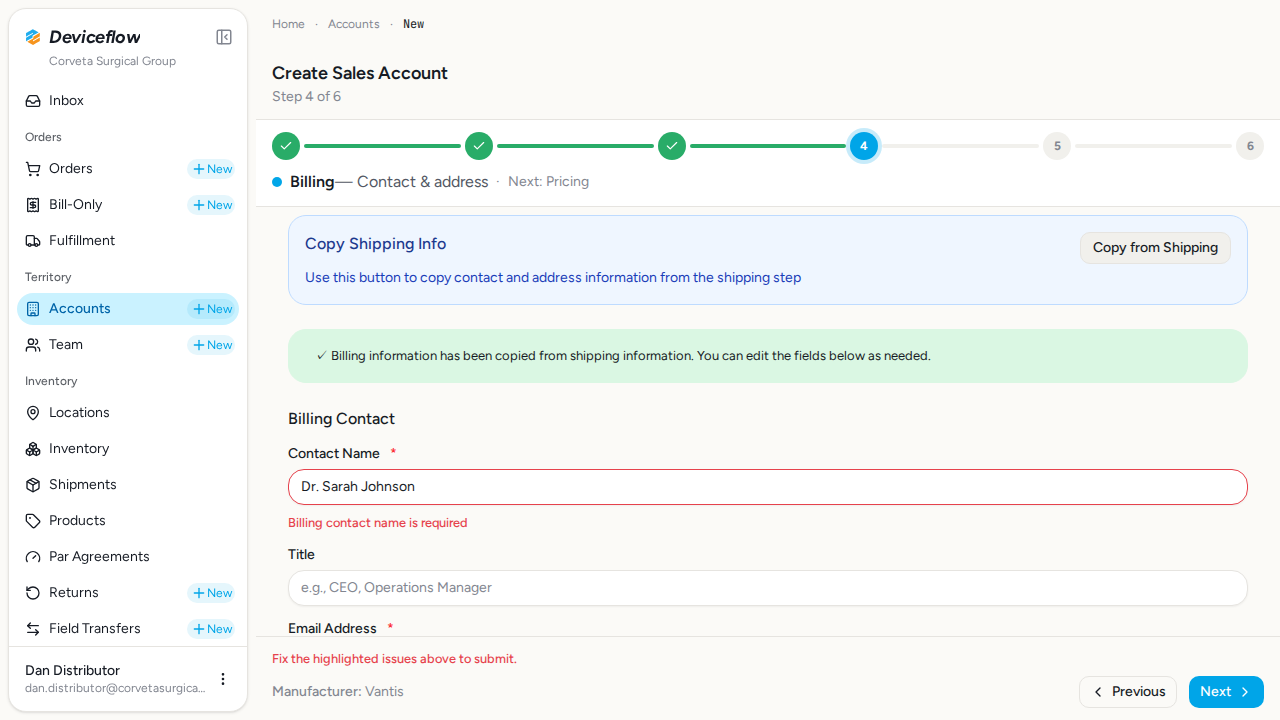
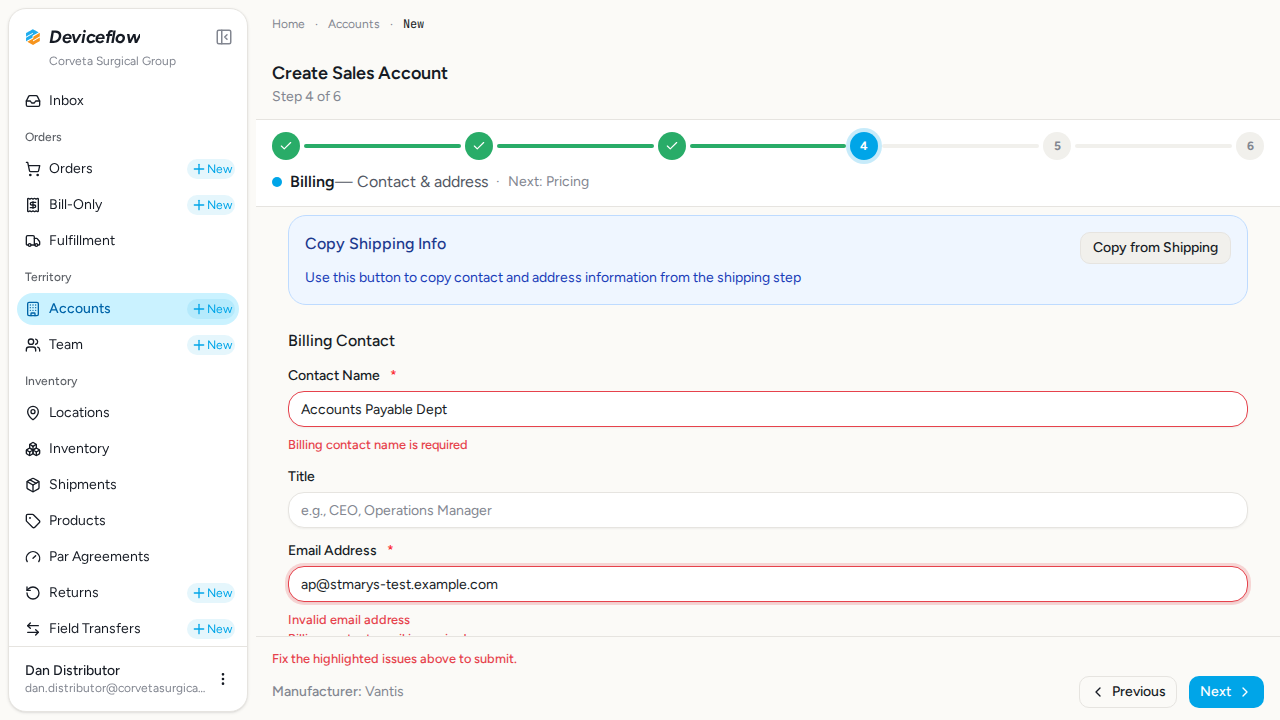
Confirms that the Billing step enforces required contact fields and that the “Copy from Shipping” button auto-populates the billing contact with shipping data. A success toast confirms the copy, then billing contact details are updated before the form advances to the Pricing step.
Screenshots:
6. Step 6: Pricing and notes — ✅ PASS
Section titled “6. Step 6: Pricing and notes — ✅ PASS”What this step proves:
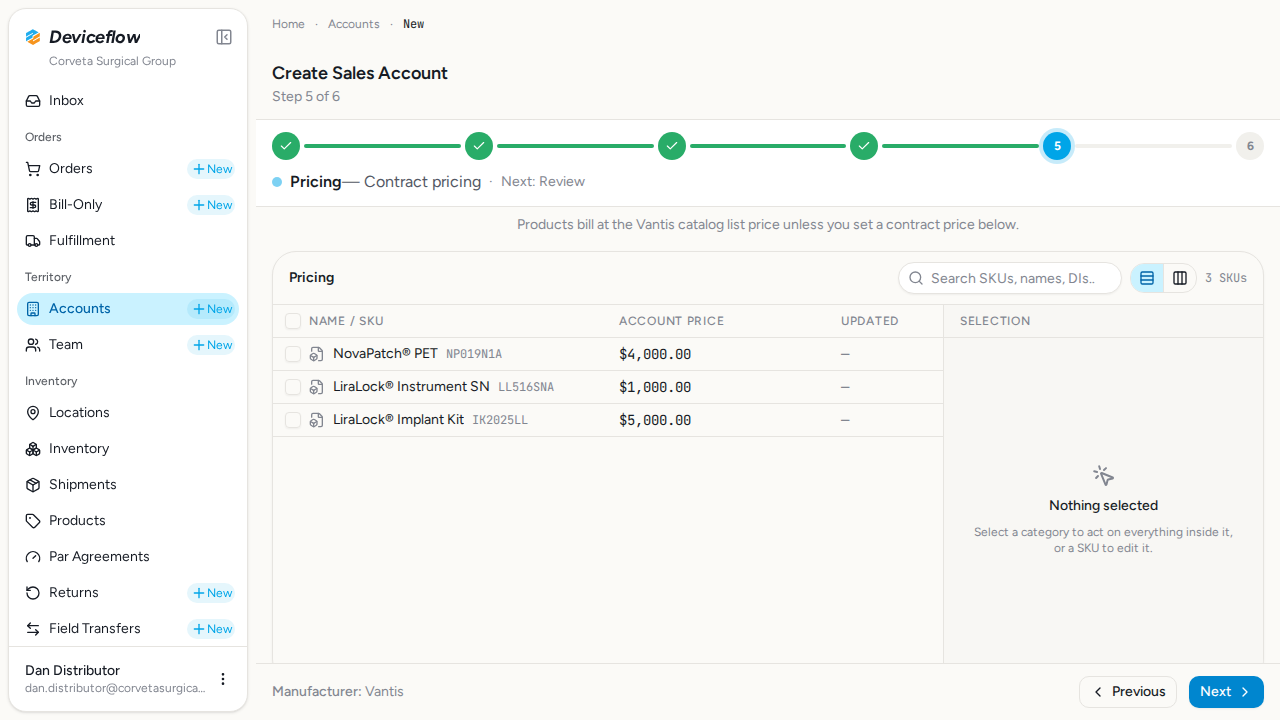
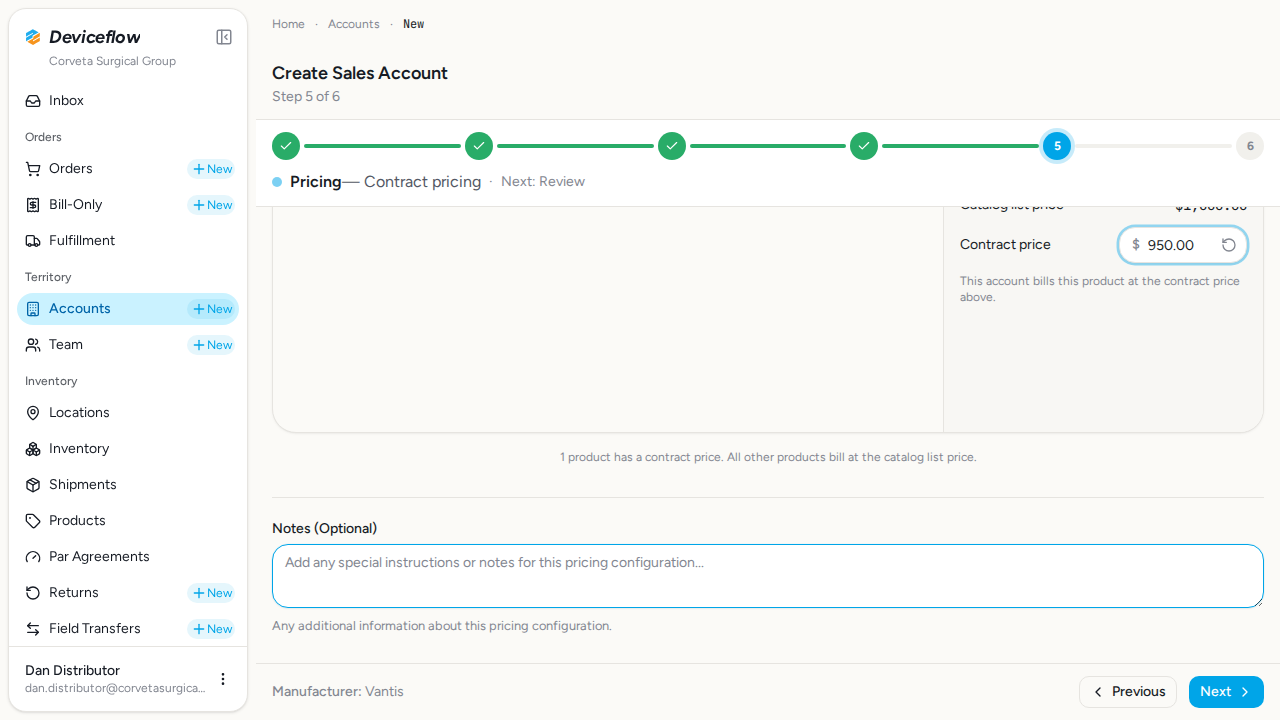
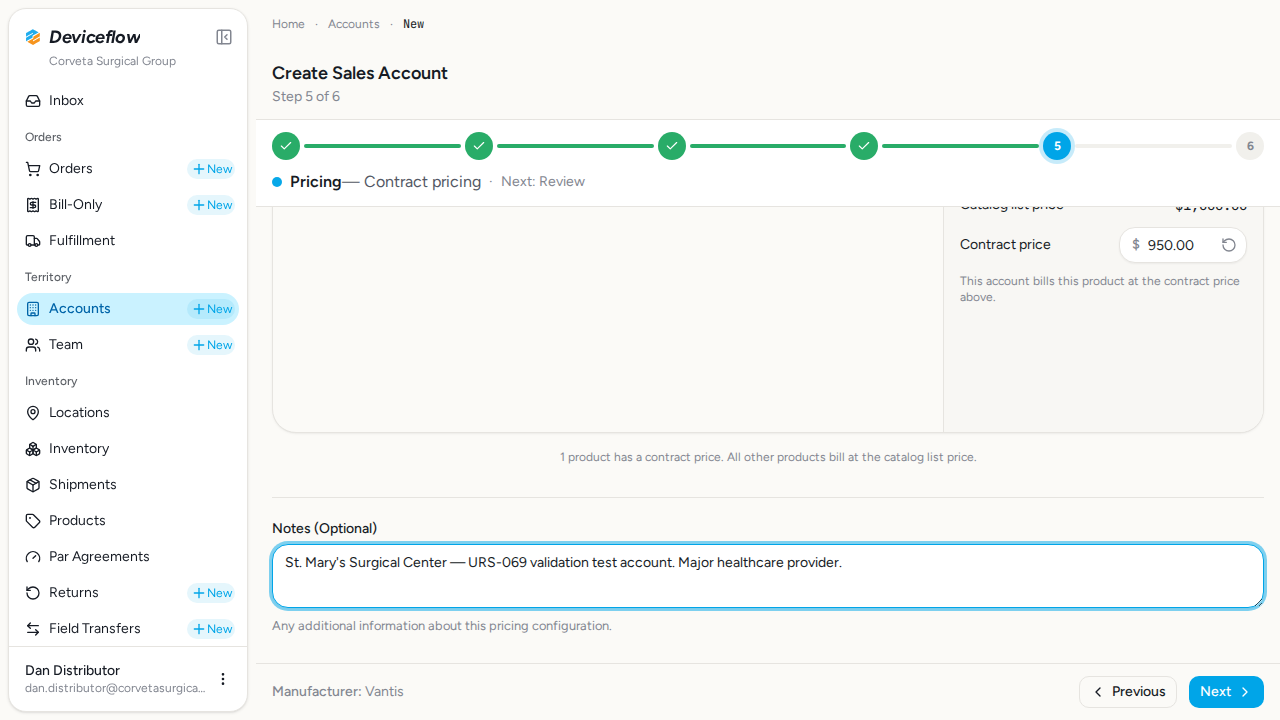
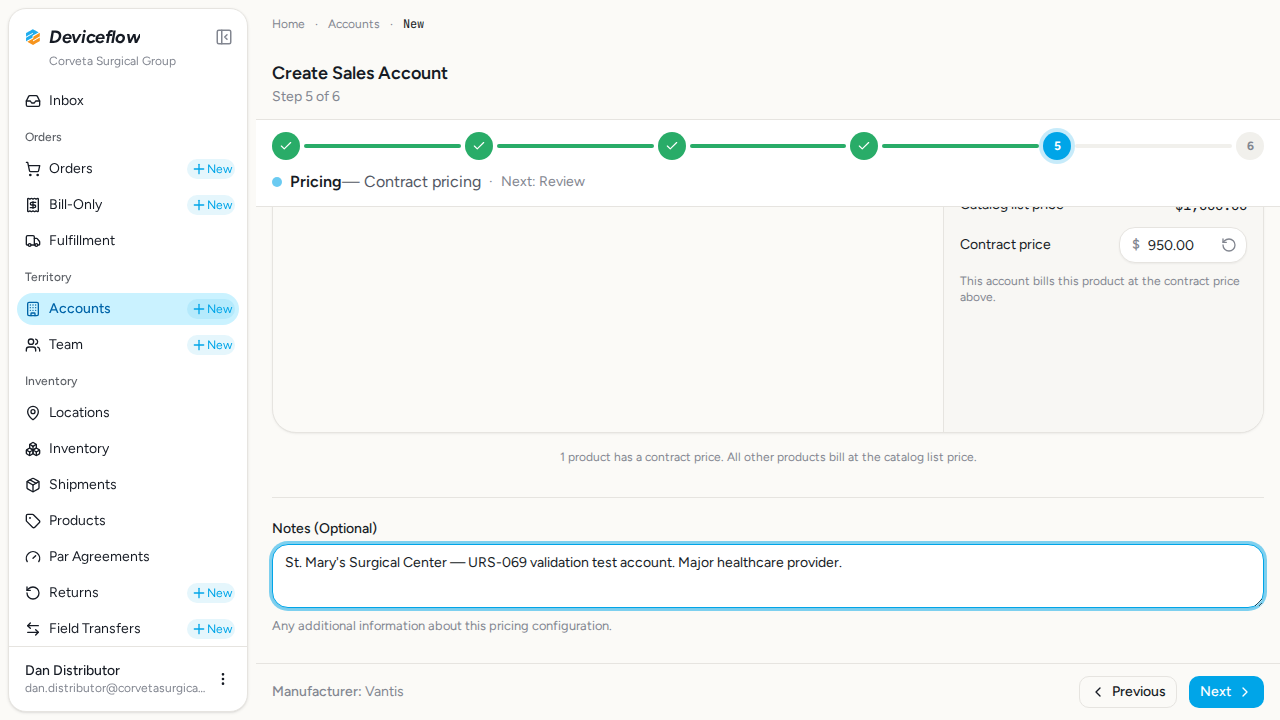
Verifies that the Pricing step presents the manufacturer catalog at list-price defaults, that a contract price can be staged for a single product through the catalog browser (deviation-only pricing: untouched products bill at the catalog list price), and that a free-text Notes field is present and editable. Screenshots capture the catalog before and after the contract price is staged, as well as the entered notes.
Screenshots:
7. Step 7: Review screen — ✅ PASS
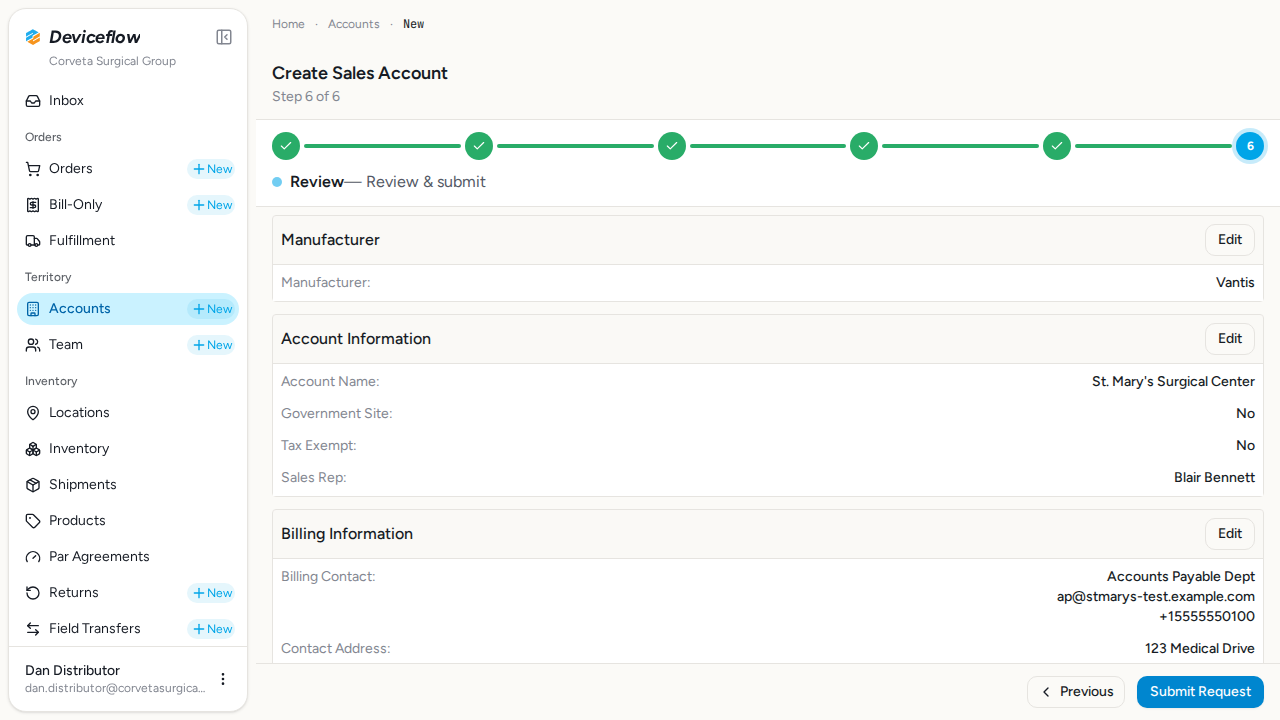
Section titled “7. Step 7: Review screen — ✅ PASS”What this step proves:
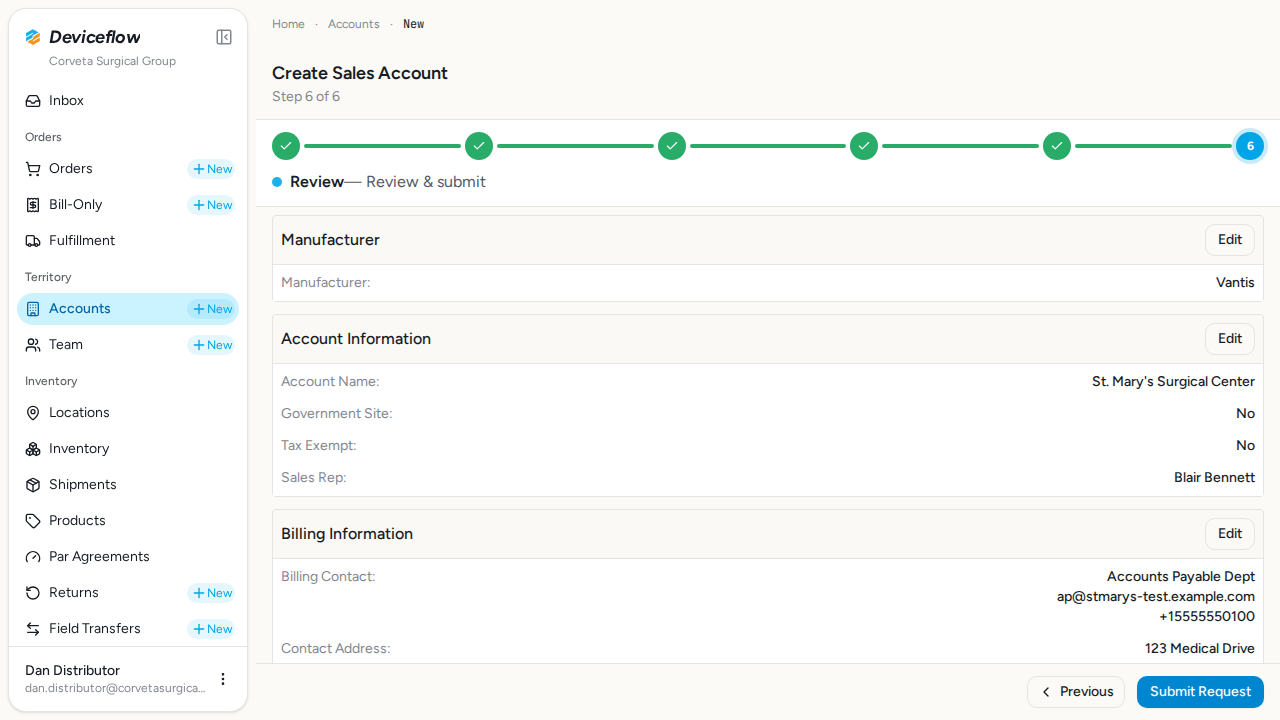
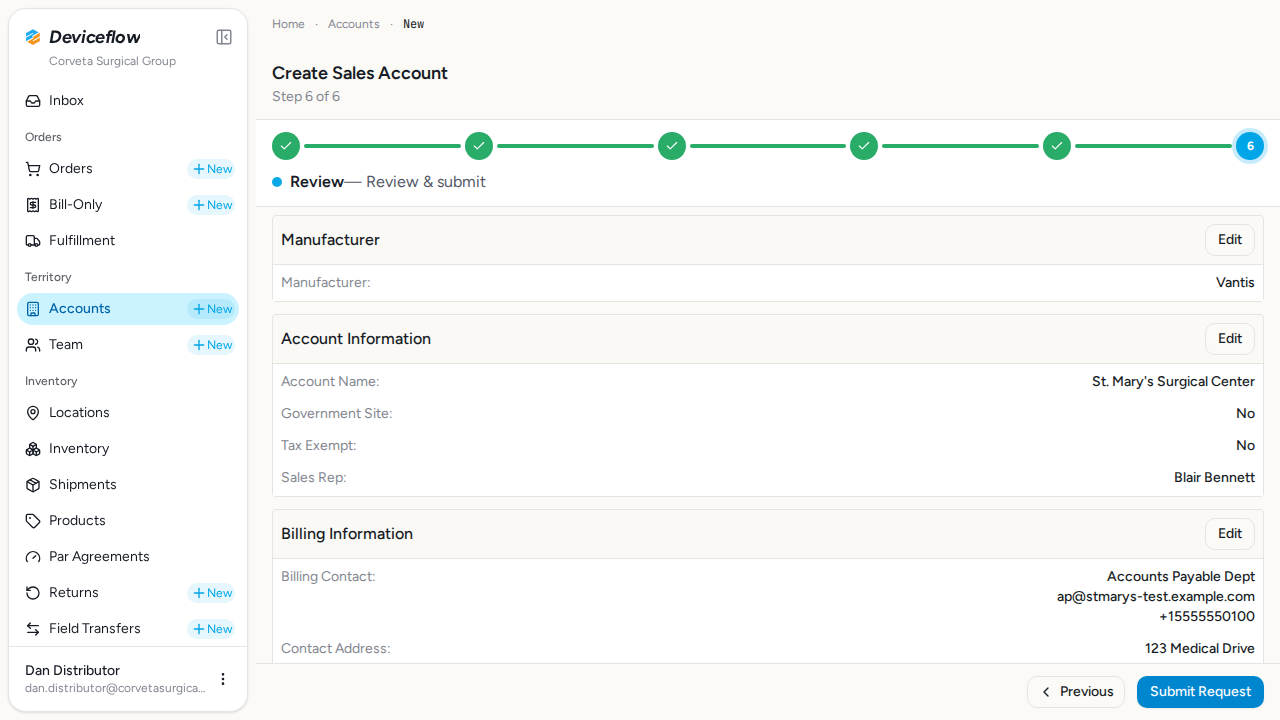
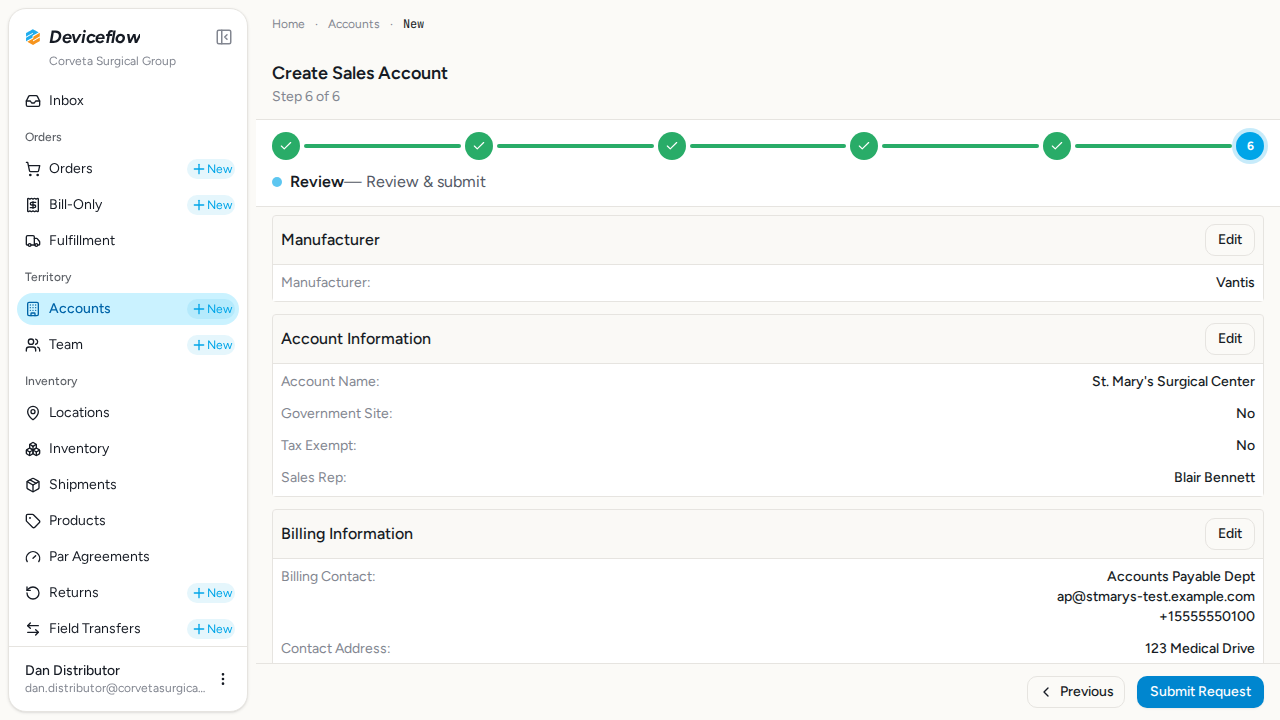
Verifies the Review step displays a summary of all data entered across previous steps: account name, billing and shipping contacts, notes, and “Edit” buttons for each section. Both the Previous navigation button and the Submit button are visible.
Screenshots:
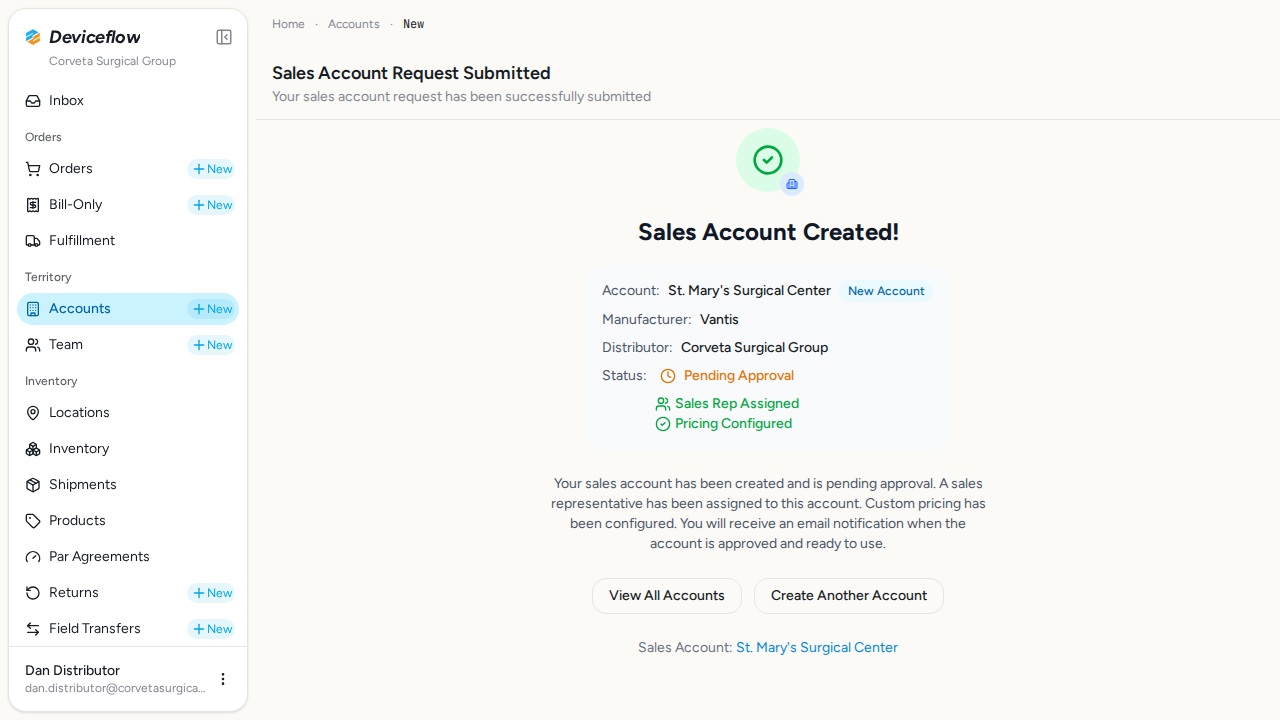
8. Step 8: Submit and verify — ✅ PASS
Section titled “8. Step 8: Submit and verify — ✅ PASS”What this step proves:
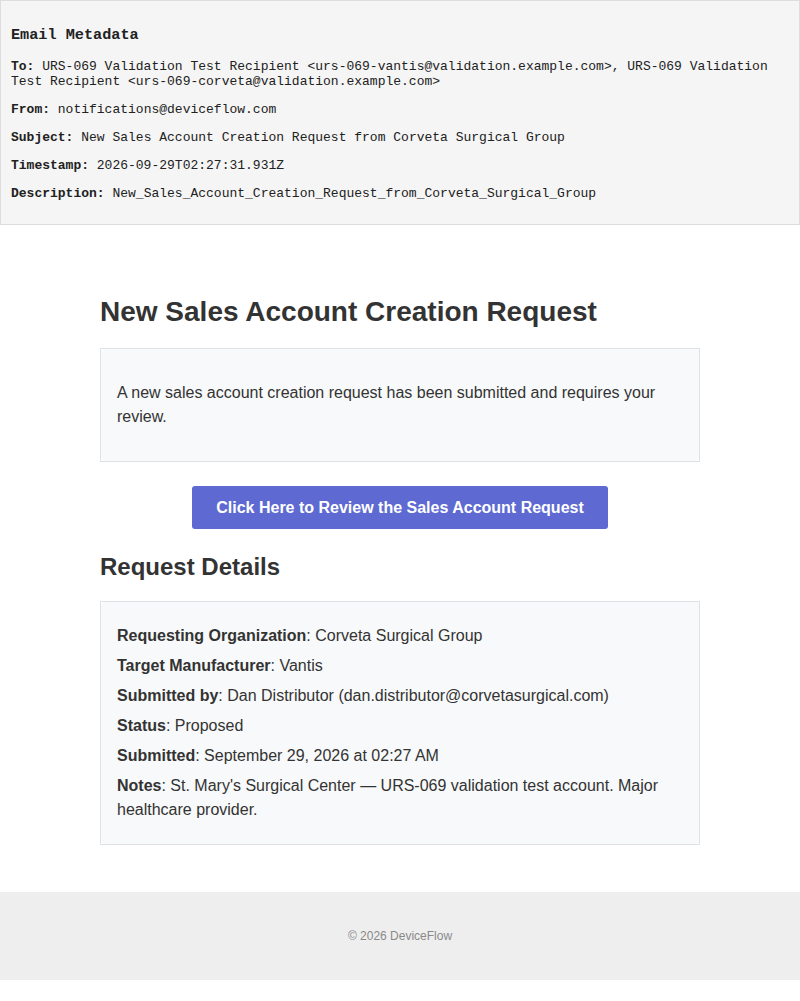
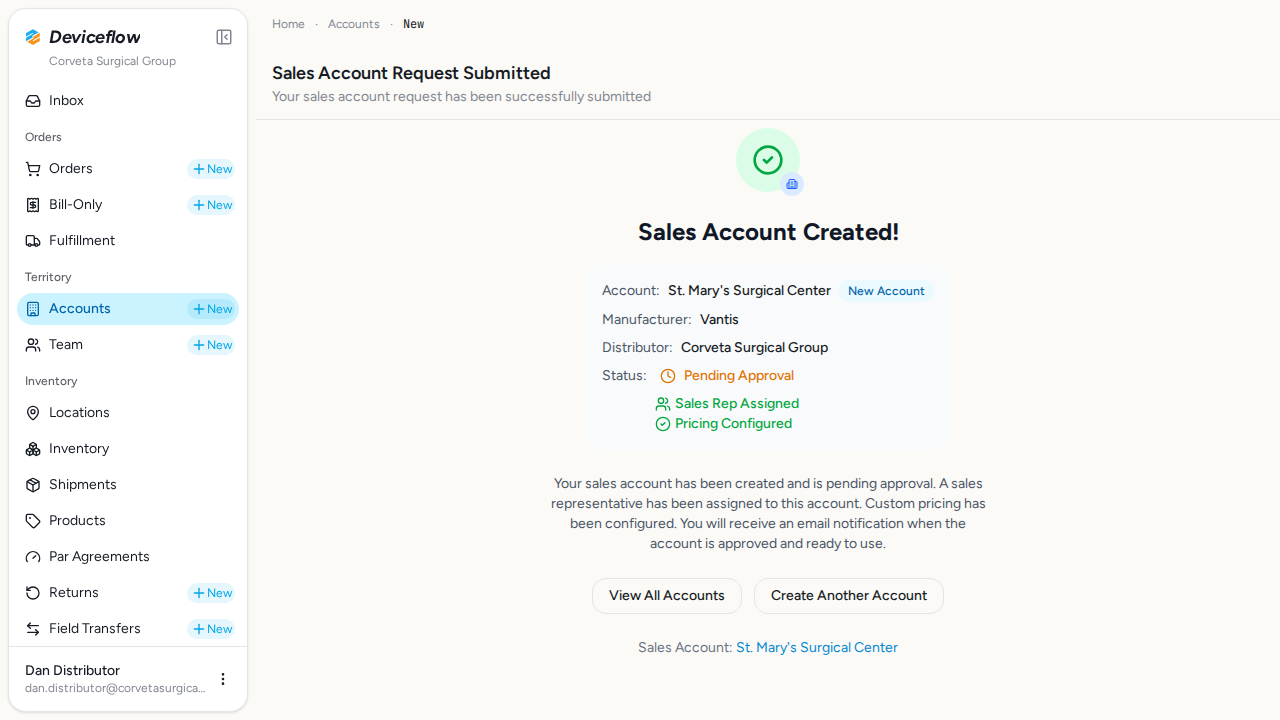
Clicks the “Submit Request” button and waits for the success confirmation. Confirms the success page displays the new account name, indicating the account was persisted to the database, and that the sales_account_creation_request_submitted notification fires to the manufacturer + distributor recipient lists (setup pre-seeds a marker recipient row on each org so the notification has a destination to deliver to). The captured email subject is “New Sales Account Creation Request from <distributor>”.
Audit events generated by this step:
(Evidence scoped to step execution window: 2026-09-29T02:27:30.982Z → 2026-09-29T02:27:39.632Z)
| Time | Type | Action | User | Org | Performed |
|---|---|---|---|---|---|
| 2026-09-29 02:27:31Z | checklist | checklists.create | dan.distributor@corvetasurgical.com | Vantis | — |
| 2026-09-29 02:27:31Z | decision | representatives.gate_rep_action | dan.distributor@corvetasurgical.com | Vantis | no |
| 2026-09-29 02:27:31Z | decision | sync_cycle_count_item_assignment_for_sales_account_rep | dan.distributor@corvetasurgical.com | Vantis | no |
| 2026-09-29 02:27:31Z | decision | refresh_unassigned_cycle_counts_review_item | dan.distributor@corvetasurgical.com | Corveta Surgical Group | no |
| 2026-09-29 02:27:31Z | decision | sync_location_fan_out_item_assignment_for_sales_account_rep | dan.distributor@corvetasurgical.com | Corveta Surgical Group | no |
| 2026-09-29 02:27:31Z | user_log | sales_account:created | dan.distributor@corvetasurgical.com | Corveta Surgical Group | — |
| 2026-09-29 02:27:31Z | transactional_email | sales_account_creation_request_submitted | — | Vantis | — |
Emails triggered by this step:
(Evidence matched by declared name — step timing not available or no events fell in window)
Email 1: New Sales Account Creation Request from Corveta Surgical Group
Template: New_Sales_Account_Creation_Request_from_Corveta_Surgical_Group
Screenshots:
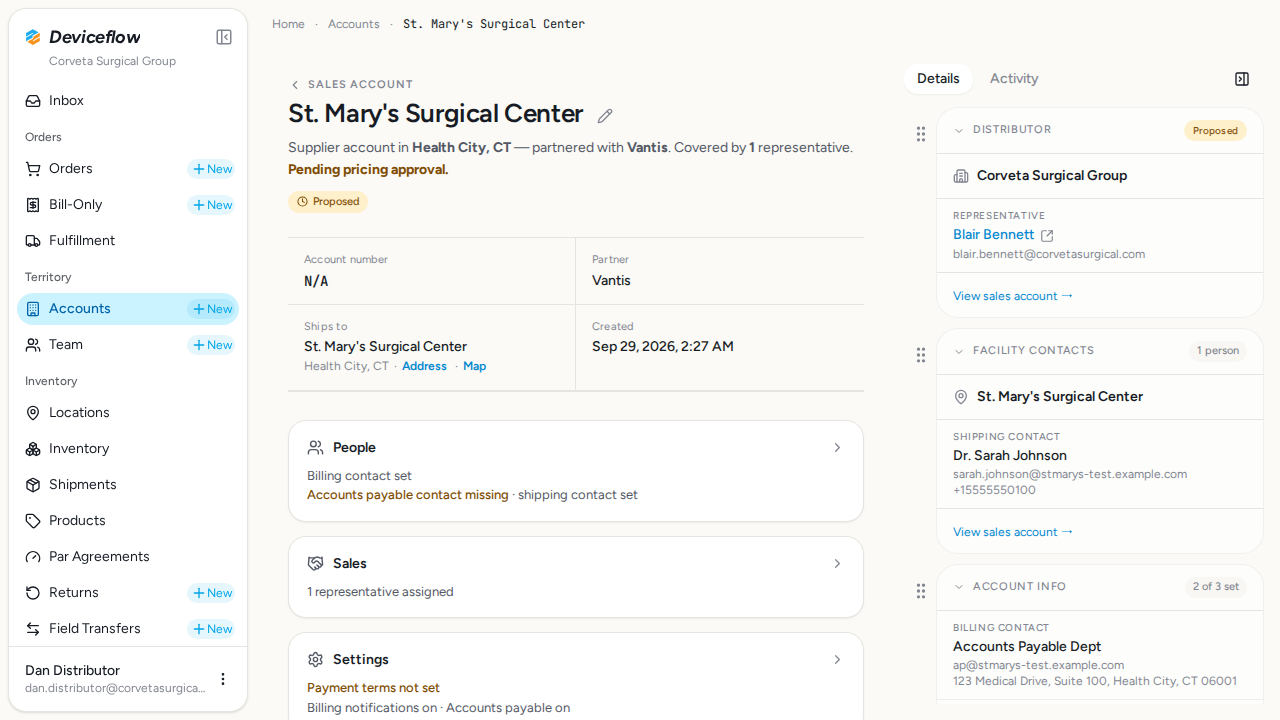
9. Step 9: Verify persistence — ✅ PASS
Section titled “9. Step 9: Verify persistence — ✅ PASS”What this step proves:
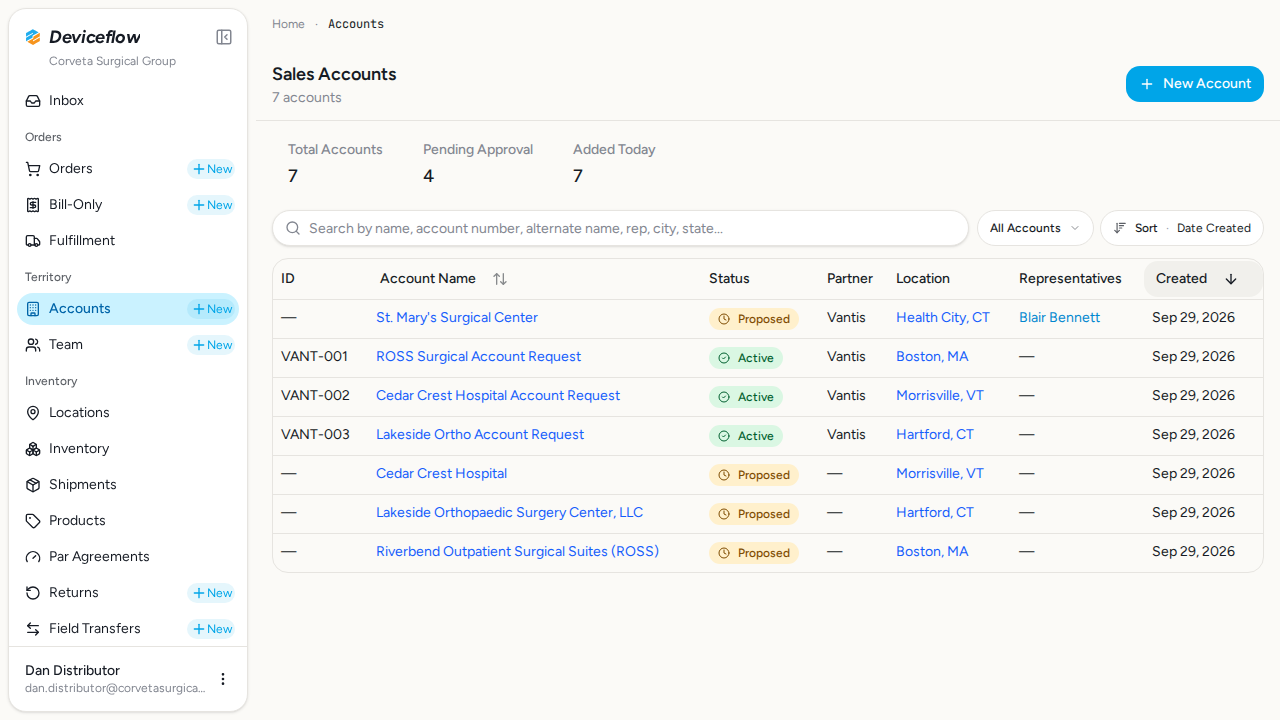
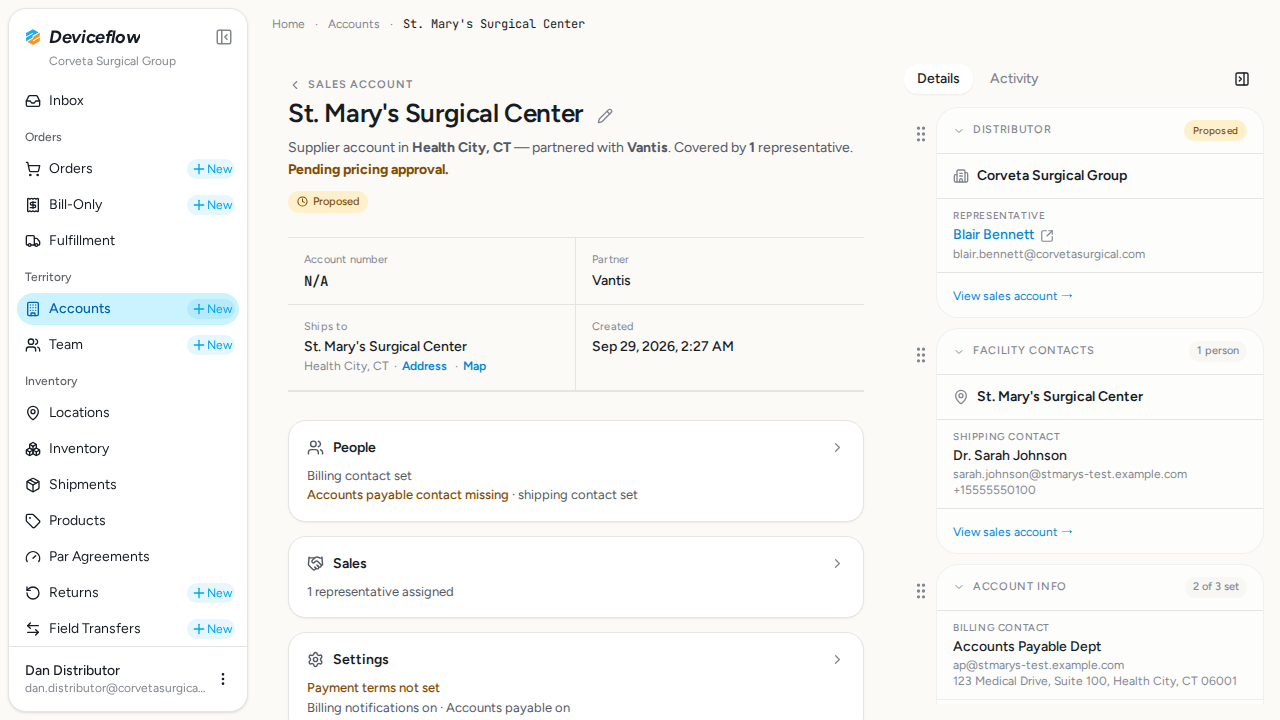
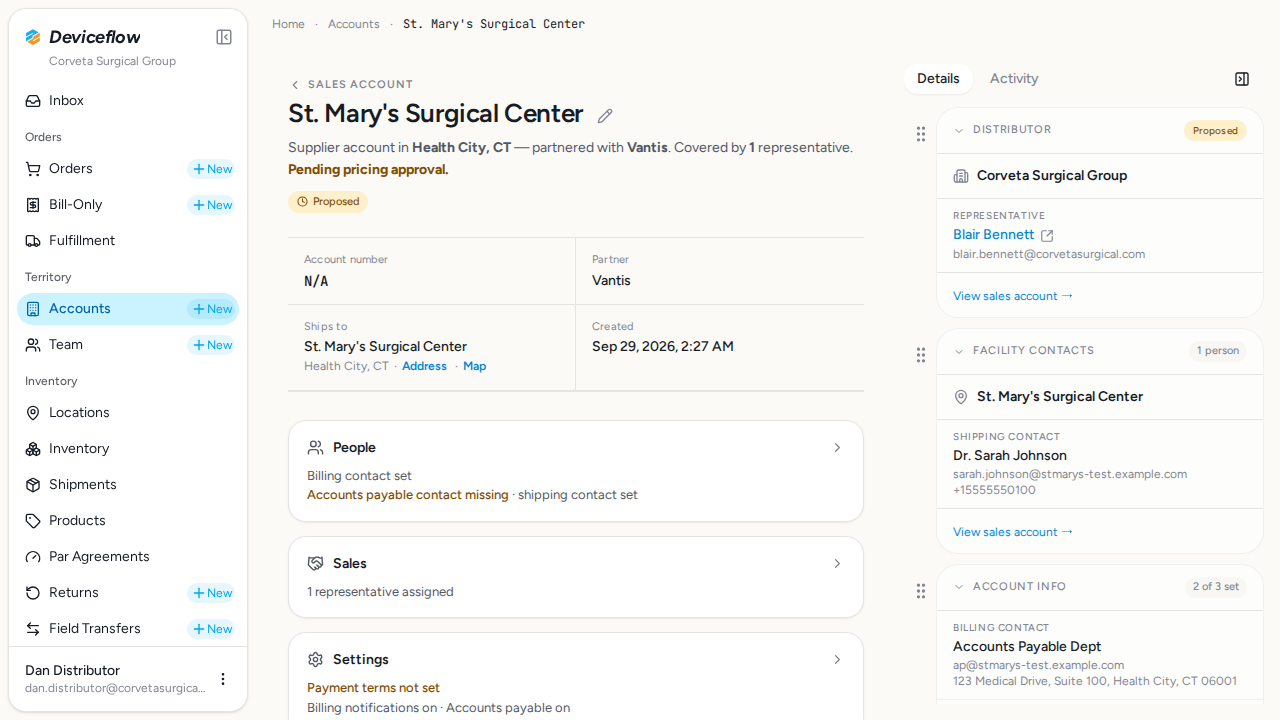
Navigates to the sales accounts list and verifies the newly created account appears in the list. Opens the account detail page and confirms key information is visible, completing the end-to-end verification that the account was durably stored.
Screenshots:
Database Validations
Section titled “Database Validations”The following SQL queries ran against the application database after the Playwright scenarios completed. Each query asserts a specific condition that proves the feature under test persisted its data correctly.
Sales account created — ✅ PASS
Section titled “Sales account created — ✅ PASS”Assertion: Sales account “St. Mary’s Surgical Center” should exist in the database
SELECT id, name, status, organization_id, manufacturer_organization_id, distributor_organization_id, created_at FROM sales_accounts WHERE name = $1 AND distributor_organization_id = $2| id | name | status | organization_id | manufacturer_organization_id | distributor_organization_id | created_at |
|---|---|---|---|---|---|---|
| 01a0eafd-1c83-738a-92a7-2d640647365c | St. Mary’s Surgical Center | proposed | NULL | a1b2c3d4-e5f6-7890-abcd-ef1234567890 | b2c3d4e5-f6a7-8901-bcde-f12345678901 | 2026-09-29T02:27:31.536Z |
Account organization relationships — ✅ PASS
Section titled “Account organization relationships — ✅ PASS”Assertion: Account should be linked to Vantis (manufacturer) and Corveta (distributor)
SELECT manufacturer_organization_id, distributor_organization_id FROM sales_accounts WHERE id = $1| manufacturer_organization_id | distributor_organization_id |
|---|---|
| a1b2c3d4-e5f6-7890-abcd-ef1234567890 | b2c3d4e5-f6a7-8901-bcde-f12345678901 |
Shipping location created with hospital facility type — ✅ PASS
Section titled “Shipping location created with hospital facility type — ✅ PASS”Assertion: Shipping location should be created with address details and real_world_locations.type = “hospital”
SELECT rwl.type, rwl.street_address, rwl.city, rwl.state, rwl.zip FROM sales_accounts sa JOIN real_world_locations rwl ON rwl.id = sa.shipping_location_id WHERE sa.id = $1| type | street_address | city | state | zip |
|---|---|---|---|---|
| hospital | 123 Medical Drive | Health City | CT | 06001 |
Shipping contact created — ✅ PASS
Section titled “Shipping contact created — ✅ PASS”Assertion: Shipping contact should be created
SELECT c.name FROM sales_accounts sa JOIN contacts c ON c.id = sa.shipping_contact_id WHERE sa.id = $1| name |
|---|
| Dr. Sarah Johnson |
Billing contact created — ✅ PASS
Section titled “Billing contact created — ✅ PASS”Assertion: Billing contact should be “Accounts Payable Dept”
SELECT c.name FROM sales_accounts sa JOIN contacts c ON c.id = sa.billing_contact_id WHERE sa.id = $1| name |
|---|
| Accounts Payable Dept |
Pricing records created with standard products enabled — ✅ PASS
Section titled “Pricing records created with standard products enabled — ✅ PASS”Assertion: The contract price staged for LL516SNA ($950.00) should be persisted as a pricing record; all standard products must have enabled=true
SELECT sap.org_product_id, op.sku, sap.price, sap.status, sap.enabled, pci.requires_account_enablement FROM sales_account_approved_pricing sap JOIN org_products op ON op.id = sap.org_product_id LEFT JOIN product_catalog_items pci ON pci.product_id = sap.org_product_id AND pci.active = true WHERE sap.sales_account_id = $1| org_product_id | sku | price | status | enabled | requires_account_enablement |
|---|---|---|---|---|---|
| 01989ca1-f2f8-7ab7-8269-7179342797cc | LL516SNA | 950.00 | pending | true | false |
Sales rep assigned — ✅ PASS
Section titled “Sales rep assigned — ✅ PASS”Assertion: At least one sales representative should be assigned to the account
SELECT saua.user_id, u.name as user_name, saua.active FROM sales_account_user_assignments saua JOIN users u ON u.id = saua.user_id WHERE saua.sales_account_id = $1 AND saua.active = true| user_id | user_name | active |
|---|---|---|
| 17b8c9d0-e1f2-3456-1234-567890123456 | Blair Bennett | true |
Account has valid status — ✅ PASS
Section titled “Account has valid status — ✅ PASS”Assertion: Account should have status “proposed” or “active”
SELECT status FROM sales_accounts WHERE id = $1| status |
|---|
| proposed |
Audit & Email Assertion Ledger
Section titled “Audit & Email Assertion Ledger”Per-declaration outcome of every expectedAuditActions and expectedEmailTemplates entry written into the orchestrator. Missing evidence here is a real test failure, not a soft warning.
Audit Action Assertions
Section titled “Audit Action Assertions”Each row asserts that a declared expectedAuditActions entry produced a matching row in audit_events. A ❌ flips overall status to FAIL — the declaration is real proof, not just an annotation.
| Step | Expected Audit Action | Found |
|---|---|---|
| Step 1: Login and navigate | user_log:user:login | ✅ |
Email Template Assertions
Section titled “Email Template Assertions”Each row asserts that a declared expectedEmailTemplates entry was matched (case-insensitive substring) by a captured email subject or template. A ❌ flips overall status to FAIL.
| Step | Expected Template | Found |
|---|---|---|
| Step 8: Submit and verify | Sales Account Creation Request | ✅ |
Audit Log Events
Section titled “Audit Log Events”Every row written to audit_events while this test was running (scoped to the demo organizations). Provides compliance evidence that user actions are traced end-to-end (URS-003).
Capture window start: 2026-09-29T02:25:17.246Z
SELECT ae.created_at, ae.event_type, ae.action, ae.user_id, u.email AS user_email, ae.organization_id, o.name AS organization_name, ae.object_id, ae.secondary_object_id, ae.payload, ae.route, ae.trace_id FROM audit_events ae LEFT JOIN users u ON u.id = ae.user_id LEFT JOIN organizations o ON o.id = ae.organization_id WHERE ae.created_at >= $1 AND ae.organization_id = ANY($2::uuid[]) ORDER BY ae.created_at ASC9 event(s) captured:
| Time | Type | Action | User | Org | Object ID | Performed | Reason |
|---|---|---|---|---|---|---|---|
| 2026-09-29 02:25:29Z | user_log | user:login | dan.distributor@corvetasurgical.com | Corveta Surgical Group | — | — | |
| 2026-09-29 02:25:46Z | user_log | user:login | dan.distributor@corvetasurgical.com | Corveta Surgical Group | — | — | |
| 2026-09-29 02:27:31Z | checklist | checklists.create | dan.distributor@corvetasurgical.com | Vantis | 01a0eafd-1cbc-7ab3-b680-7581d50f59da | — | |
| 2026-09-29 02:27:31Z | decision | representatives.gate_rep_action | dan.distributor@corvetasurgical.com | Vantis | a1b2c3d4-e5f6-7890-abcd-ef1234567890 | no | no_blocking_relationship |
| 2026-09-29 02:27:31Z | decision | sync_cycle_count_item_assignment_for_sales_account_rep | dan.distributor@corvetasurgical.com | Vantis | 01a0eafd-1c83-738a-92a7-2d640647365c | no | no_active_cycle_count_items_for_shipping_location |
| 2026-09-29 02:27:31Z | decision | refresh_unassigned_cycle_counts_review_item | dan.distributor@corvetasurgical.com | Corveta Surgical Group | b2c3d4e5-f6a7-8901-bcde-f12345678901 | no | no_unassigned_locations |
| 2026-09-29 02:27:31Z | decision | sync_location_fan_out_item_assignment_for_sales_account_rep | dan.distributor@corvetasurgical.com | Corveta Surgical Group | 01a0eafd-1c83-738a-92a7-2d640647365c | no | no_active_fan_out_items_for_shipping_location |
| 2026-09-29 02:27:31Z | user_log | sales_account:created | dan.distributor@corvetasurgical.com | Corveta Surgical Group | 01a0eafd-1c83-738a-92a7-2d640647365c | — | |
| 2026-09-29 02:27:31Z | transactional_email | sales_account_creation_request_submitted | — | Vantis | 01a0eafd-1c83-738a-92a7-2d640647365c | — |
Email Evidence
Section titled “Email Evidence”1 notification email(s) were captured during this test run. Each email is rendered as a screenshot for compliance review.
1. New Sales Account Creation Request from Corveta Surgical Group
Section titled “1. New Sales Account Creation Request from Corveta Surgical Group”Template: New_Sales_Account_Creation_Request_from_Corveta_Surgical_Group
Additional Video Evidence
Section titled “Additional Video Evidence”The following screencast recordings were captured but could not be matched to a specific test step. Step-matched recordings appear inline in their respective step sections above.