URS-036 · Mobile device support
Title: Mobile device support Date: 2026-09-29T02:24:58.680Z Duration: 187.1s Overall Status: ✅ PASS
User Requirement
Section titled “User Requirement”The system shall support access and use on mobile devices.
Source: User_Requirement_Specifications_Vantis_DeviceFlow.xlsx — the run below proves the system meets this requirement.
Environment
Section titled “Environment”- Inbox URL: http://localhost:43879
- Database: localhost:43399/cc_repinbox_dev
Status: ✅ PASS
Test Steps
Section titled “Test Steps”Each step below corresponds to one Playwright test that ran sequentially. Screenshots and video recordings provide visual evidence of the UI behaviour.
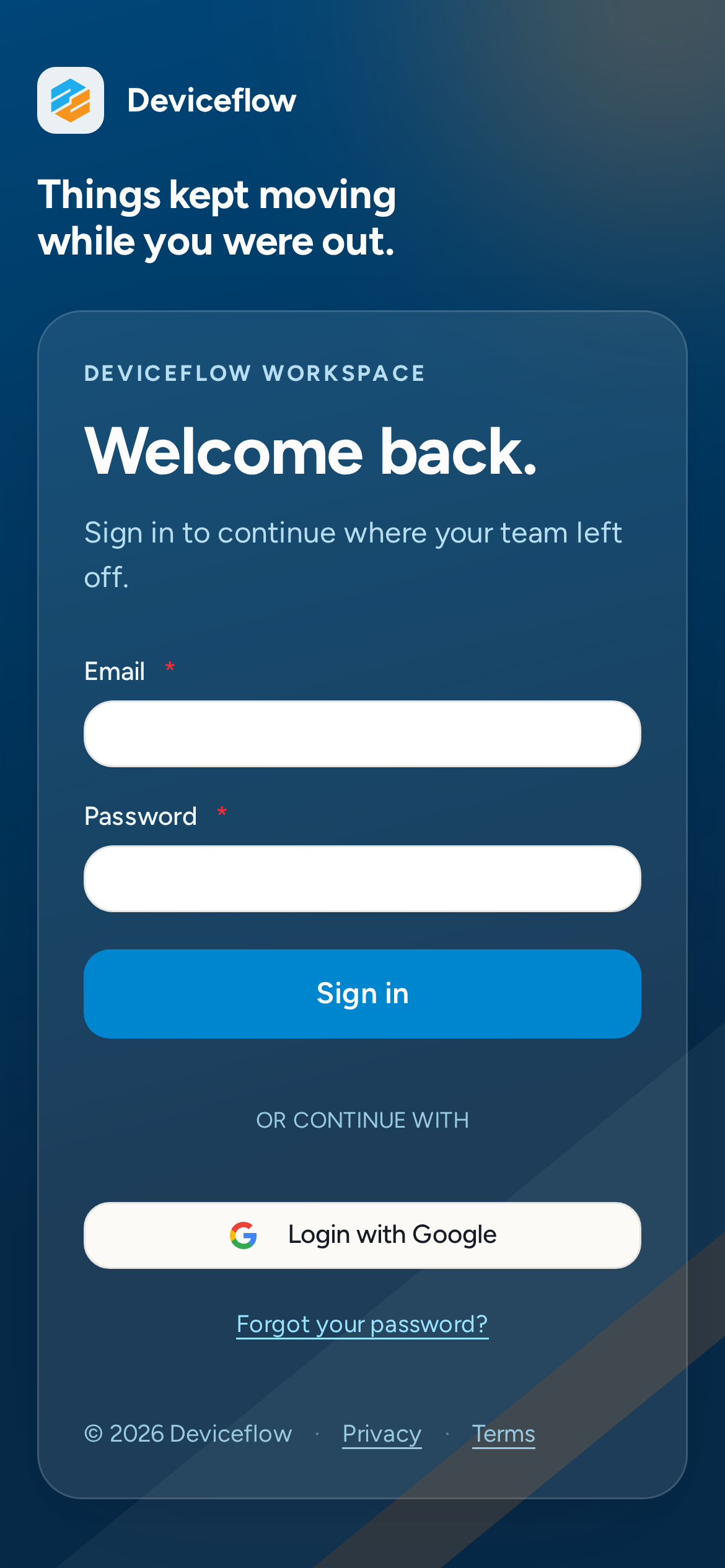
1. Step 1a: Login form on iPhone 12 (empty) — ✅ PASS
Section titled “1. Step 1a: Login form on iPhone 12 (empty) — ✅ PASS”What this step proves:
Confirms the login form is rendered and accessible on an iPhone 12 viewport (390×844 px) before credentials are entered. Verifies the form fields are visible and that no horizontal scroll occurs at the phone viewport width.
Screenshots:
Video recording:
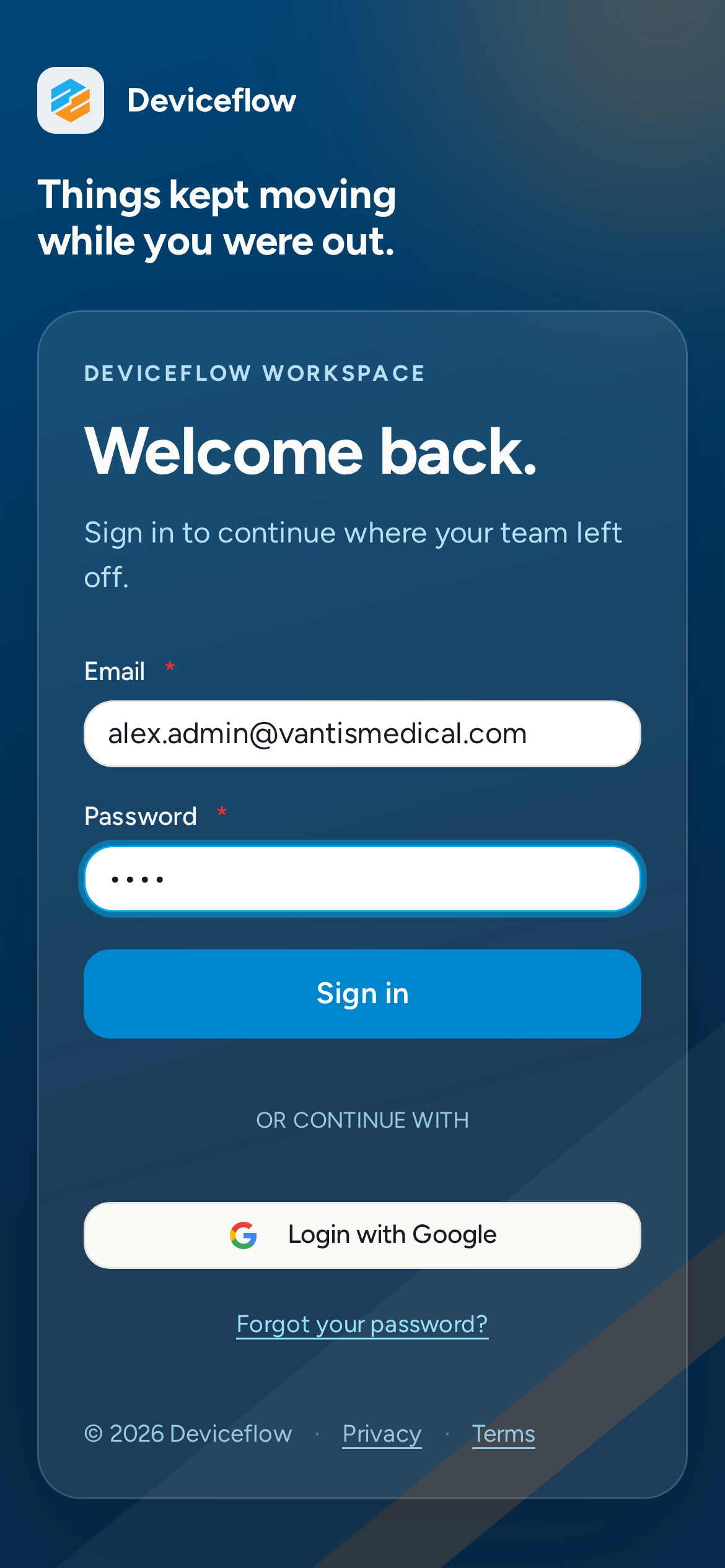
2. Step 1b: Login form on iPhone 12 (filled) — ✅ PASS
Section titled “2. Step 1b: Login form on iPhone 12 (filled) — ✅ PASS”What this step proves:
Shows the login form with credentials filled in, immediately before the submit button is tapped. Confirms all fields are reachable and readable on a mobile viewport.
Screenshots:
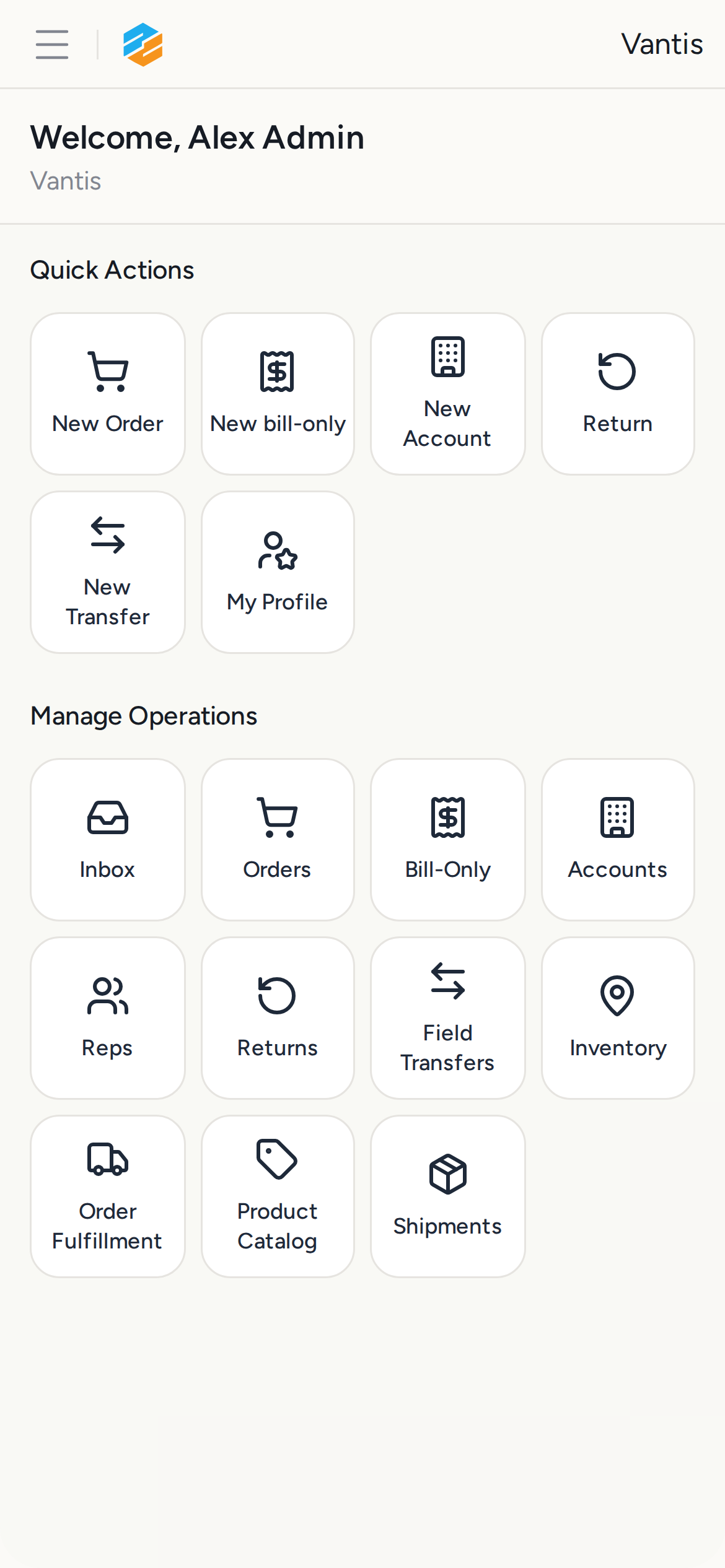
3. Step 1c: Home page on iPhone 12 after login — ✅ PASS
Section titled “3. Step 1c: Home page on iPhone 12 after login — ✅ PASS”What this step proves:
Confirms a successful login redirected the browser away from /login and that the post-login home page renders without horizontal overflow on the iPhone 12 viewport.
Screenshots:
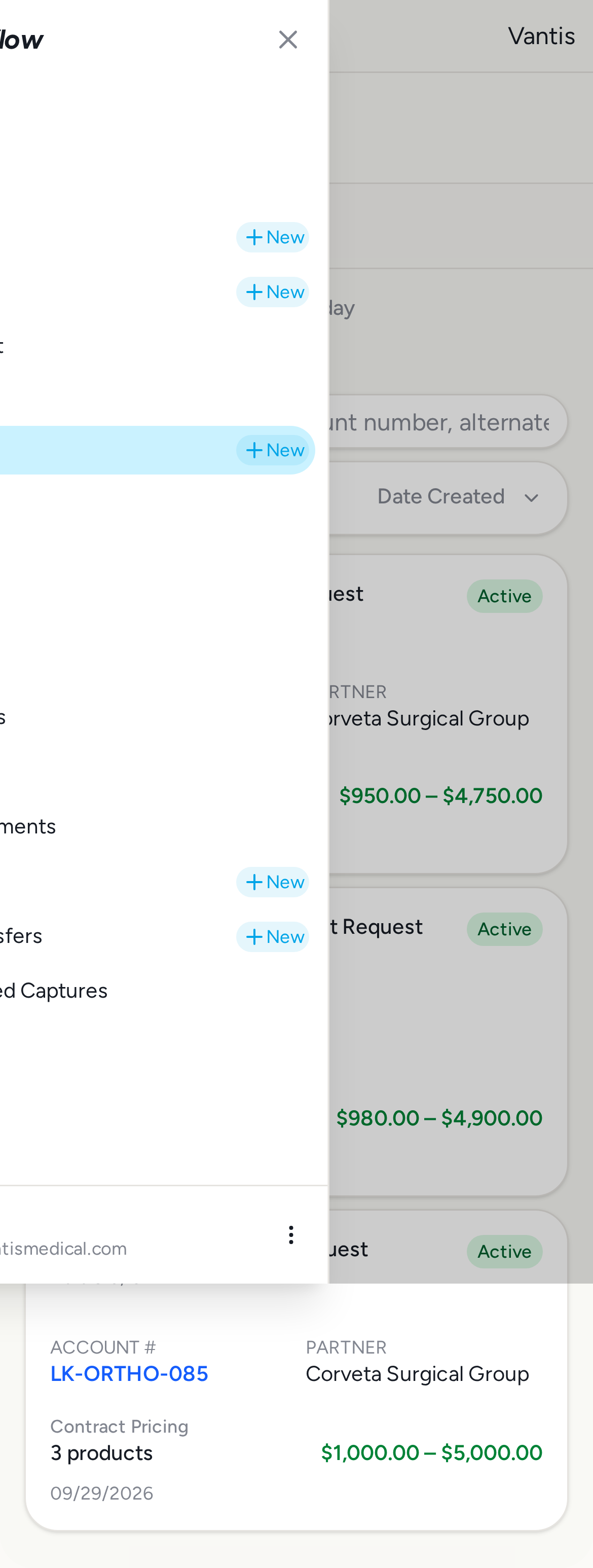
4. Step 2a: Navigation drawer open on iPhone 12 — ✅ PASS
Section titled “4. Step 2a: Navigation drawer open on iPhone 12 — ✅ PASS”What this step proves:
Taps the hamburger menu button to open the mobile navigation drawer, then captures the full open state. Proves the primary navigation destinations are reachable by touch on a 390×844 px phone viewport.
Screenshots:
Video recording:
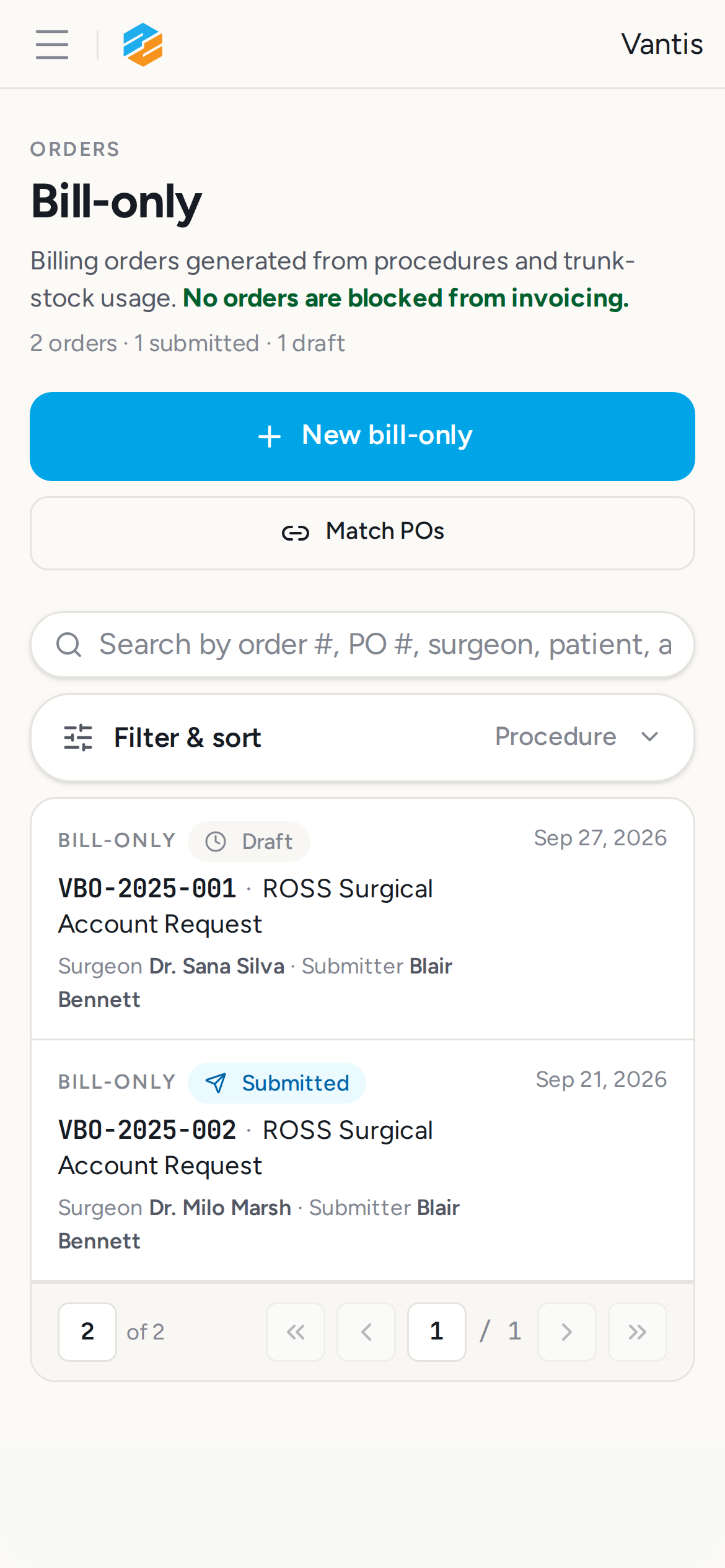
5. Step 2b: Billing page after drawer navigation — ✅ PASS
Section titled “5. Step 2b: Billing page after drawer navigation — ✅ PASS”What this step proves:
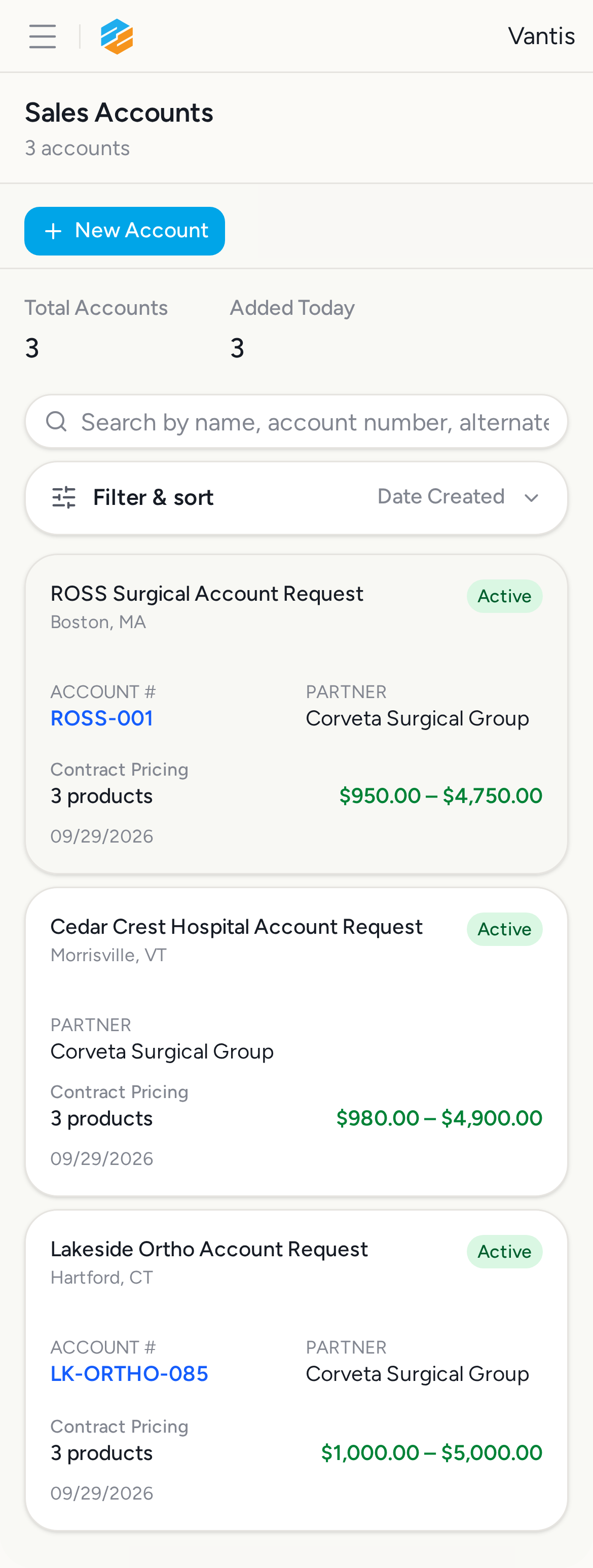
Taps the Bill-Only nav link inside the open drawer and confirms the app routes to /billing. Also confirms the drawer auto-closes after navigation, matching the NavigationSidebar setOpenMobile(false) behavior.
Screenshots:
6. Step 3a: Accounts cards on iPhone 12 — ✅ PASS
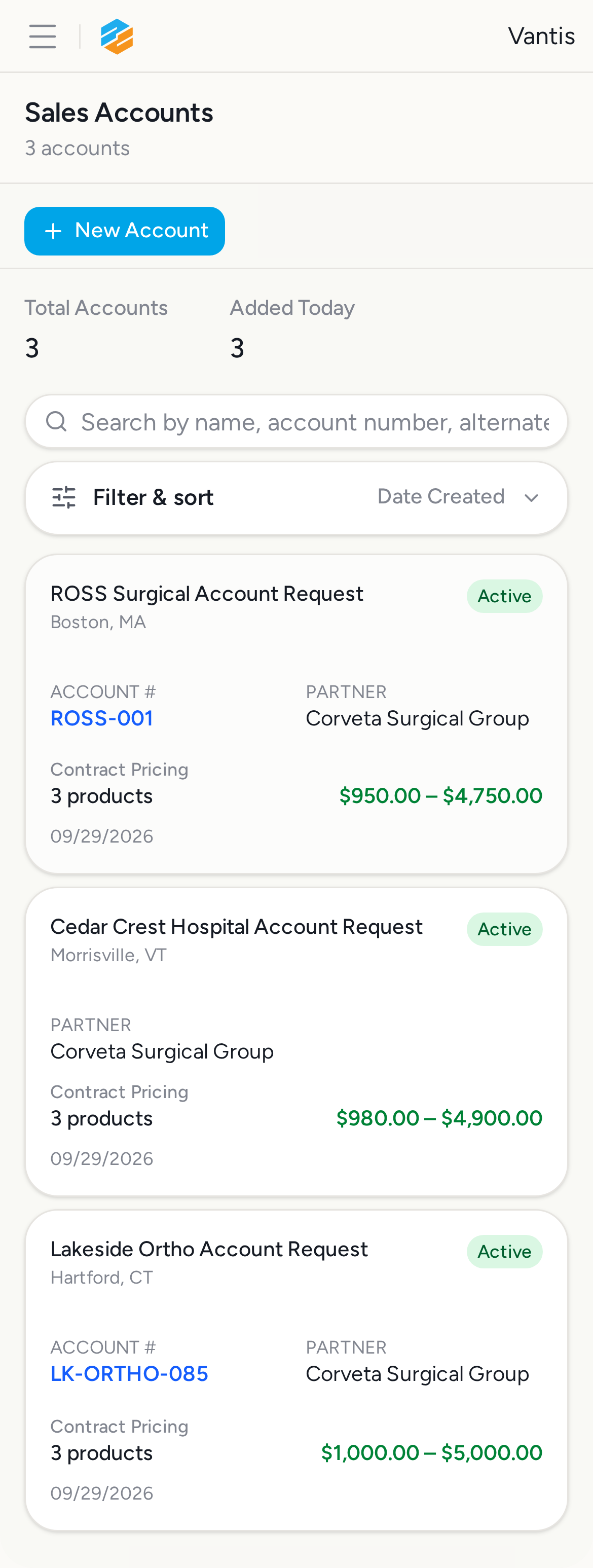
Section titled “6. Step 3a: Accounts cards on iPhone 12 — ✅ PASS”What this step proves:
Confirms the /sales-accounts page renders a vertical card list (not a table) on the iPhone 12 viewport. Asserts the three seeded Vantis account names appear inside the mobile-only card container and that no horizontal scroll is present.
Screenshots:
Video recording:
7. Step 3b: Account detail on iPhone 12 — ✅ PASS
Section titled “7. Step 3b: Account detail on iPhone 12 — ✅ PASS”What this step proves:
Taps a mobile card link and confirms the app navigates to the account detail page. Verifies the detail page loads without horizontal overflow on a phone viewport.
Screenshots:

8. Step 4a: Billing cards on iPhone 12 — ✅ PASS
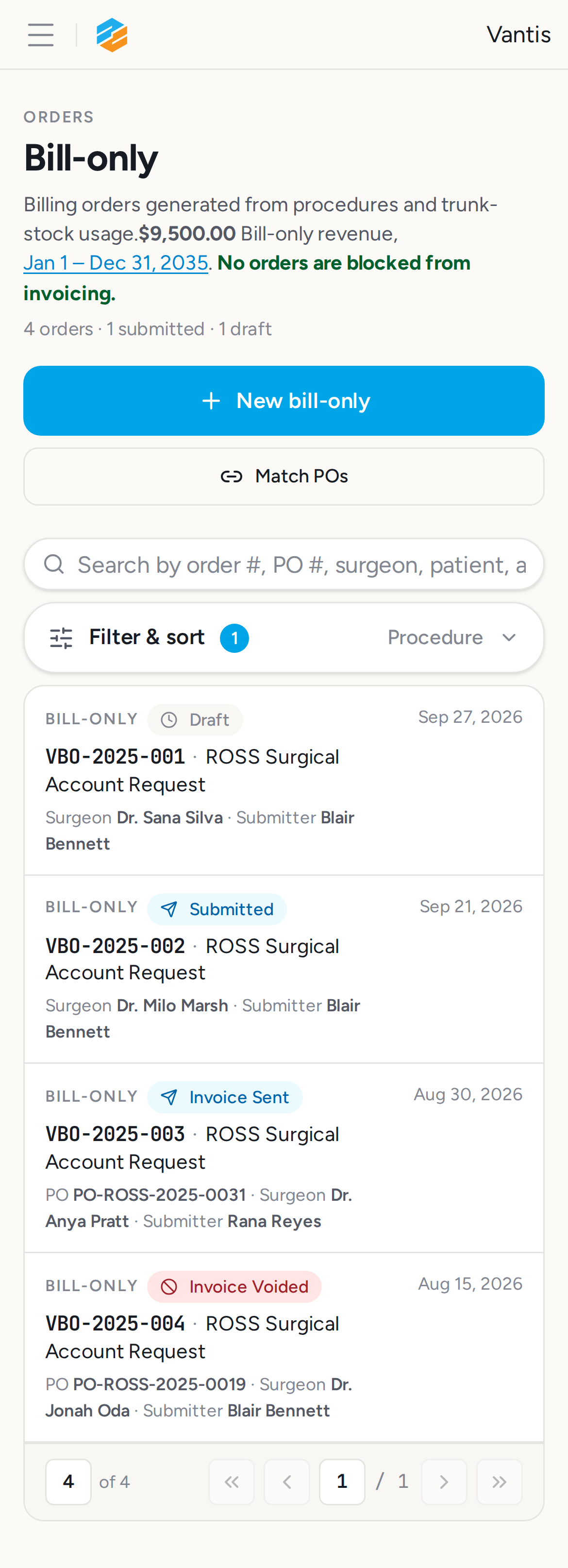
Section titled “8. Step 4a: Billing cards on iPhone 12 — ✅ PASS”What this step proves:
Confirms the /billing page renders all four seeded Bill-Only Orders as tappable links on the iPhone 12 viewport, and that no horizontal scroll is present.
Screenshots:
Video recording:
9. Step 4b: Billing detail on iPhone 12 — ✅ PASS
Section titled “9. Step 4b: Billing detail on iPhone 12 — ✅ PASS”What this step proves:
Taps a billing card link and confirms the app navigates to the order detail page. Verifies the detail page loads without horizontal overflow on a phone viewport.
Screenshots:

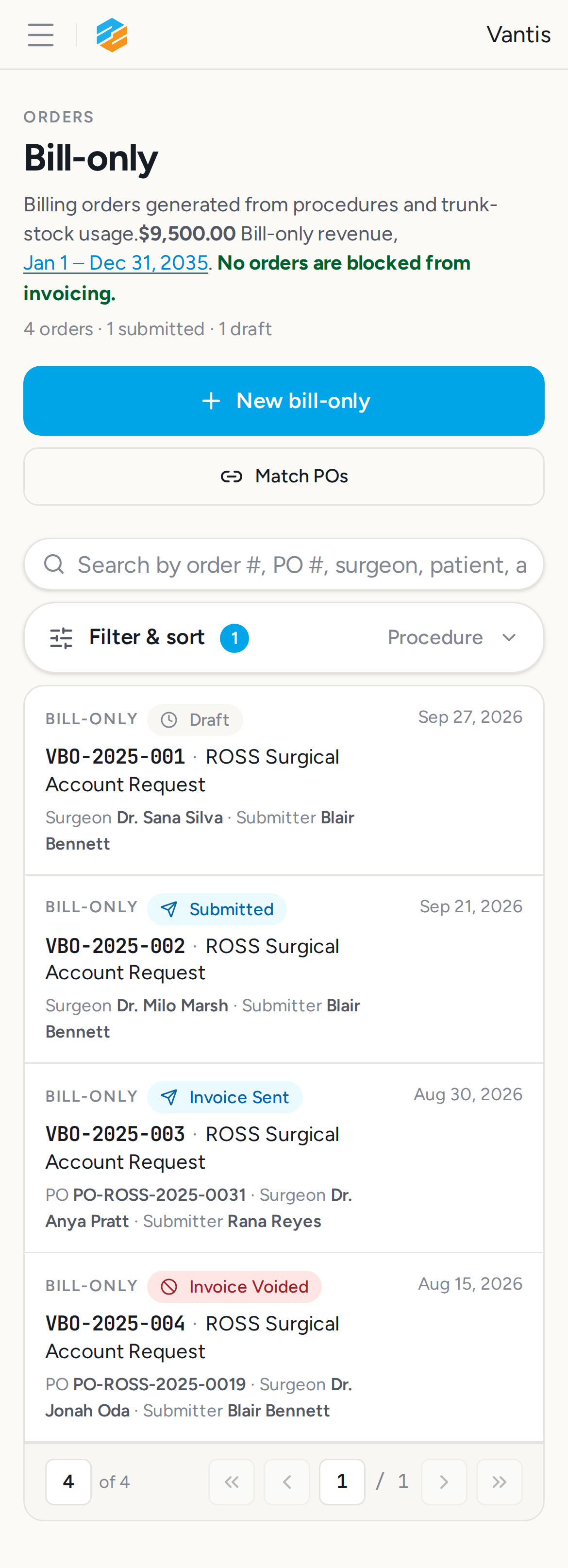
10. Step 5a: iPhone 12 /billing?filter=all&dateFrom=2020-01-01&dateTo=2035-12-31 — ✅ PASS
Section titled “10. Step 5a: iPhone 12 /billing?filter=all&dateFrom=2020-01-01&dateTo=2035-12-31 — ✅ PASS”Screenshots:
Video recording:
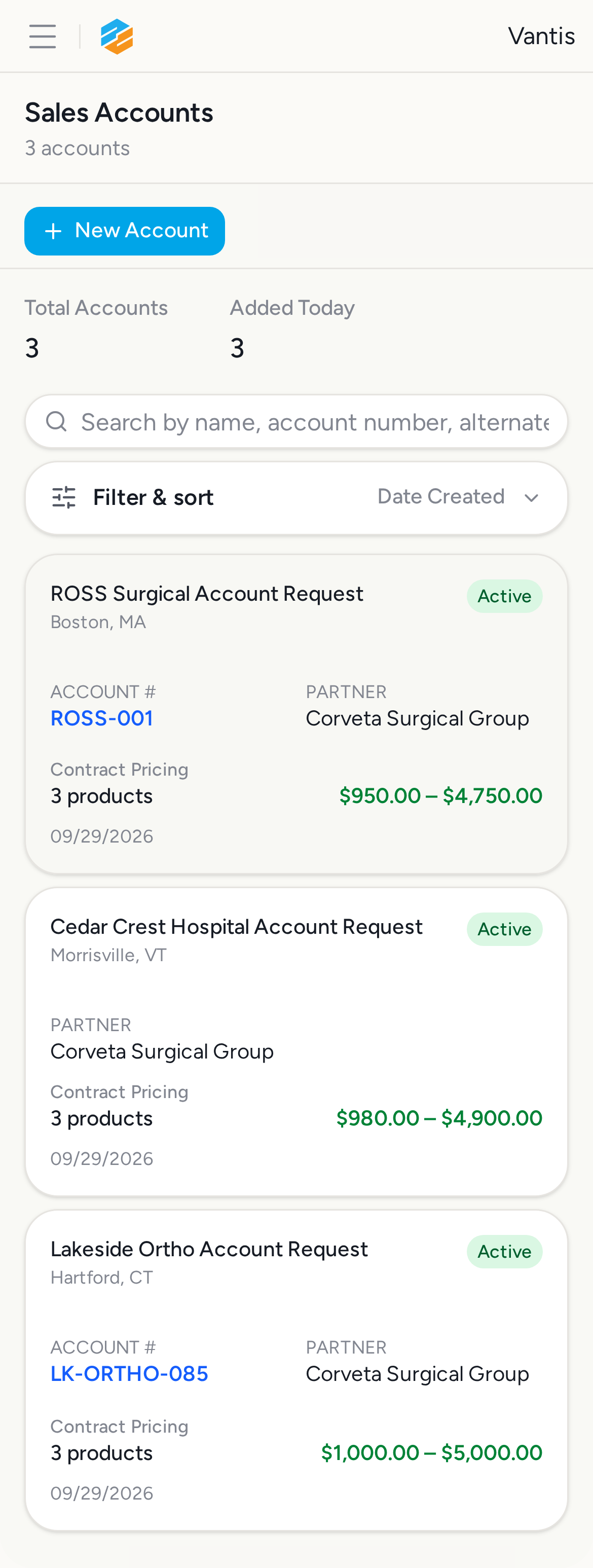
11. Step 5b: iPhone 12 /sales-accounts — ✅ PASS
Section titled “11. Step 5b: iPhone 12 /sales-accounts — ✅ PASS”What this step proves:
Verifies the /sales-accounts page renders without horizontal overflow on iPhone 12 (390×844 px). Part of the full-matrix no-horizontal-scroll sweep.
Screenshots:
Video recording:
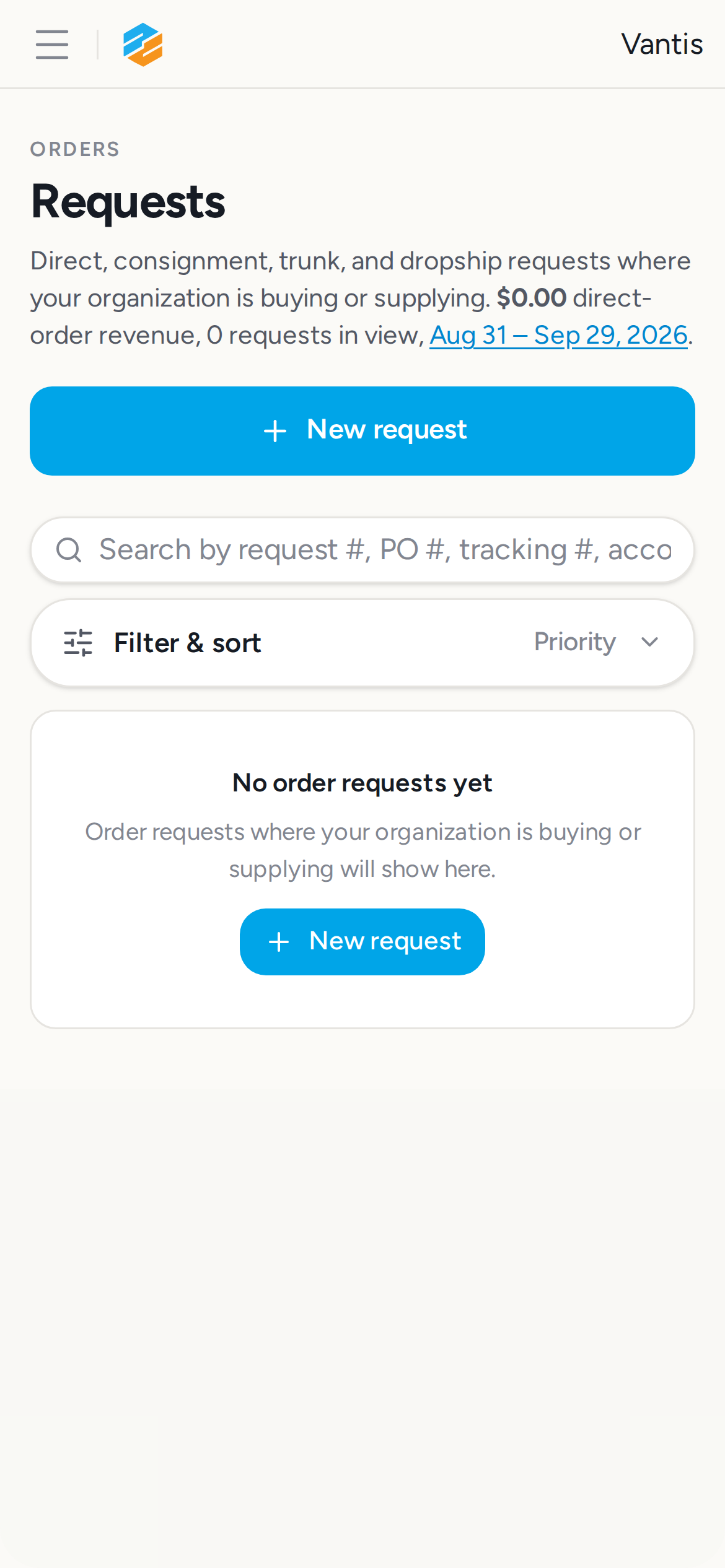
12. Step 5c: iPhone 12 /orders/requests — ✅ PASS
Section titled “12. Step 5c: iPhone 12 /orders/requests — ✅ PASS”What this step proves:
Verifies the /orders/requests page renders without horizontal overflow on iPhone 12 (390×844 px). Covers the order-request queue a field rep reaches from the mobile drawer.
Screenshots:
Video recording:
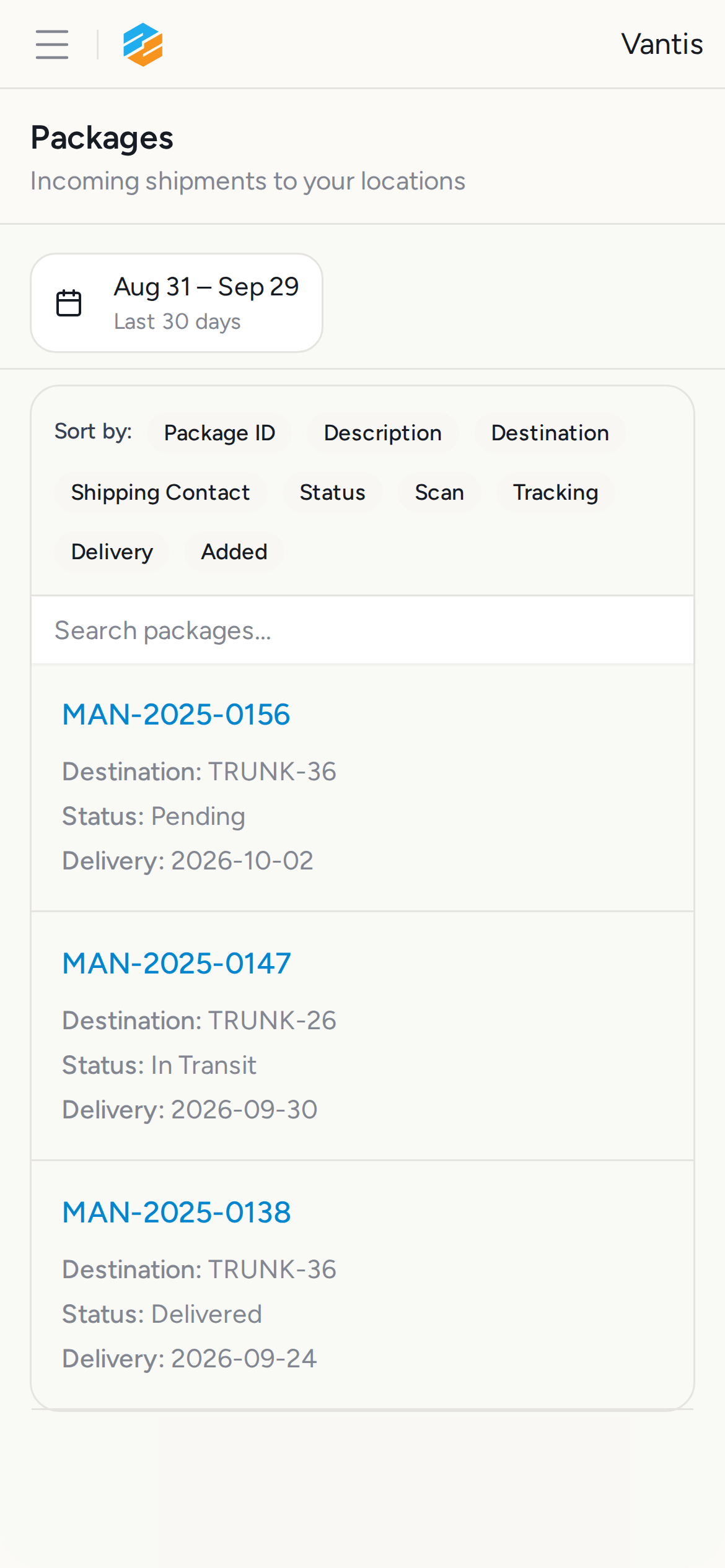
13. Step 5d: iPhone 12 /packages — ✅ PASS
Section titled “13. Step 5d: iPhone 12 /packages — ✅ PASS”What this step proves:
Verifies the /packages page renders without horizontal overflow on iPhone 12 (390×844 px). Uses the DataTable mobile-row layout below the md breakpoint.
Screenshots:
Video recording:
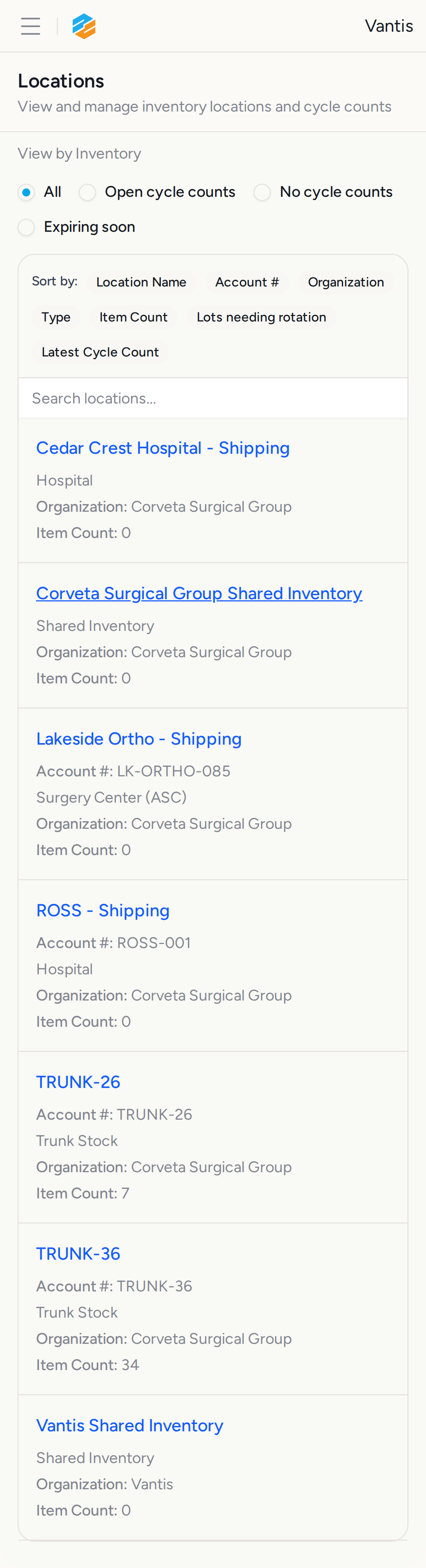
14. Step 5e: iPhone 12 /inventory — ✅ PASS
Section titled “14. Step 5e: iPhone 12 /inventory — ✅ PASS”What this step proves:
Verifies the /inventory page renders without horizontal overflow on iPhone 12 (390×844 px). Uses the DataTable mobile-row layout below the md breakpoint.
Screenshots:
15. Step 5f: iPhone SE /billing?filter=all&dateFrom=2020-01-01&dateTo=2035-12-31 — ✅ PASS
Section titled “15. Step 5f: iPhone SE /billing?filter=all&dateFrom=2020-01-01&dateTo=2035-12-31 — ✅ PASS”Screenshots:
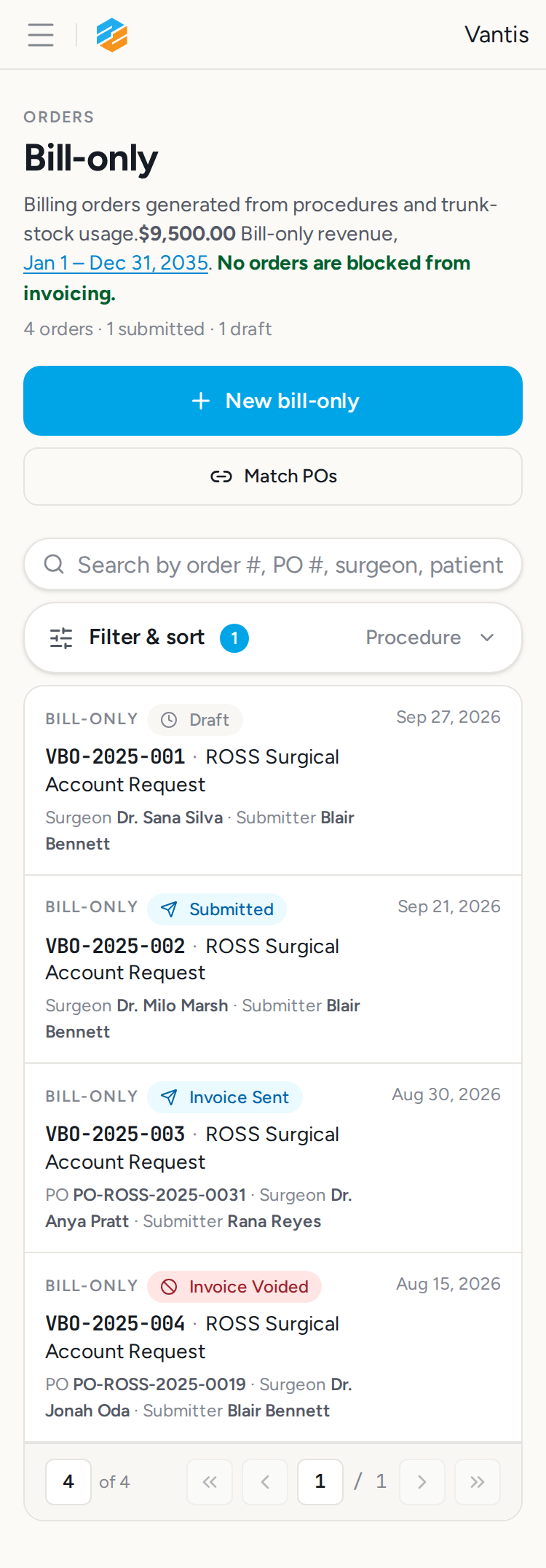
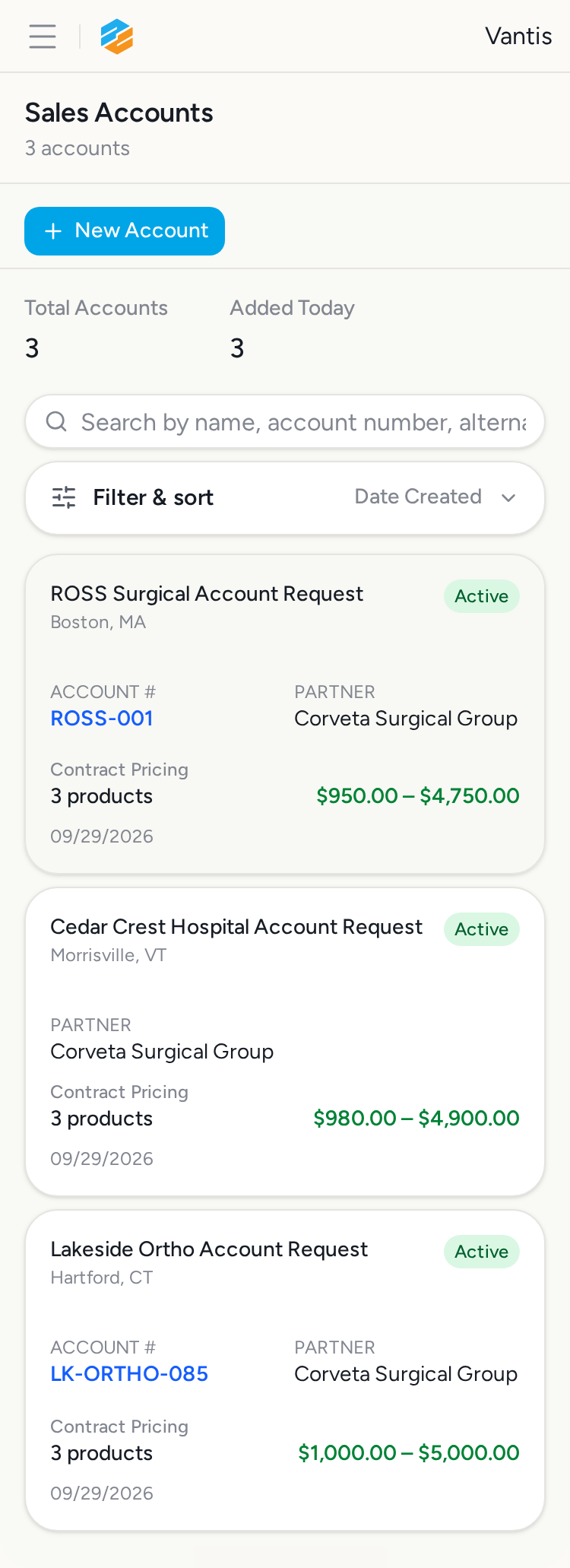
16. Step 5g: iPhone SE /sales-accounts — ✅ PASS
Section titled “16. Step 5g: iPhone SE /sales-accounts — ✅ PASS”What this step proves:
Verifies the /sales-accounts page renders without horizontal overflow on iPhone SE (375×667 px), the narrowest iOS viewport in the test matrix.
Screenshots:
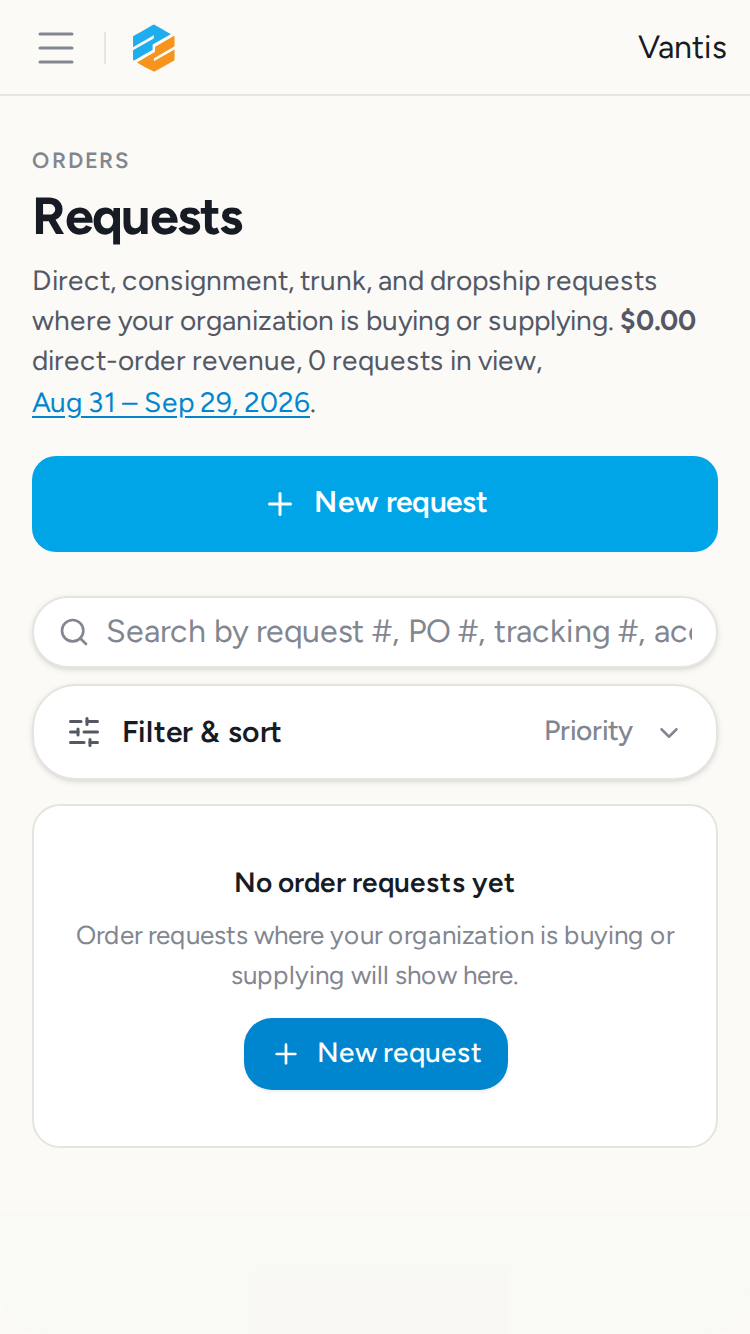
17. Step 5h: iPhone SE /orders/requests — ✅ PASS
Section titled “17. Step 5h: iPhone SE /orders/requests — ✅ PASS”What this step proves:
Verifies the /orders/requests page renders without horizontal overflow on iPhone SE (375×667 px), the narrowest iOS viewport in the test matrix.
Screenshots:
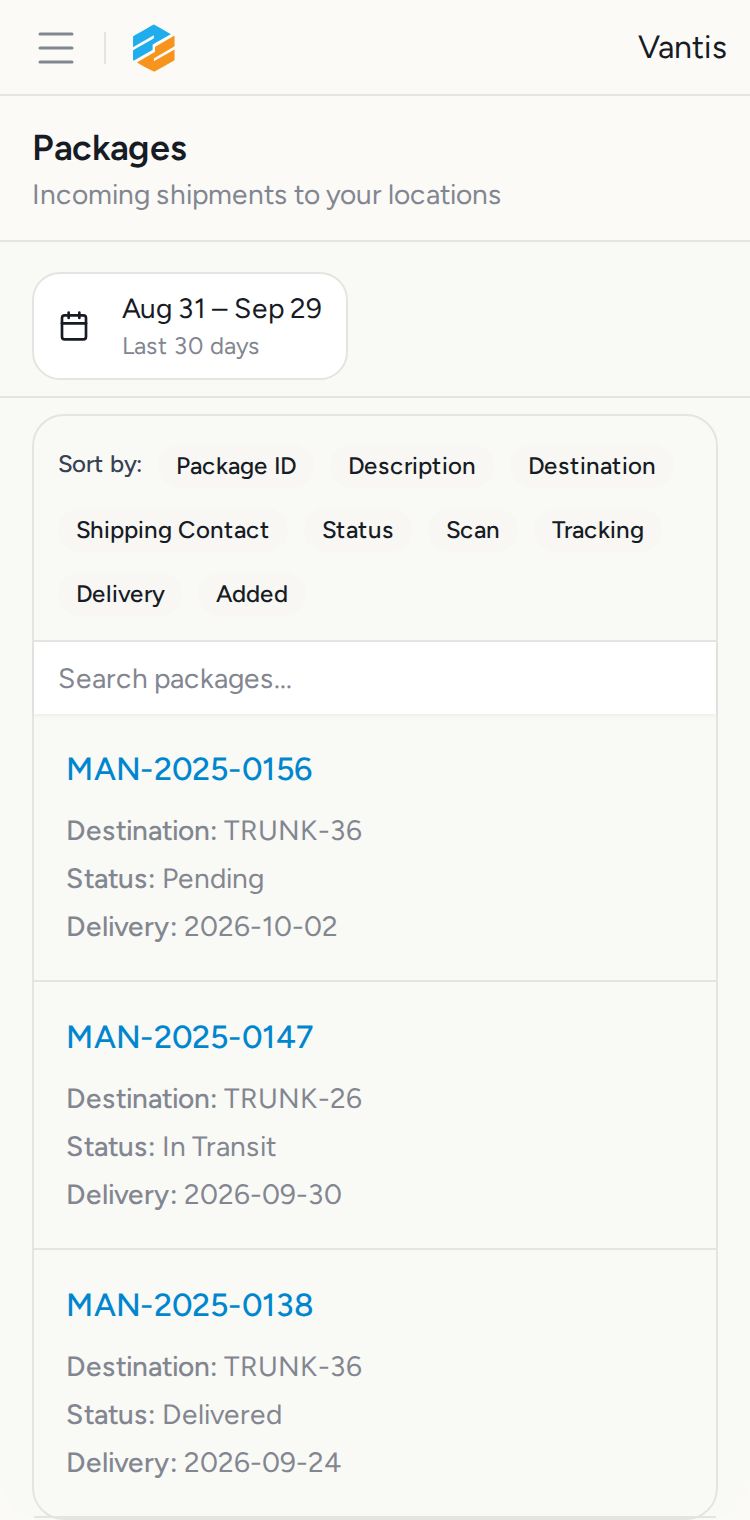
18. Step 5i: iPhone SE /packages — ✅ PASS
Section titled “18. Step 5i: iPhone SE /packages — ✅ PASS”What this step proves:
Verifies the /packages page renders without horizontal overflow on iPhone SE (375×667 px), the narrowest iOS viewport in the test matrix.
Screenshots:
19. Step 5j: iPhone SE /inventory — ✅ PASS
Section titled “19. Step 5j: iPhone SE /inventory — ✅ PASS”What this step proves:
Verifies the /inventory page renders without horizontal overflow on iPhone SE (375×667 px), the narrowest iOS viewport in the test matrix.
Screenshots:
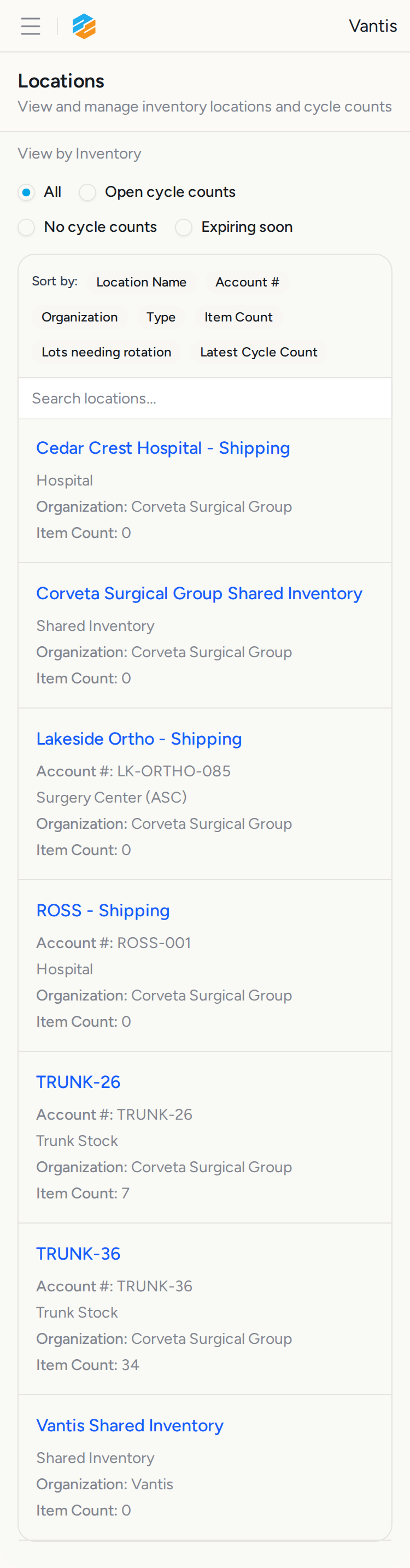
20. Step 5k: Android Pixel 5 /billing?filter=all&dateFrom=2020-01-01&dateTo=2035-12-31 — ✅ PASS
Section titled “20. Step 5k: Android Pixel 5 /billing?filter=all&dateFrom=2020-01-01&dateTo=2035-12-31 — ✅ PASS”Screenshots:
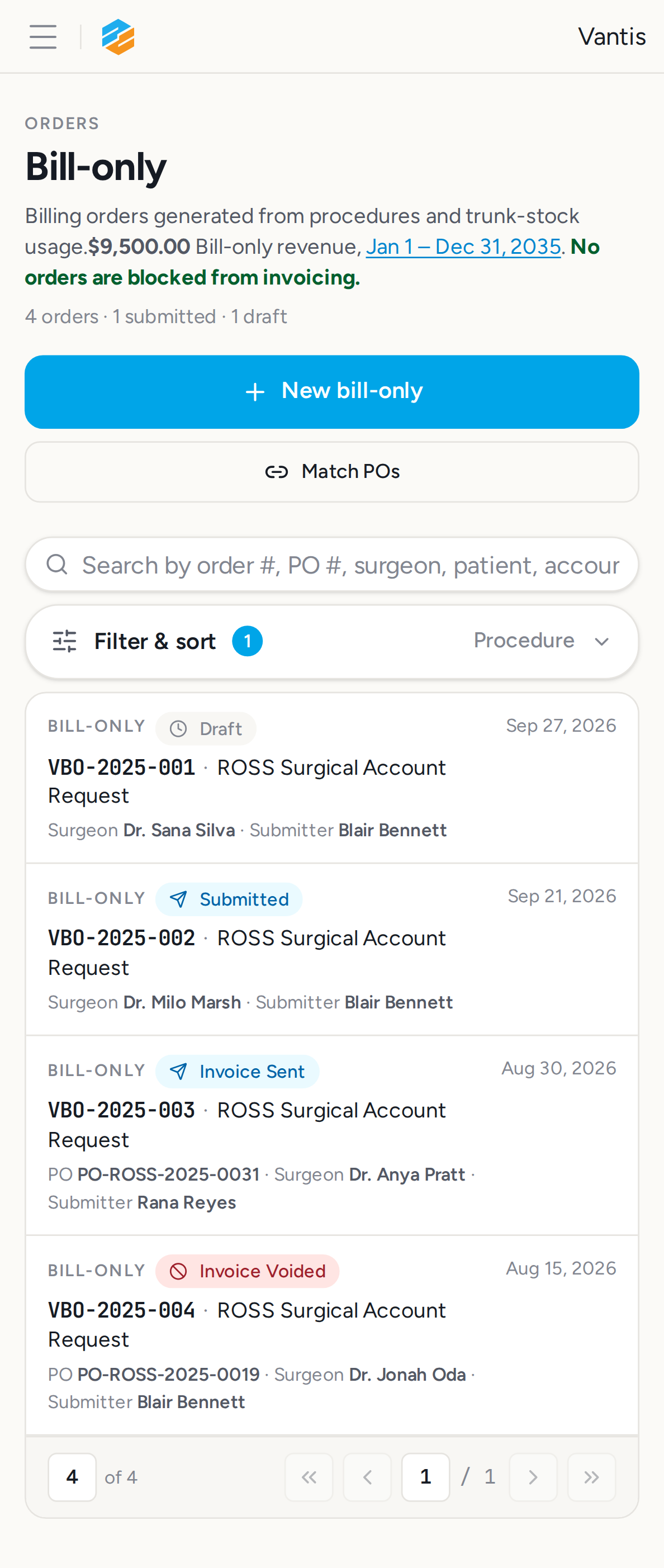
21. Step 5l: Android Pixel 5 /sales-accounts — ✅ PASS
Section titled “21. Step 5l: Android Pixel 5 /sales-accounts — ✅ PASS”What this step proves:
Verifies the /sales-accounts page renders without horizontal overflow on Android Pixel 5 (432×864 px). Tests responsive layout on an Android Chrome user agent.
Screenshots:
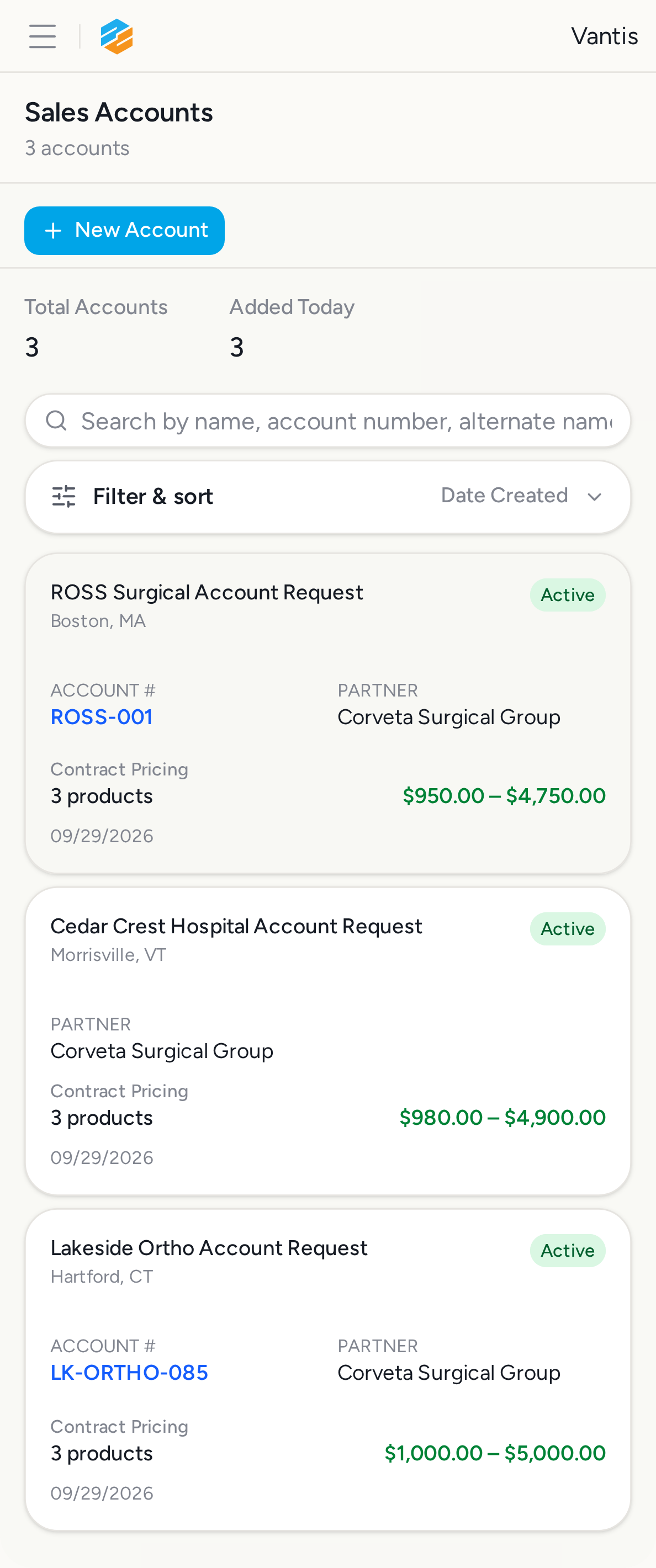
22. Step 5m: Android Pixel 5 /orders/requests — ✅ PASS
Section titled “22. Step 5m: Android Pixel 5 /orders/requests — ✅ PASS”What this step proves:
Verifies the /orders/requests page renders without horizontal overflow on Android Pixel 5 (432×864 px). Tests responsive layout on an Android Chrome user agent.
Screenshots:
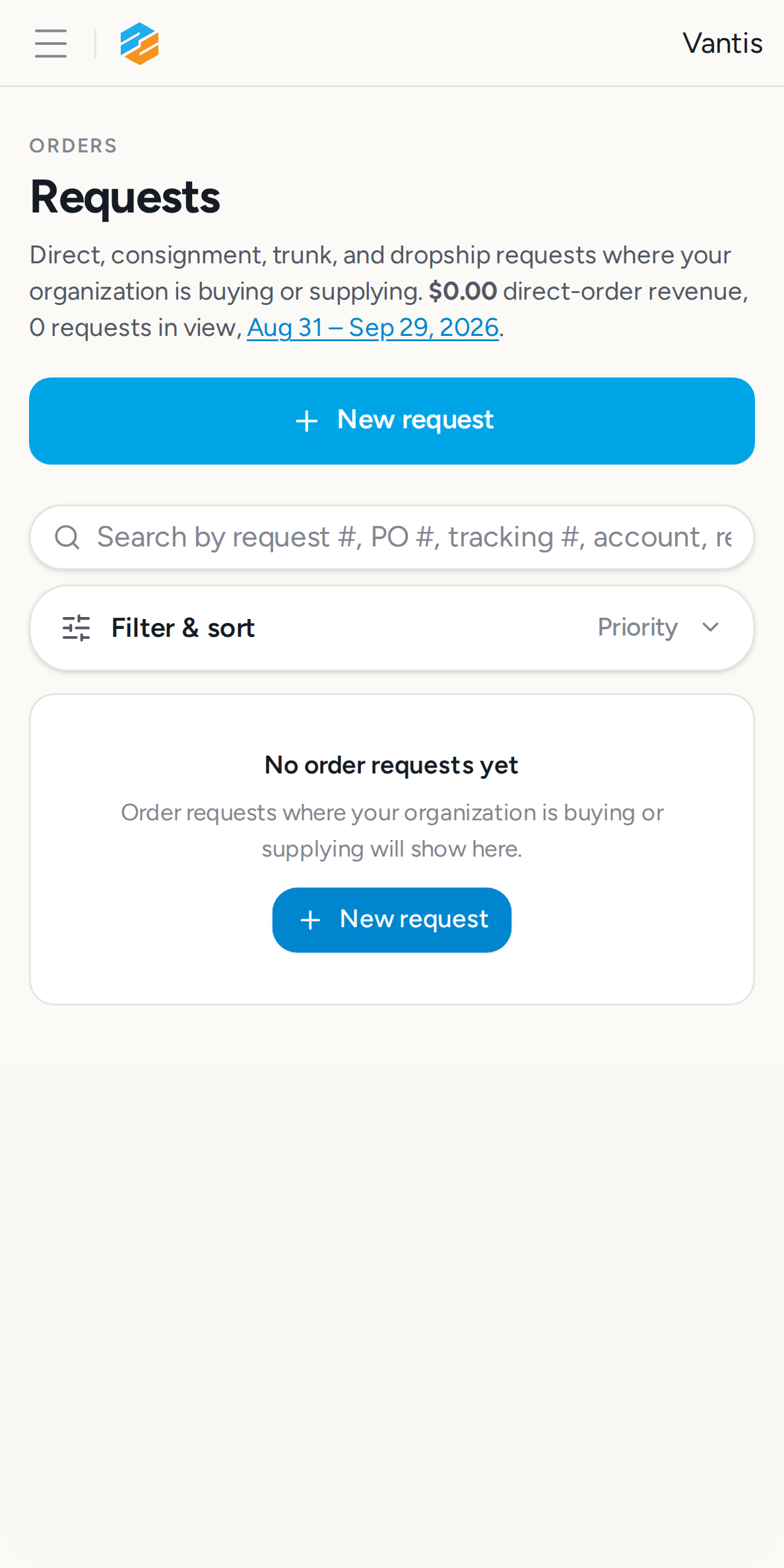
23. Step 5n: Android Pixel 5 /packages — ✅ PASS
Section titled “23. Step 5n: Android Pixel 5 /packages — ✅ PASS”What this step proves:
Verifies the /packages page renders without horizontal overflow on Android Pixel 5 (432×864 px). Tests responsive layout on an Android Chrome user agent.
Screenshots:
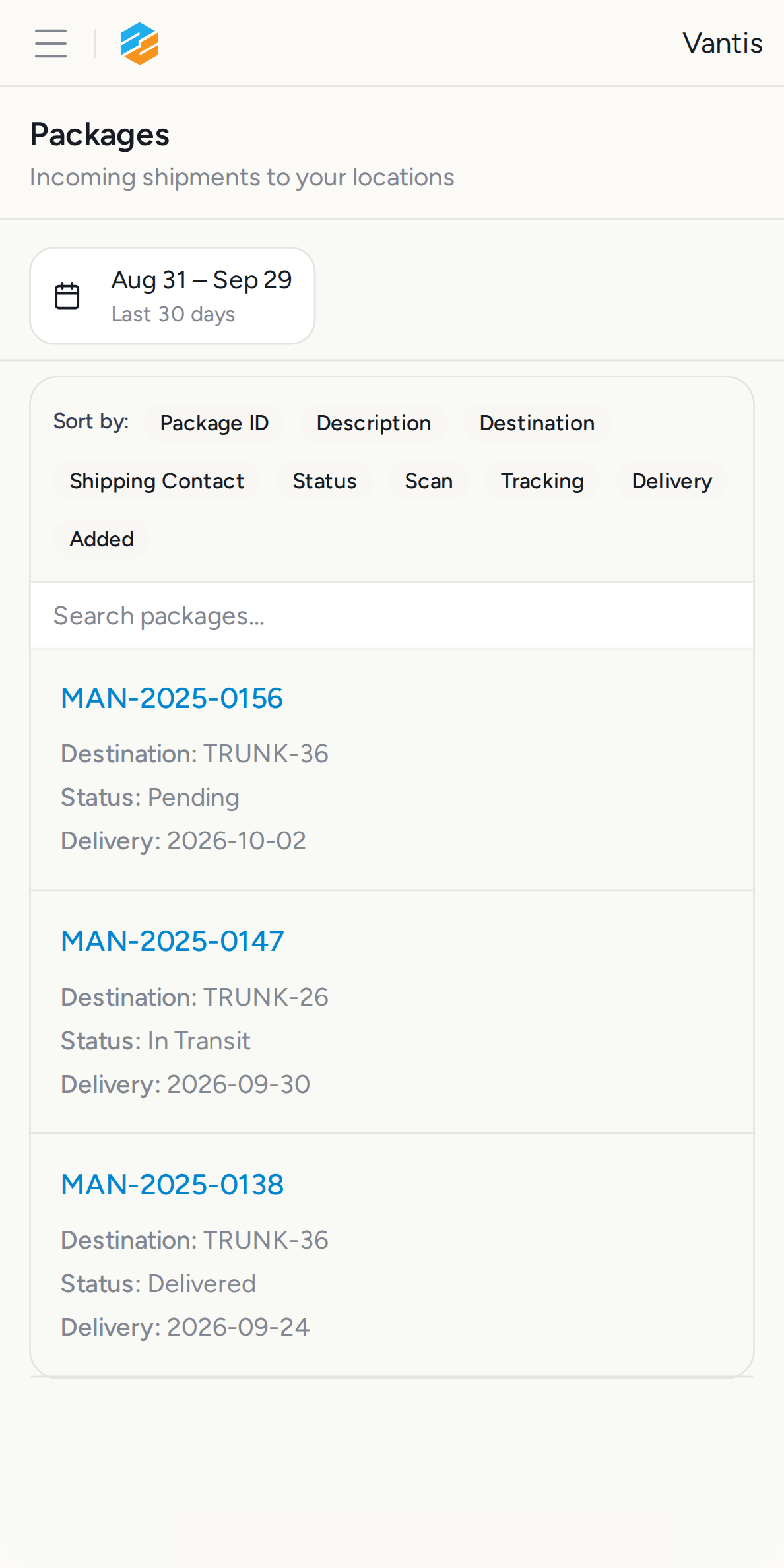
24. Step 5o: Android Pixel 5 /inventory — ✅ PASS
Section titled “24. Step 5o: Android Pixel 5 /inventory — ✅ PASS”What this step proves:
Verifies the /inventory page renders without horizontal overflow on Android Pixel 5 (432×864 px). Tests responsive layout on an Android Chrome user agent.
Screenshots:
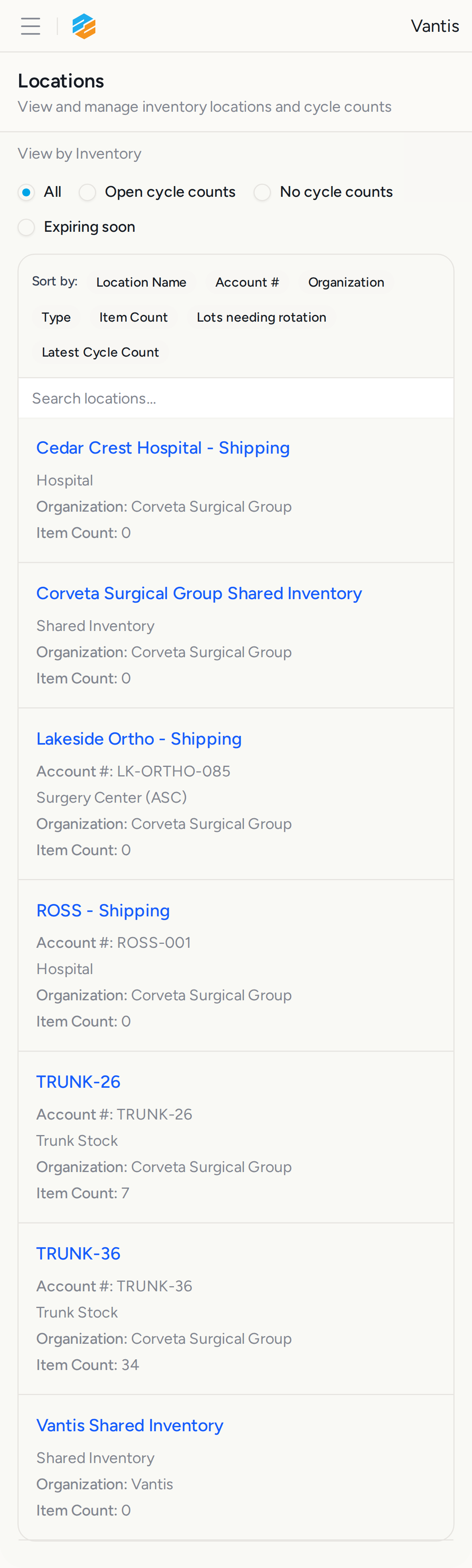
25. Step 5p: Android Galaxy S21 /billing?filter=all&dateFrom=2020-01-01&dateTo=2035-12-31 — ✅ PASS
Section titled “25. Step 5p: Android Galaxy S21 /billing?filter=all&dateFrom=2020-01-01&dateTo=2035-12-31 — ✅ PASS”Screenshots:
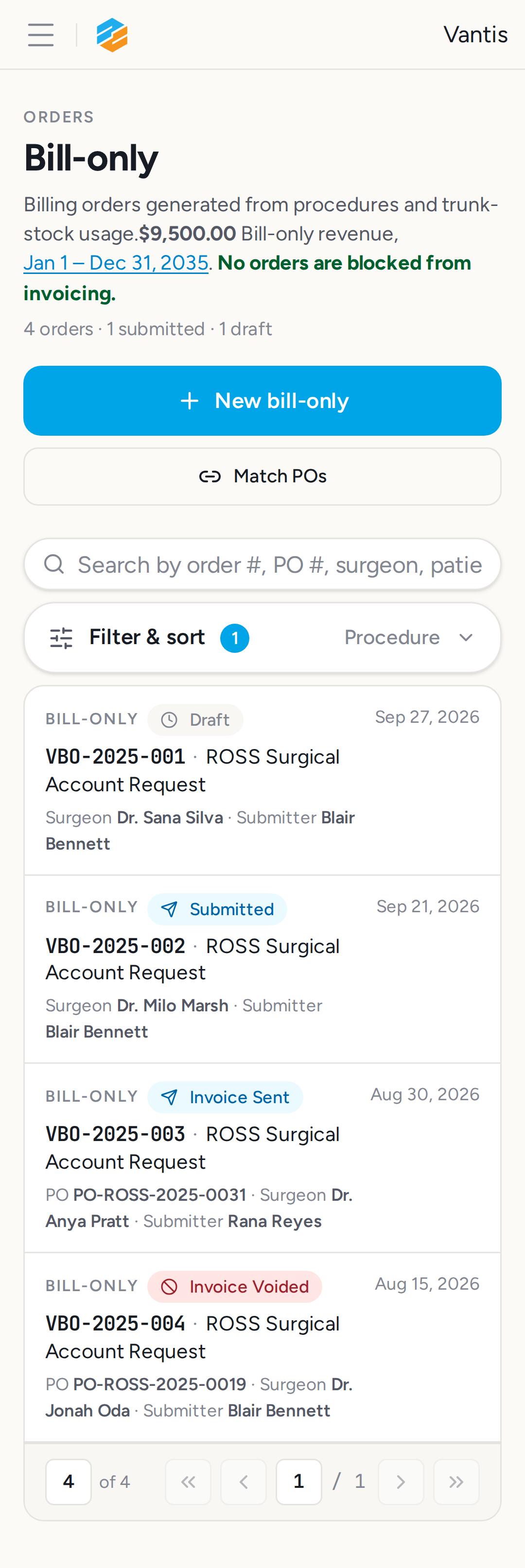
26. Step 5q: Android Galaxy S21 /sales-accounts — ✅ PASS
Section titled “26. Step 5q: Android Galaxy S21 /sales-accounts — ✅ PASS”What this step proves:
Verifies the /sales-accounts page renders without horizontal overflow on Android Galaxy S21 (360×800 px), the narrowest viewport in the full mobile matrix.
Screenshots:
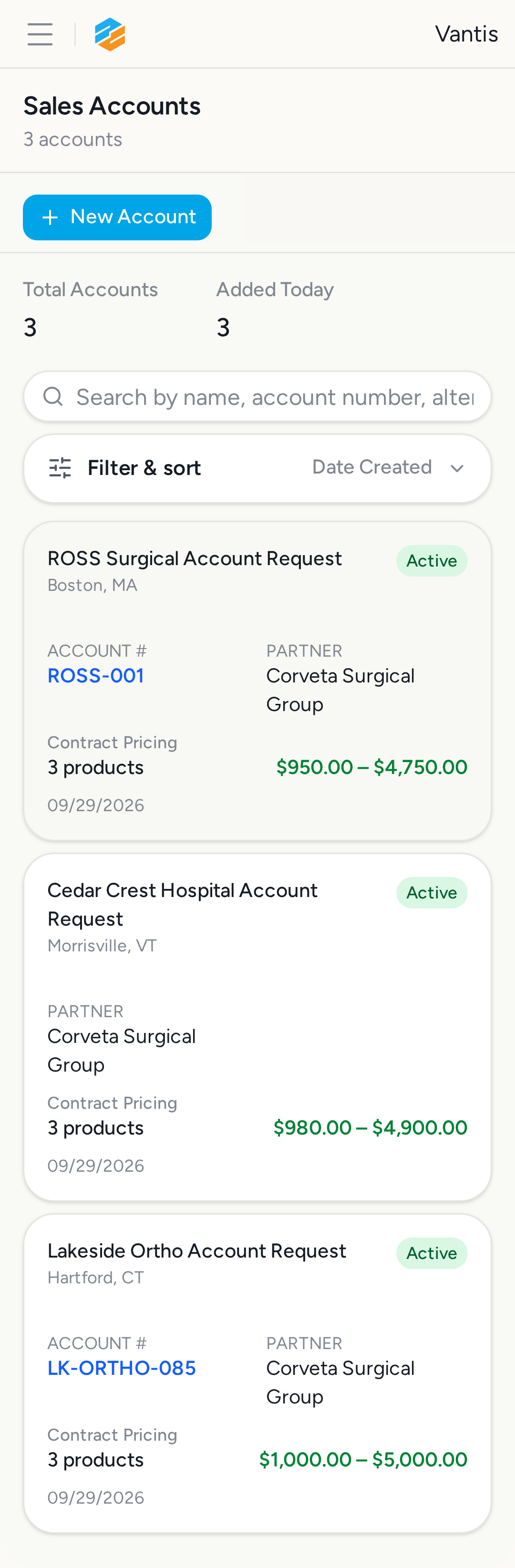
27. Step 5r: Android Galaxy S21 /orders/requests — ✅ PASS
Section titled “27. Step 5r: Android Galaxy S21 /orders/requests — ✅ PASS”What this step proves:
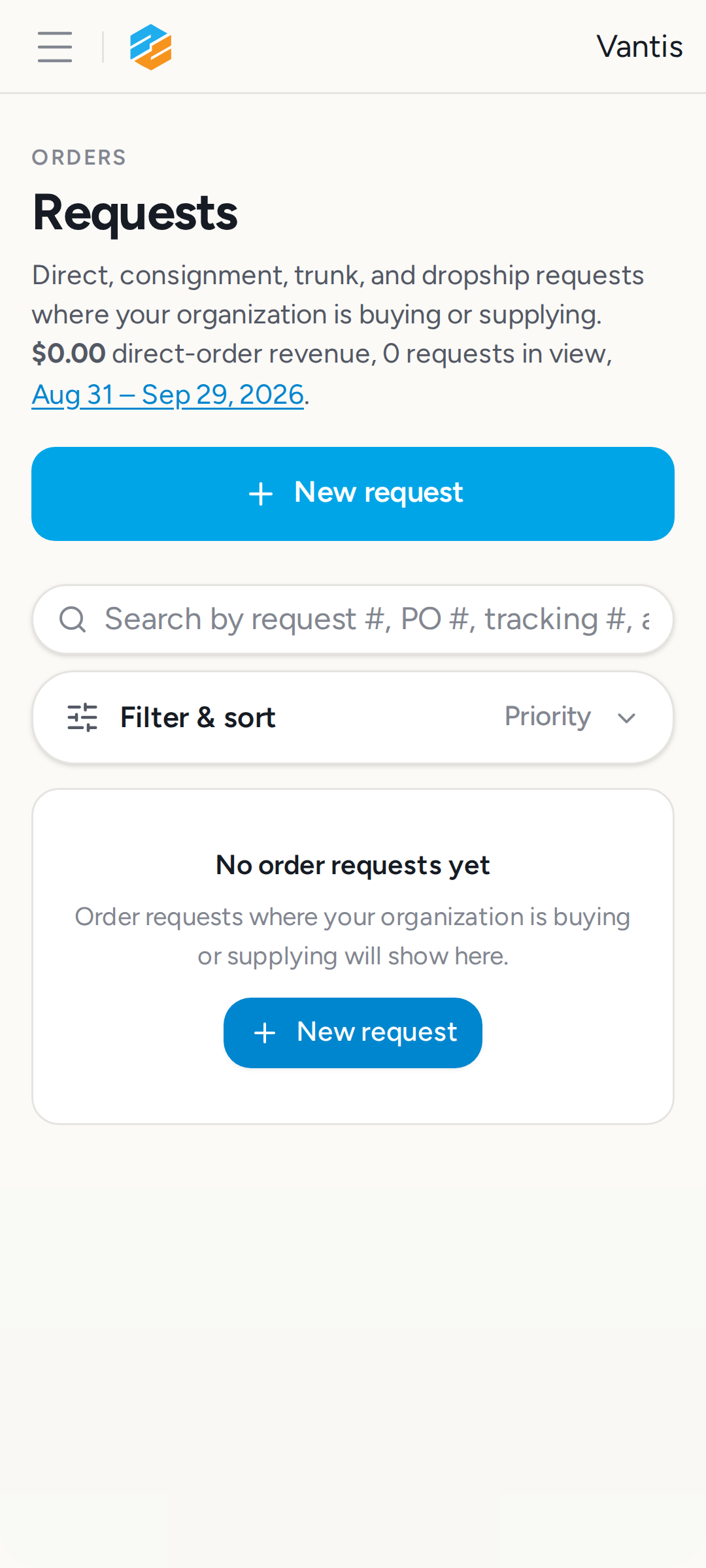
Verifies the /orders/requests page renders without horizontal overflow on Android Galaxy S21 (360×800 px), the narrowest viewport in the full mobile matrix.
Screenshots:
28. Step 5s: Android Galaxy S21 /packages — ✅ PASS
Section titled “28. Step 5s: Android Galaxy S21 /packages — ✅ PASS”What this step proves:
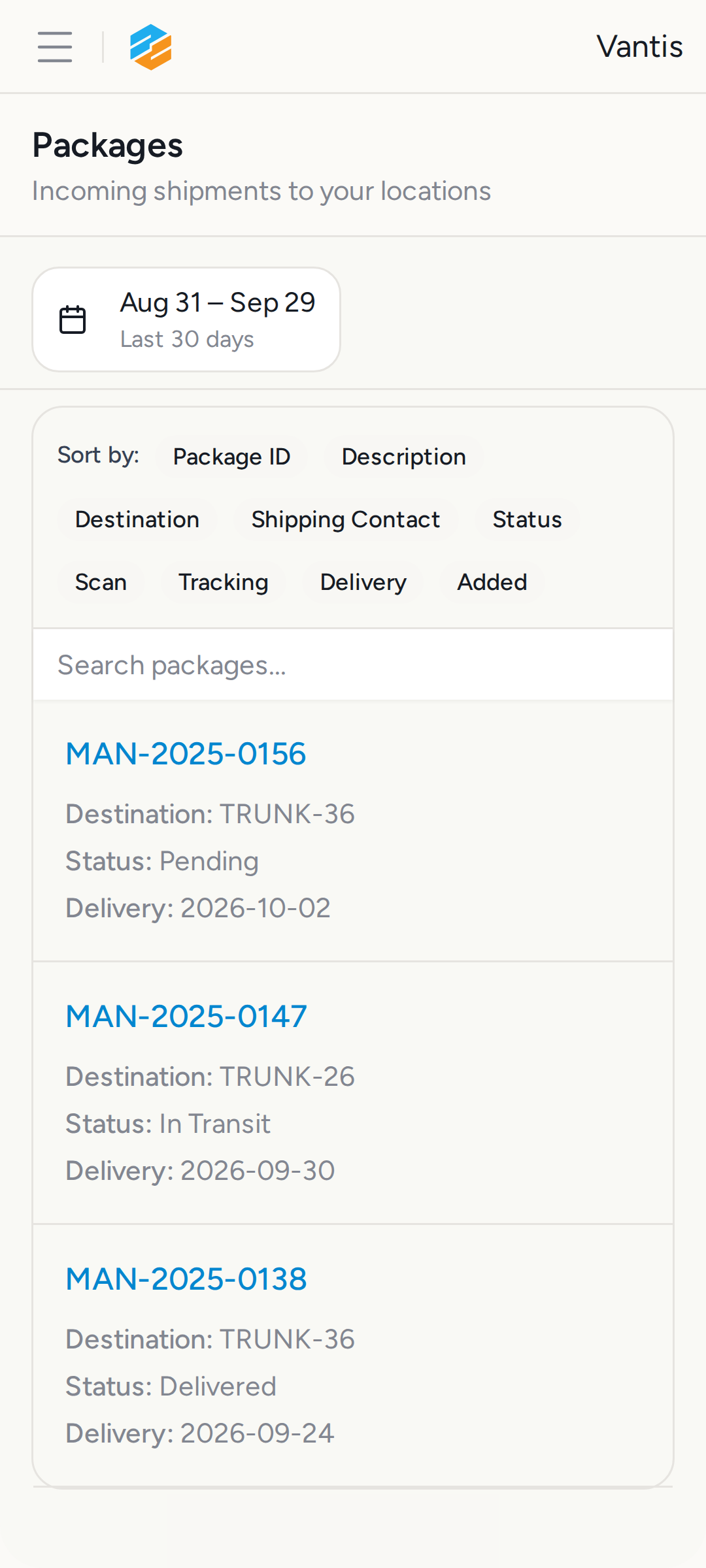
Verifies the /packages page renders without horizontal overflow on Android Galaxy S21 (360×800 px), the narrowest viewport in the full mobile matrix.
Screenshots:
29. Step 5t: Android Galaxy S21 /inventory — ✅ PASS
Section titled “29. Step 5t: Android Galaxy S21 /inventory — ✅ PASS”What this step proves:
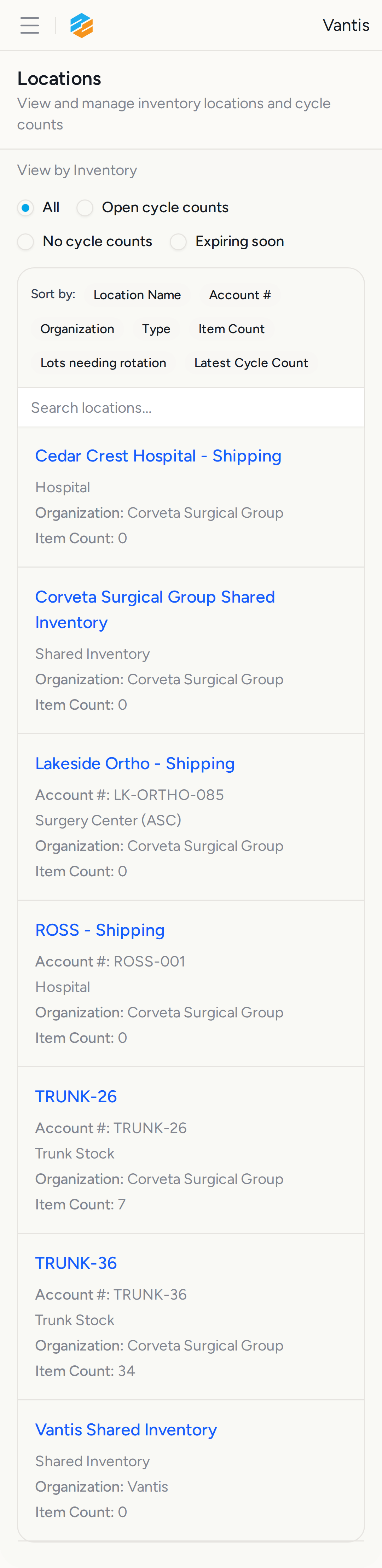
Verifies the /inventory page renders without horizontal overflow on Android Galaxy S21 (360×800 px), the narrowest viewport in the full mobile matrix.
Screenshots:
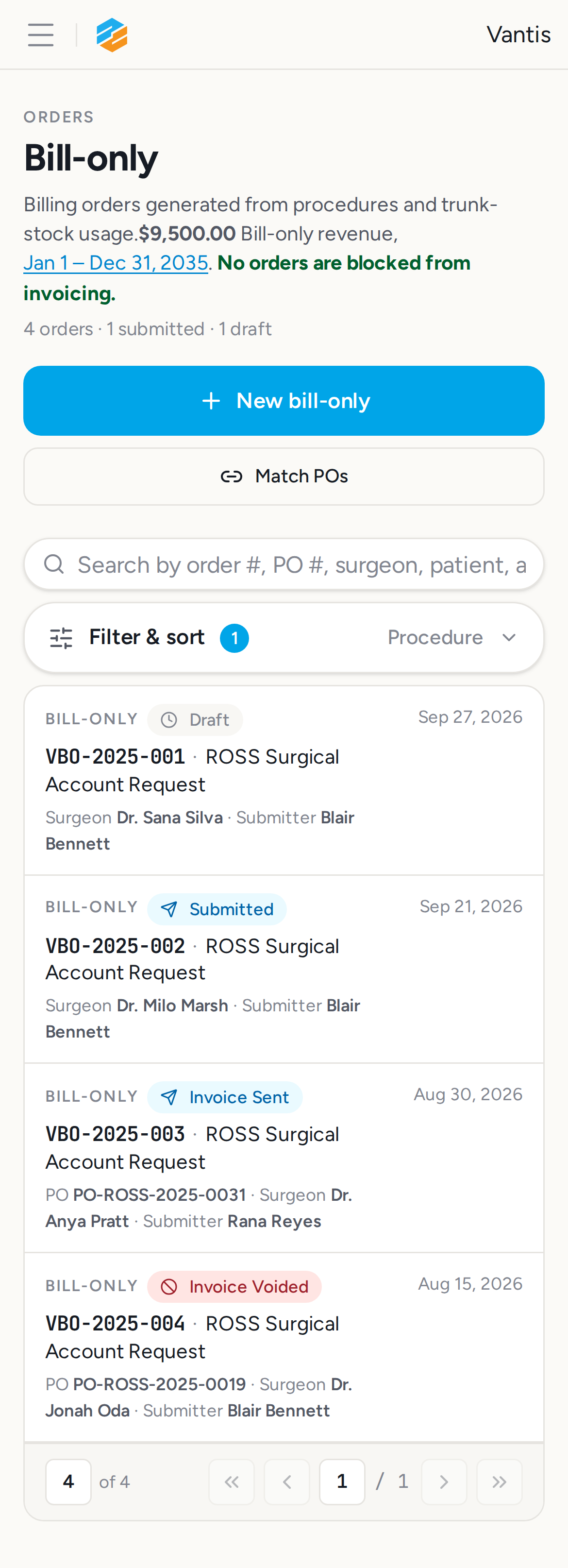
30. Step 6a: Touch targets on /billing?filter=all&dateFrom=2020-01-01&dateTo=2035-12-31 — ✅ PASS
Section titled “30. Step 6a: Touch targets on /billing?filter=all&dateFrom=2020-01-01&dateTo=2035-12-31 — ✅ PASS”Screenshots:
Video recording:
31. Step 6b: Touch targets on /sales-accounts — ✅ PASS
Section titled “31. Step 6b: Touch targets on /sales-accounts — ✅ PASS”What this step proves:
Measures every visible interactive element inside <main> on /sales-accounts on the iPhone 12 viewport. Fails if any element falls below the 24 px WCAG 2.5.8 hard minimum on both axes.
Screenshots:
32. Step 6c: Touch targets on /orders/requests — ✅ PASS
Section titled “32. Step 6c: Touch targets on /orders/requests — ✅ PASS”What this step proves:
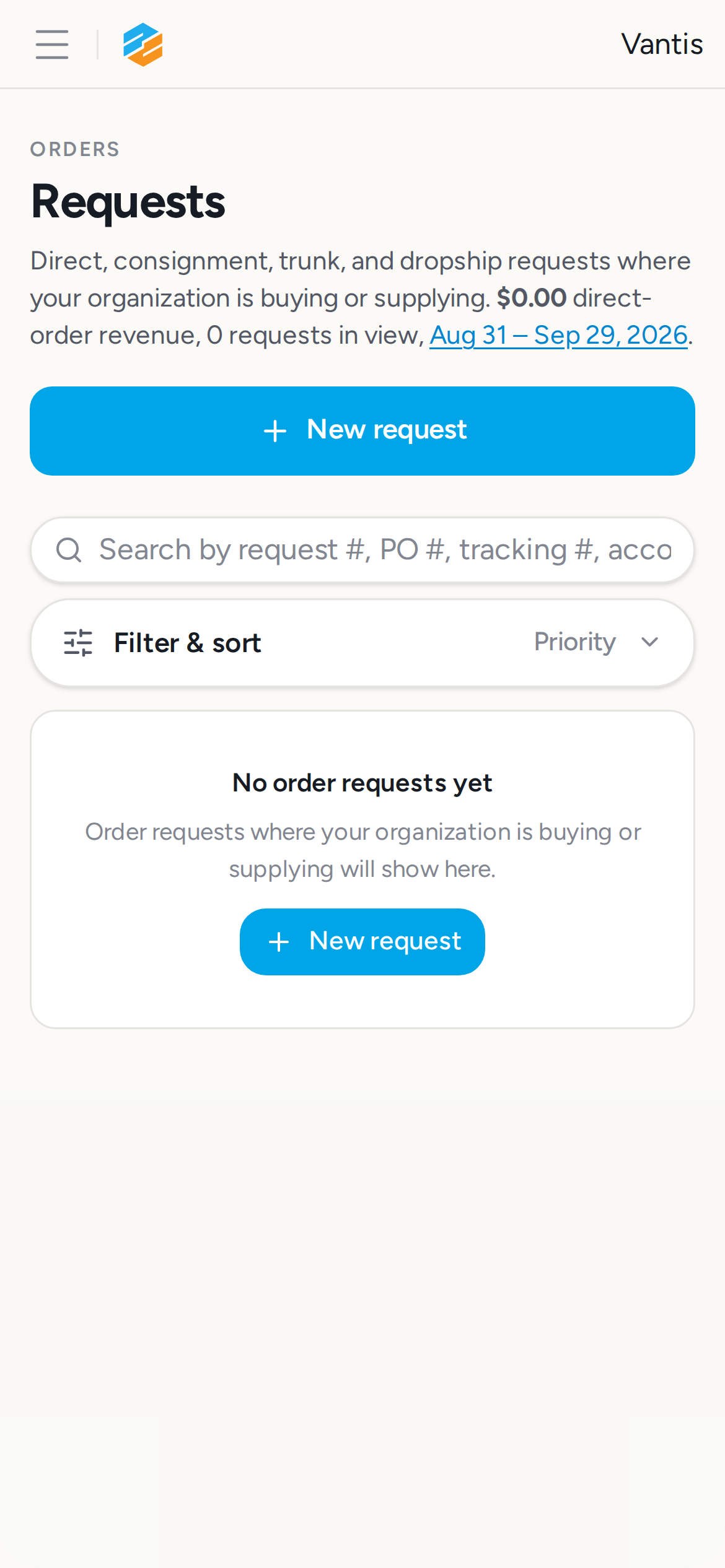
Measures every visible interactive element inside <main> on /orders/requests on the iPhone 12 viewport. Fails if any element falls below the 24 px WCAG 2.5.8 hard minimum on both axes.
Screenshots:
33. Step 6d: Touch targets on /packages — ✅ PASS
Section titled “33. Step 6d: Touch targets on /packages — ✅ PASS”What this step proves:
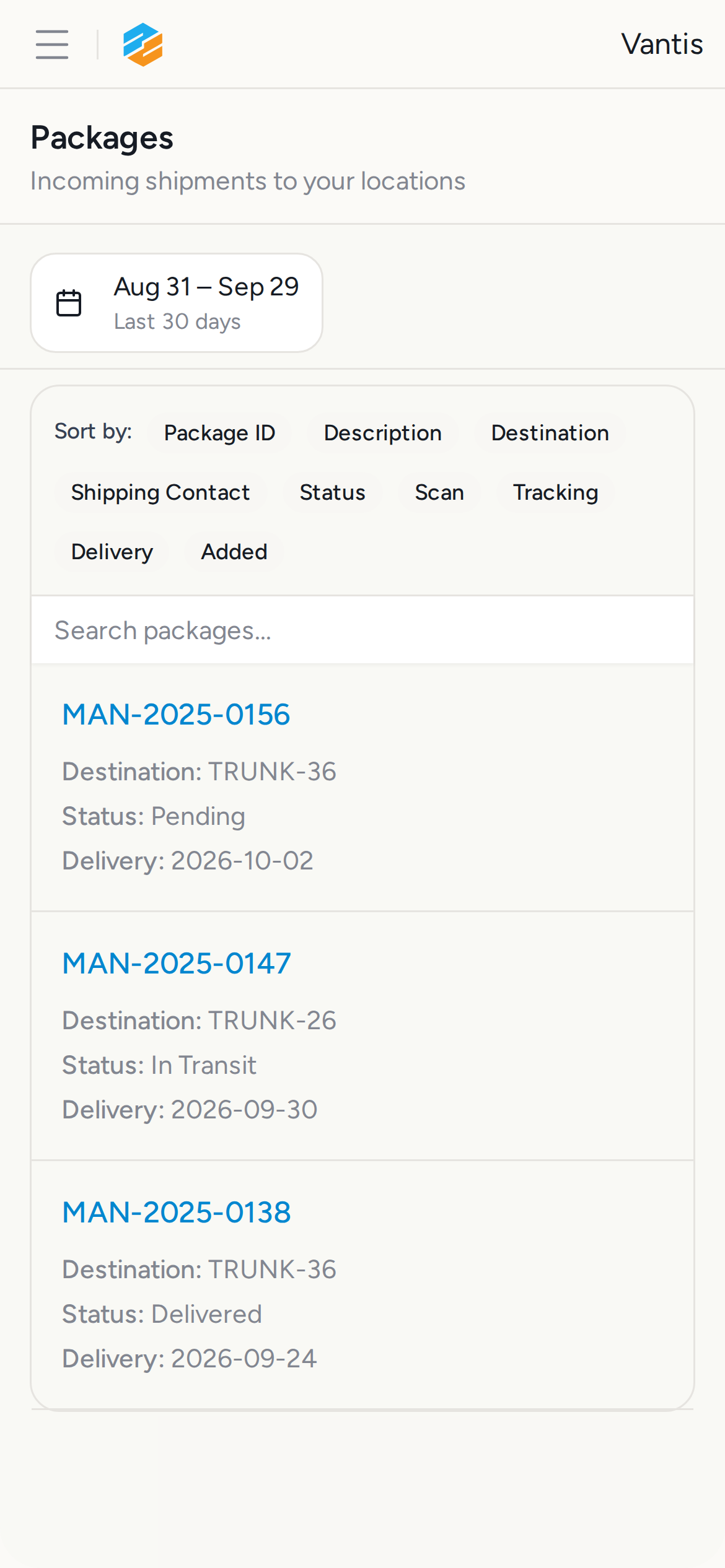
Measures every visible interactive element inside <main> on /packages on the iPhone 12 viewport. Fails if any element falls below the 24 px WCAG 2.5.8 hard minimum on both axes.
Screenshots:
34. Step 6e: Touch targets on /inventory — ✅ PASS
Section titled “34. Step 6e: Touch targets on /inventory — ✅ PASS”What this step proves:
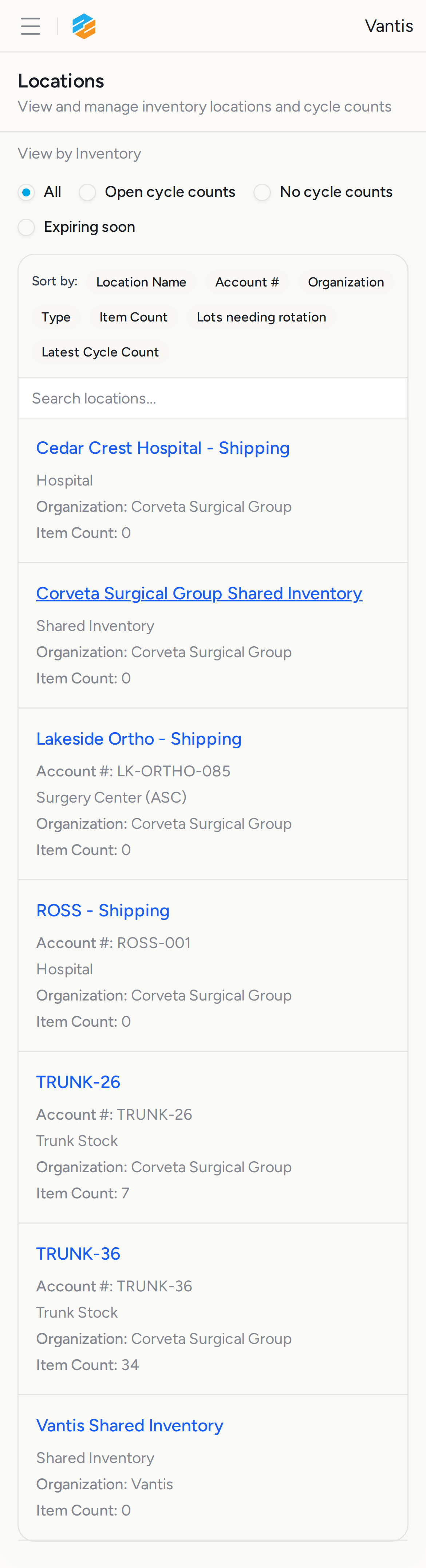
Measures every visible interactive element inside <main> on /inventory on the iPhone 12 viewport. Fails if any element falls below the 24 px WCAG 2.5.8 hard minimum on both axes.
Screenshots:
35. Step 7a: Pixel 5 billing — ✅ PASS
Section titled “35. Step 7a: Pixel 5 billing — ✅ PASS”What this step proves:
Smoke test on Android Pixel 5: navigates to /billing after login and confirms the first seeded order is visible without horizontal overflow. Console errors are captured and fail the step if any are found.
Screenshots:
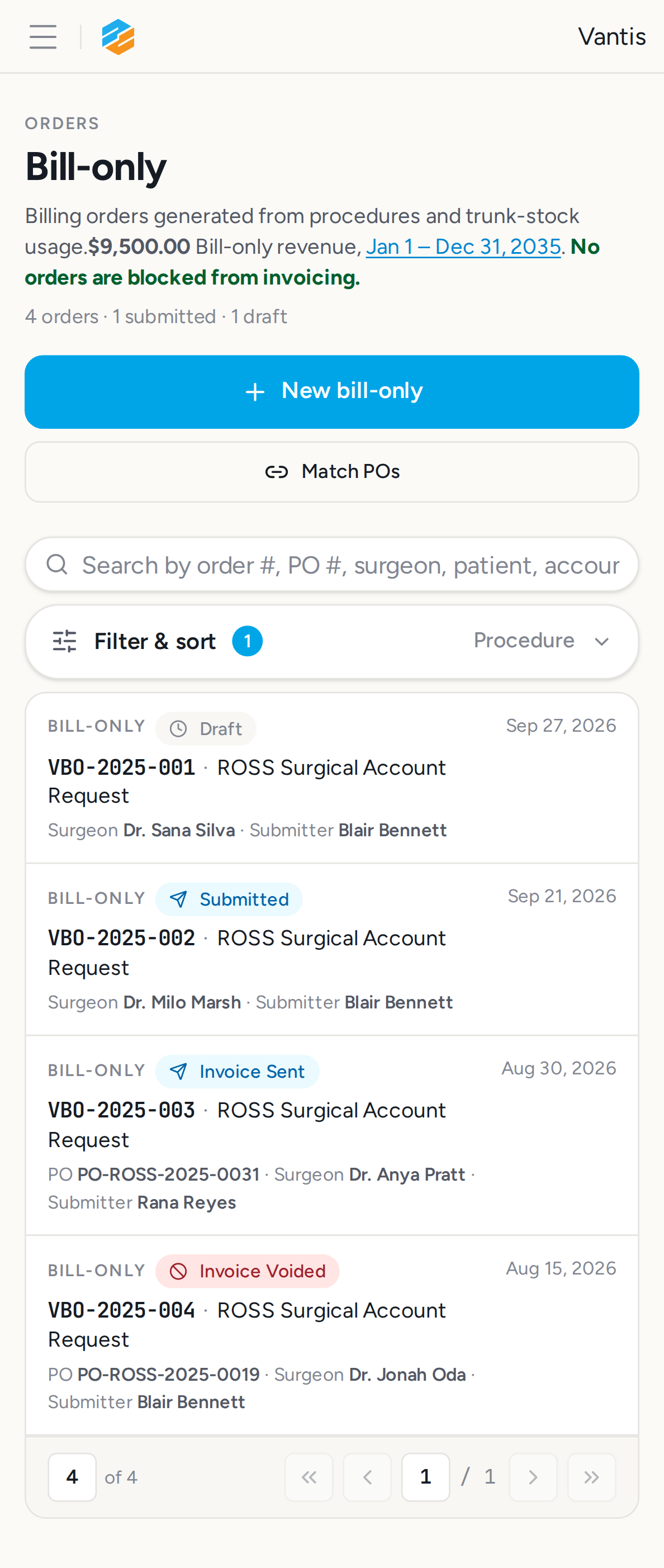
Video recording:
36. Step 7b: Pixel 5 accounts — ✅ PASS
Section titled “36. Step 7b: Pixel 5 accounts — ✅ PASS”What this step proves:
Smoke test on Android Pixel 5: navigates to /sales-accounts and confirms the ROSS account card is visible inside the mobile-only wrapper without horizontal overflow.
Screenshots:
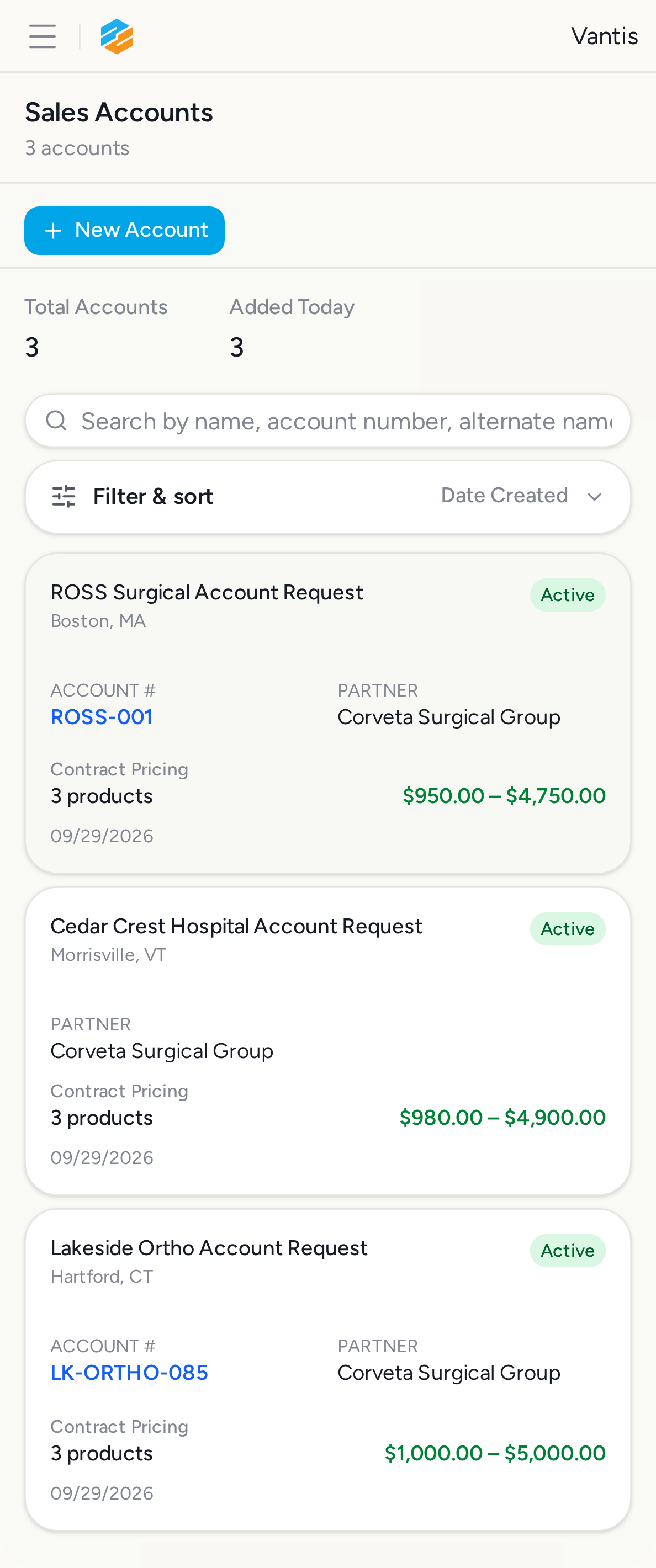
Database Validations
Section titled “Database Validations”The following SQL queries ran against the application database after the Playwright scenarios completed. Each query asserts a specific condition that proves the feature under test persisted its data correctly.
Login user alex.admin@vantismedical.com exists — ✅ PASS
Section titled “Login user alex.admin@vantismedical.com exists — ✅ PASS”Assertion: Exactly one user with id=alexAdmin should be seeded
SELECT id, email, name FROM users WHERE id = $1| id | name | |
|---|---|---|
| f6a7b8c9-d0e1-2345-f123-456789012345 | alex.admin@vantismedical.com | Alex Admin |
At least 4 seeded billing orders exist — ✅ PASS
Section titled “At least 4 seeded billing orders exist — ✅ PASS”Assertion: >= 4 VBO-2025-* orders should be seeded by vantisDemo
SELECT order_number, status FROM billing_orders WHERE order_number = ANY($1) ORDER BY order_number| order_number | status |
|---|---|
| VBO-2025-001 | draft |
| VBO-2025-002 | submitted |
| VBO-2025-003 | invoice_sent |
| VBO-2025-004 | invoice_voided |
At least 3 active Vantis sales accounts exist — ✅ PASS
Section titled “At least 3 active Vantis sales accounts exist — ✅ PASS”Assertion: >= 3 active sales_accounts rows for Vantis
SELECT id, name, status FROM sales_accounts WHERE manufacturer_organization_id = $1 AND status = 'active' ORDER BY name| id | name | status |
|---|---|---|
| 1fb8c9d0-e1f2-3456-1234-567890123456 | Cedar Crest Hospital Account Request | active |
| 2ac9d0e1-f2a3-4567-2345-678901234567 | Lakeside Ortho Account Request | active |
| fea7b8c9-d0e1-2345-0123-456789012345 | ROSS Surgical Account Request | active |
At least 8 Vantis products exist — ✅ PASS
Section titled “At least 8 Vantis products exist — ✅ PASS”Assertion: >= 8 products rows for Vantis
SELECT count(*)::int AS product_count FROM org_products WHERE organization_id = $1| product_count |
|---|
| 13 |
Audit Log Events
Section titled “Audit Log Events”Every row written to audit_events while this test was running (scoped to the demo organizations). Provides compliance evidence that user actions are traced end-to-end (URS-003).
Capture window start: 2026-09-29T02:24:57.566Z
SELECT ae.created_at, ae.event_type, ae.action, ae.user_id, u.email AS user_email, ae.organization_id, o.name AS organization_name, ae.object_id, ae.secondary_object_id, ae.payload, ae.route, ae.trace_id FROM audit_events ae LEFT JOIN users u ON u.id = ae.user_id LEFT JOIN organizations o ON o.id = ae.organization_id WHERE ae.created_at >= $1 AND ae.organization_id = ANY($2::uuid[]) ORDER BY ae.created_at ASC14 event(s) captured:
| Time | Type | Action | User | Org | Object ID | Performed | Reason |
|---|---|---|---|---|---|---|---|
| 2026-09-29 02:24:57Z | decision | ensure_lot_expiration_cycle_counter_assignment | — | Corveta Surgical Group | b7f8a9b0-c1d2-3456-1234-567890123456 | no | no_latest_cycle_counter |
| 2026-09-29 02:24:58Z | checklist | checklists.create | — | Corveta Surgical Group | 01a0eafa-c4b9-7899-a54b-7a1fdc7a9873 | — | |
| 2026-09-29 02:24:59Z | decision | upgrade_lot_expiration_checklist_priority | — | Corveta Surgical Group | b2c3d4e5-f6a7-8901-bcde-f12345678901 | no | no_open_checklists_below_high |
| 2026-09-29 02:25:00Z | decision | ensure_lot_expiration_checklist | — | Corveta Surgical Group | b2c3d4e5-f6a7-8901-bcde-f12345678901 | yes | created_1_reopened_0_already_open_1_refreshed_1 |
| 2026-09-29 02:25:25Z | user_log | user:login | alex.admin@vantismedical.com | Vantis | — | — | |
| 2026-09-29 02:25:30Z | user_log | user:login | alex.admin@vantismedical.com | Vantis | — | — | |
| 2026-09-29 02:25:43Z | user_log | user:login | alex.admin@vantismedical.com | Vantis | — | — | |
| 2026-09-29 02:25:52Z | user_log | user:login | alex.admin@vantismedical.com | Vantis | — | — | |
| 2026-09-29 02:26:42Z | user_log | user:login | alex.admin@vantismedical.com | Vantis | — | — | |
| 2026-09-29 02:26:58Z | user_log | user:login | alex.admin@vantismedical.com | Vantis | — | — | |
| 2026-09-29 02:27:13Z | user_log | user:login | alex.admin@vantismedical.com | Vantis | — | — | |
| 2026-09-29 02:27:28Z | user_log | user:login | alex.admin@vantismedical.com | Vantis | — | — | |
| 2026-09-29 02:27:43Z | user_log | user:login | alex.admin@vantismedical.com | Vantis | — | — | |
| 2026-09-29 02:28:01Z | user_log | user:login | alex.admin@vantismedical.com | Vantis | — | — |
Downloads
Section titled “Downloads”- audit-events.json
- report.md
- result.json
- screenshots-index.json
- step-01-login-measurements.json
- step-06-touch-target-measurements.json
- step-timings.json