URS-063 · Distributor Onboarding Workflow with Roles
Title: Distributor Onboarding Workflow with Roles Date: 2026-09-29T02:25:16.458Z Duration: 126.4s Overall Status: ✅ PASS
User Requirement
Section titled “User Requirement”The system shall support onboarding and role assignment of distributors.
Source: User_Requirement_Specifications_Vantis_DeviceFlow.xlsx — the run below proves the system meets this requirement.
Environment
Section titled “Environment”- Inbox URL: http://localhost:42727
- Database: localhost:33391/cc_repinbox_dev
Status: ✅ PASS
Test Steps
Section titled “Test Steps”Each step below corresponds to one Playwright test that ran sequentially. Screenshots and video recordings provide visual evidence of the UI behaviour.
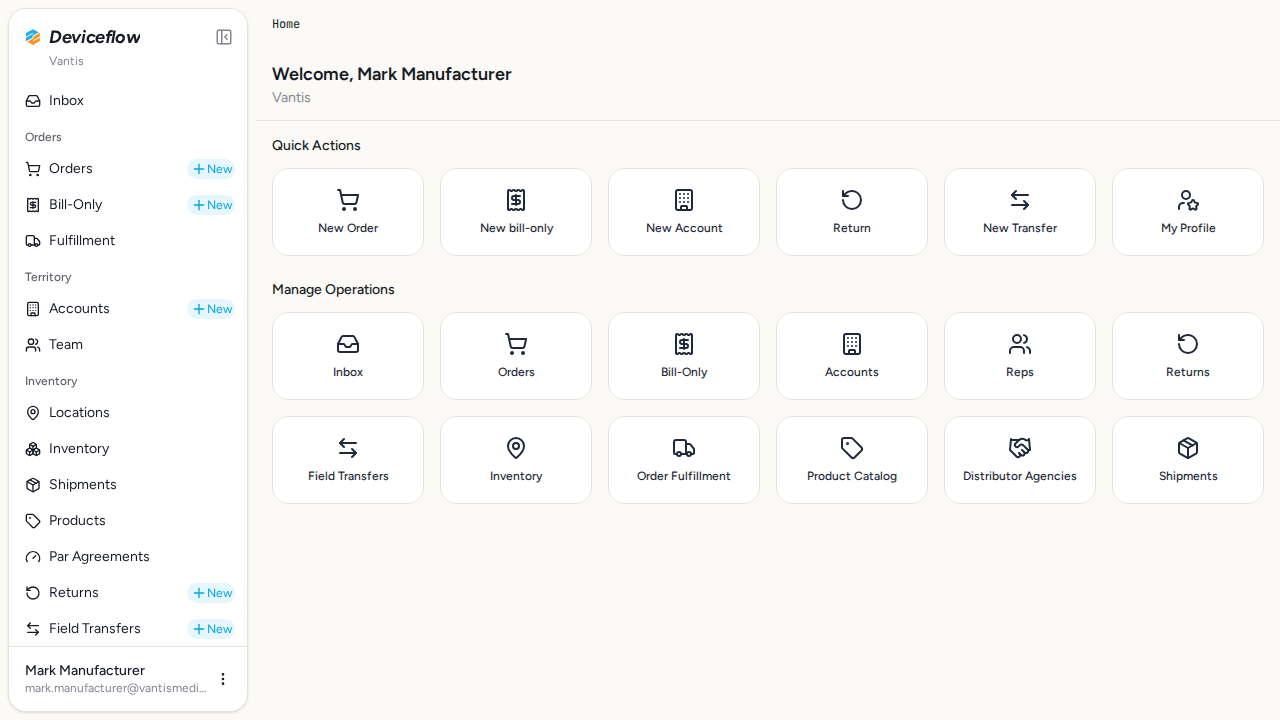
1. Step 1: Login as manufacturer admin — ✅ PASS
Section titled “1. Step 1: Login as manufacturer admin — ✅ PASS”What this step proves:
Proves that Mark (Vantis manufacturer admin) can authenticate successfully. Establishes the administrative context required to manage distributor relationships and member invitations in all subsequent steps. This step also opens the single browser context re-used by steps 2–11 so the audit log records exactly one user:login event for the manufacturer session (not one per step).
Screenshots:
Video recording:
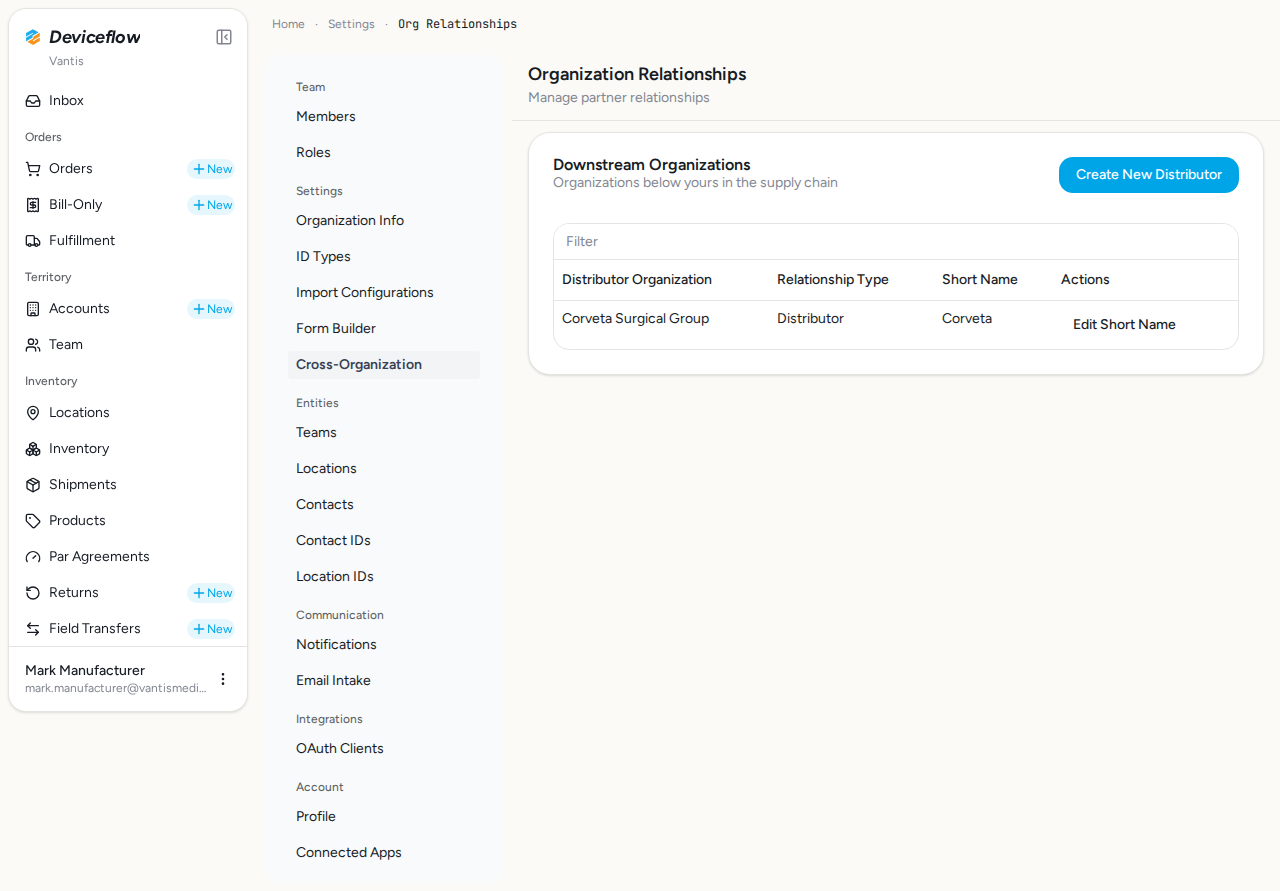
2. Step 2: Navigate to Distributor Agencies — ✅ PASS
Section titled “2. Step 2: Navigate to Distributor Agencies — ✅ PASS”What this step proves:
Navigates to the Organization Relationships settings page where distributor agency relationships are managed. Confirms the page is accessible to manufacturer admins and displays the correct heading.
Screenshots:
Video recording:
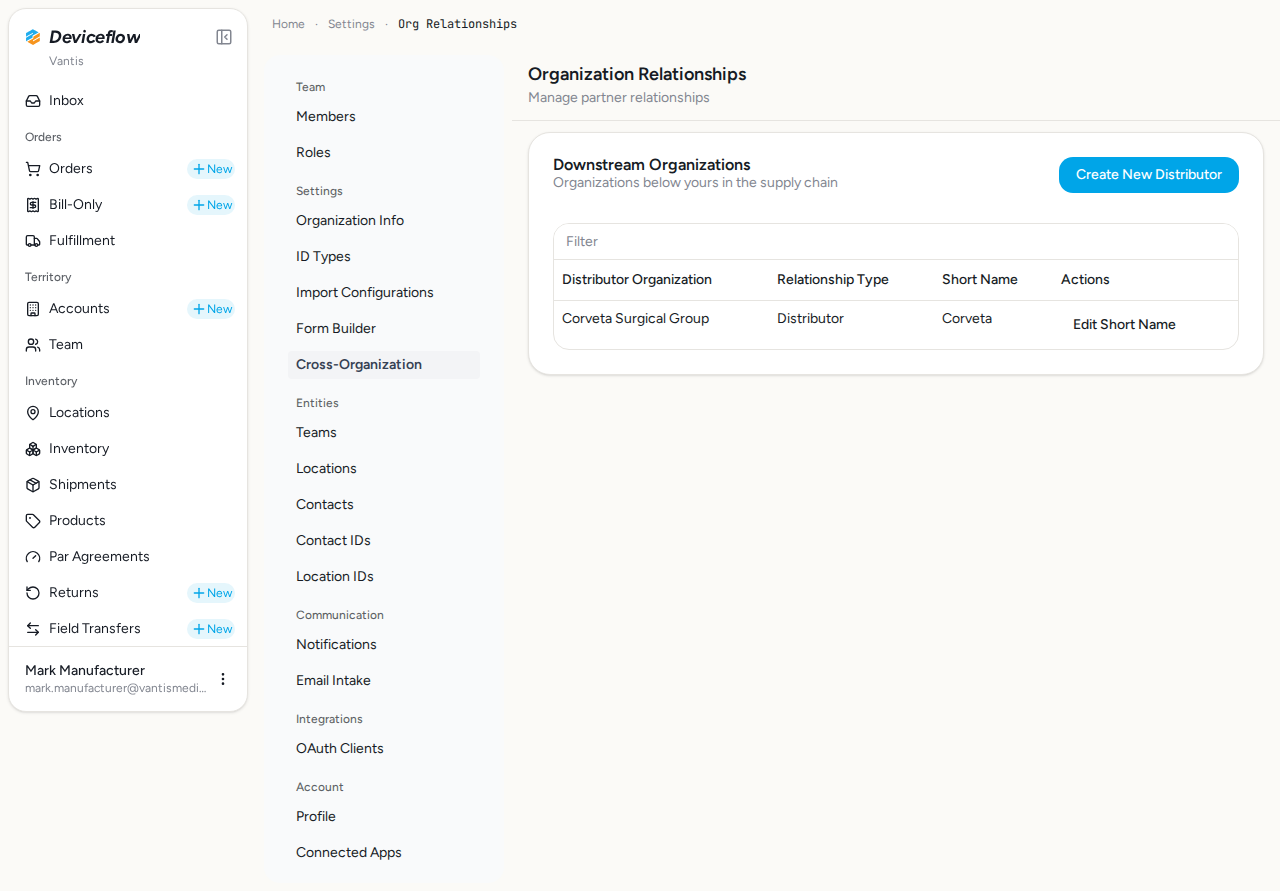
3. Step 3: Existing distributors — ✅ PASS
Section titled “3. Step 3: Existing distributors — ✅ PASS”What this step proves:
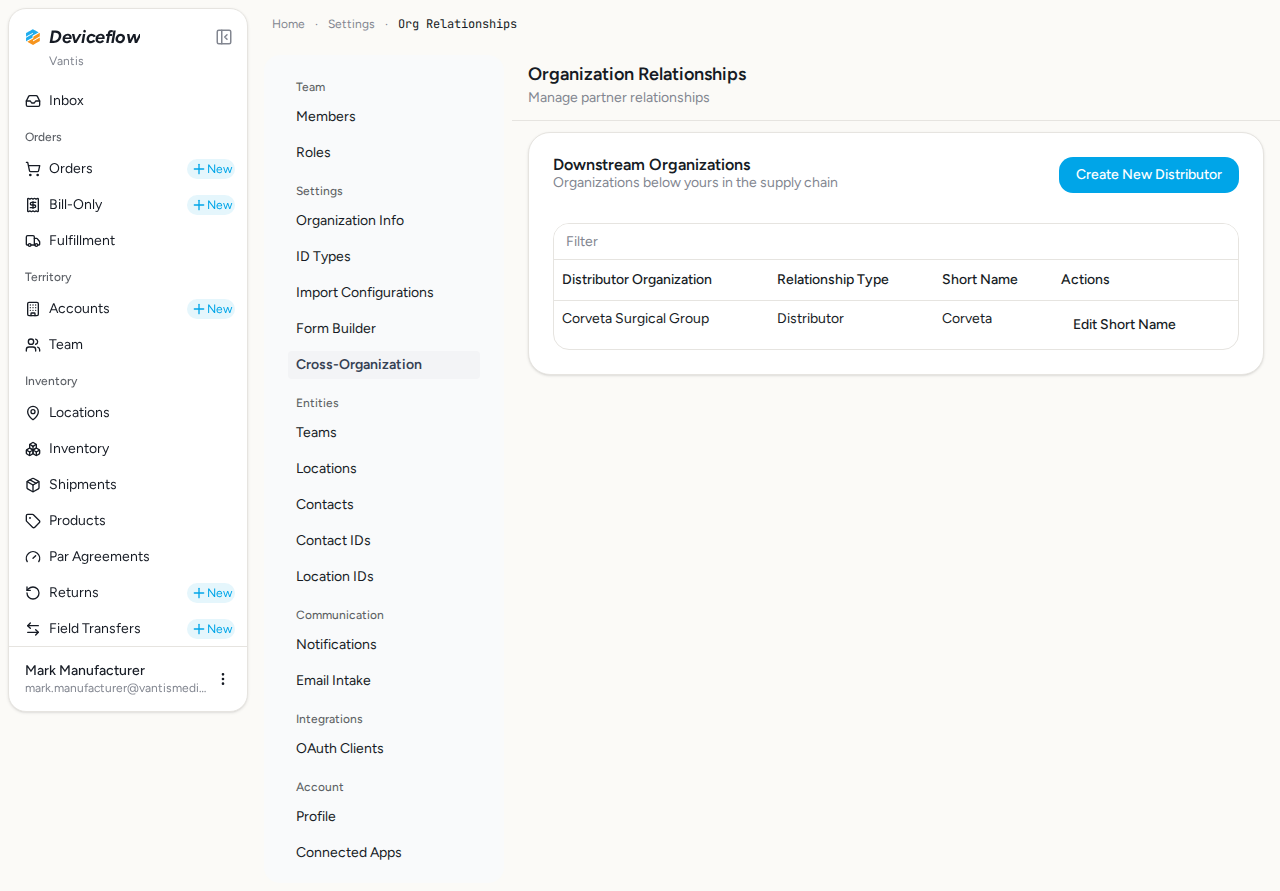
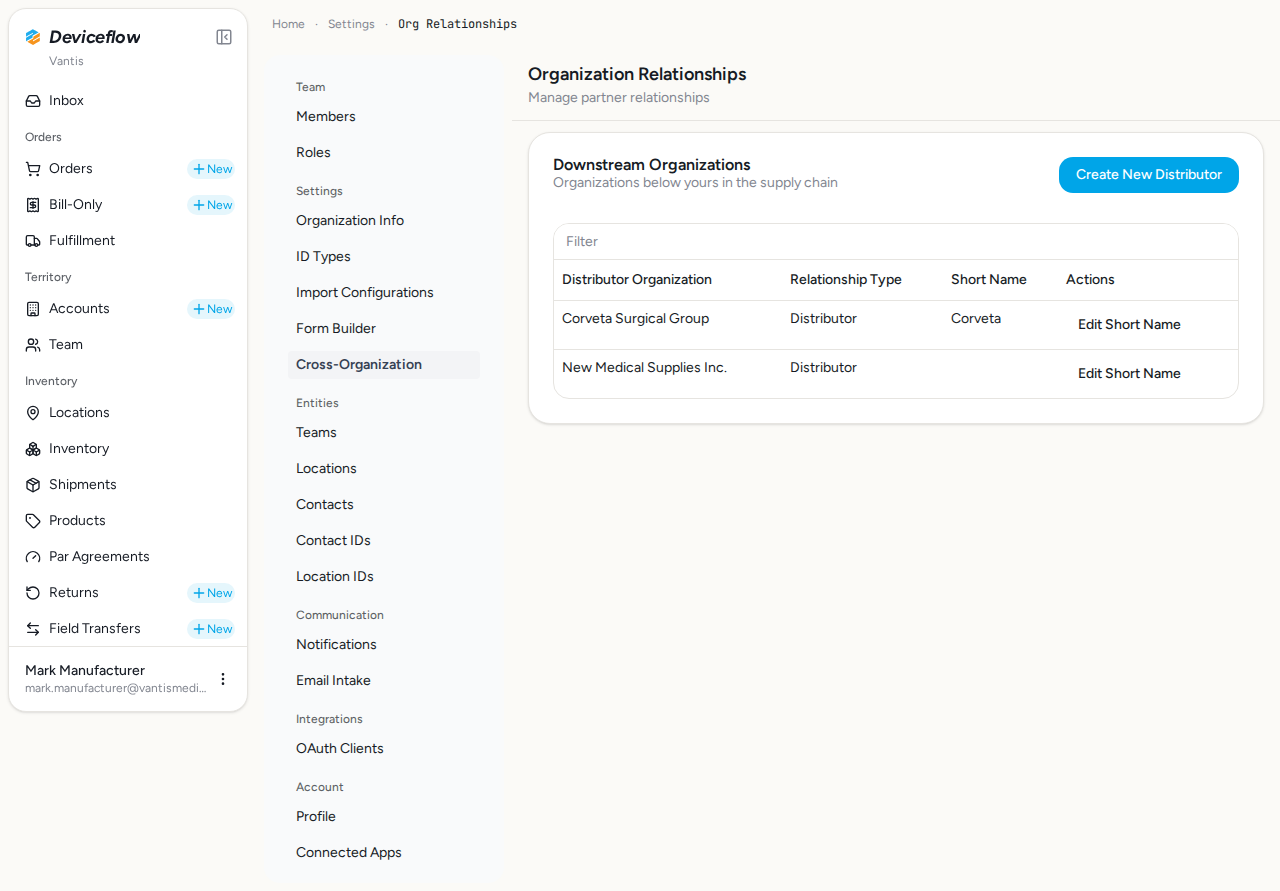
Verifies that existing downstream distributor relationships (Corveta Medical Solutions) are displayed in the Downstream Organizations section, and that the “Create New Distributor” action is available to the admin.
Screenshots:
Video recording:
4. Step 4: Create distributor — ✅ PASS
Section titled “4. Step 4: Create distributor — ✅ PASS”What this step proves:
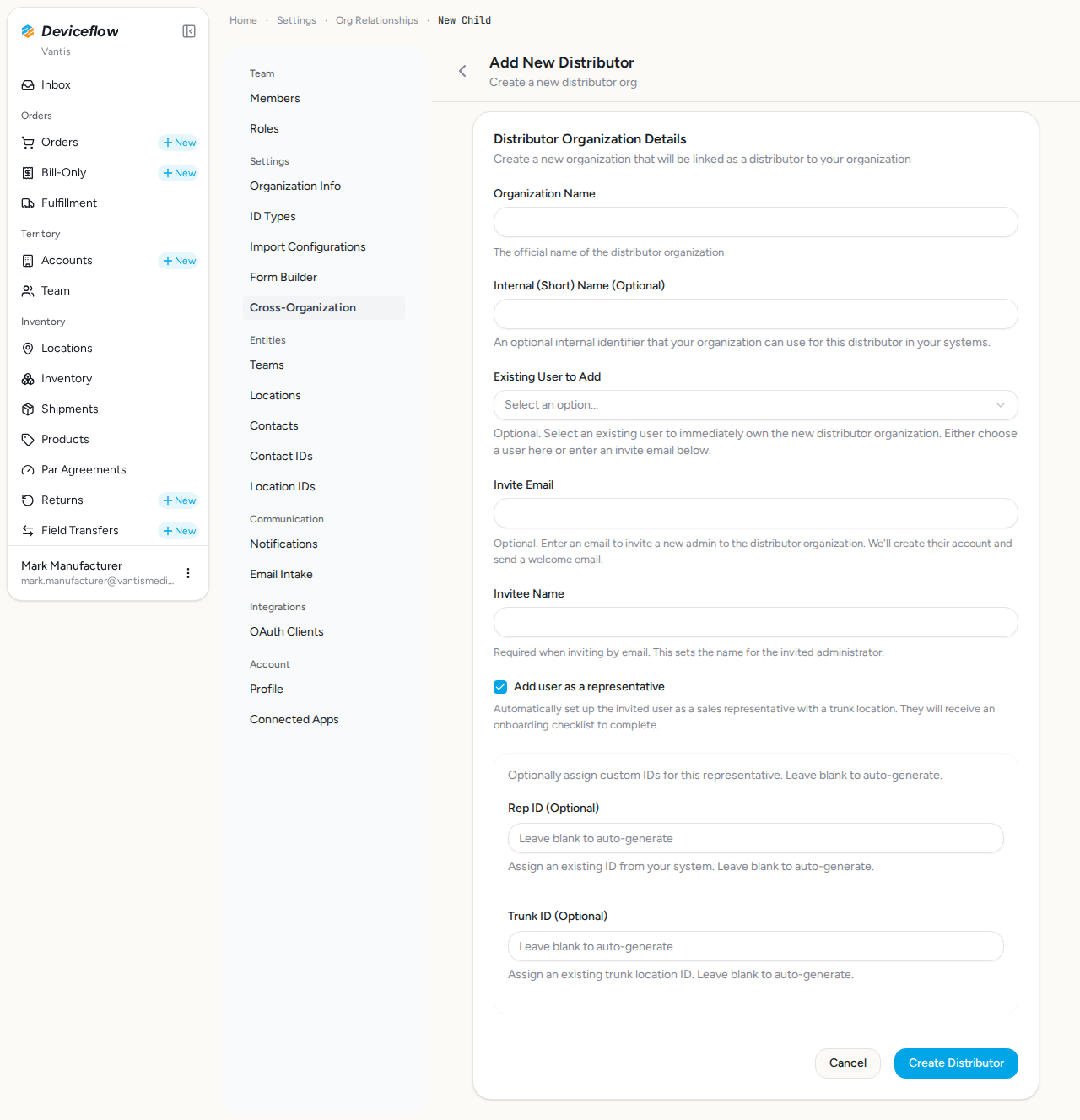
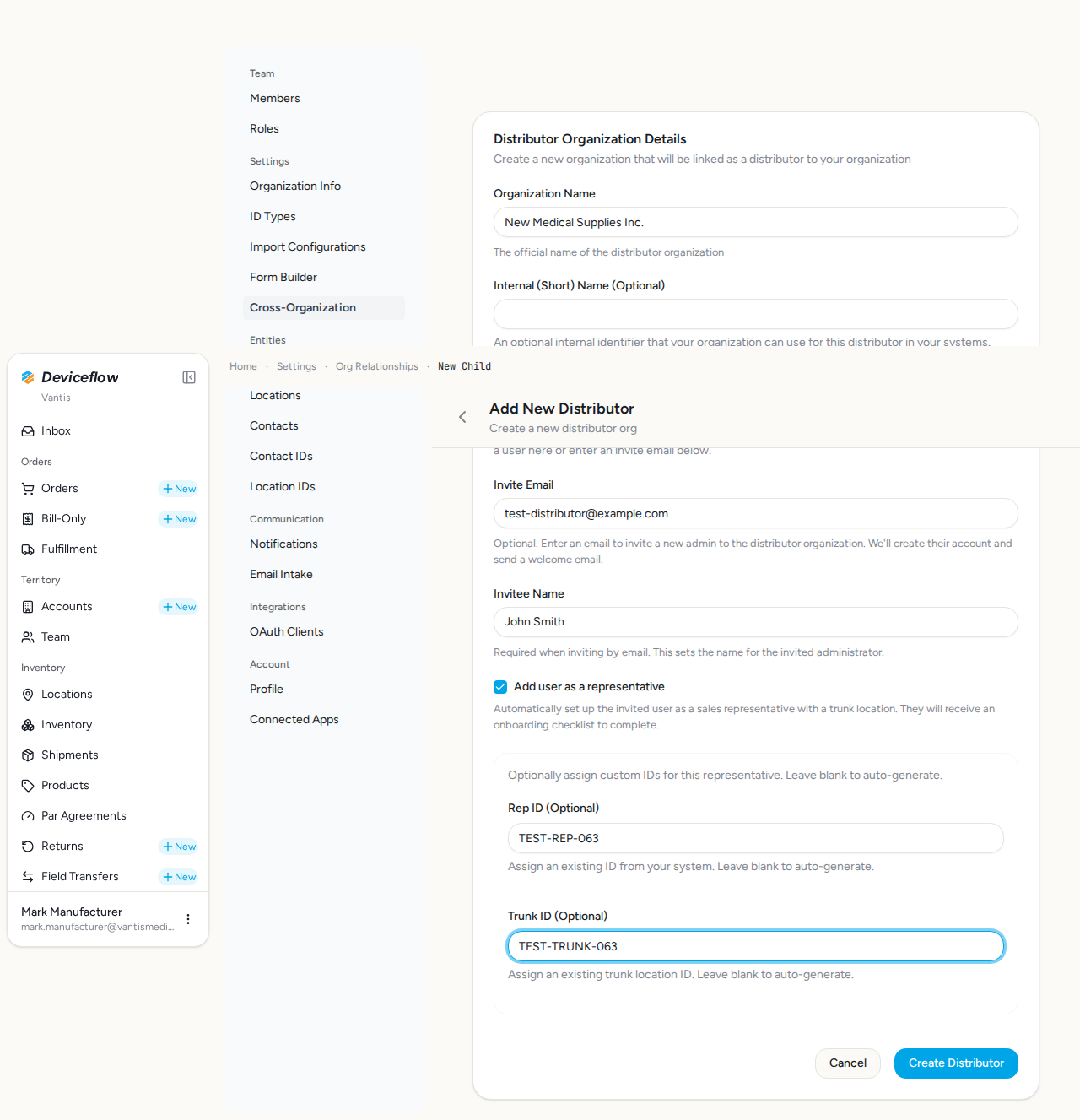
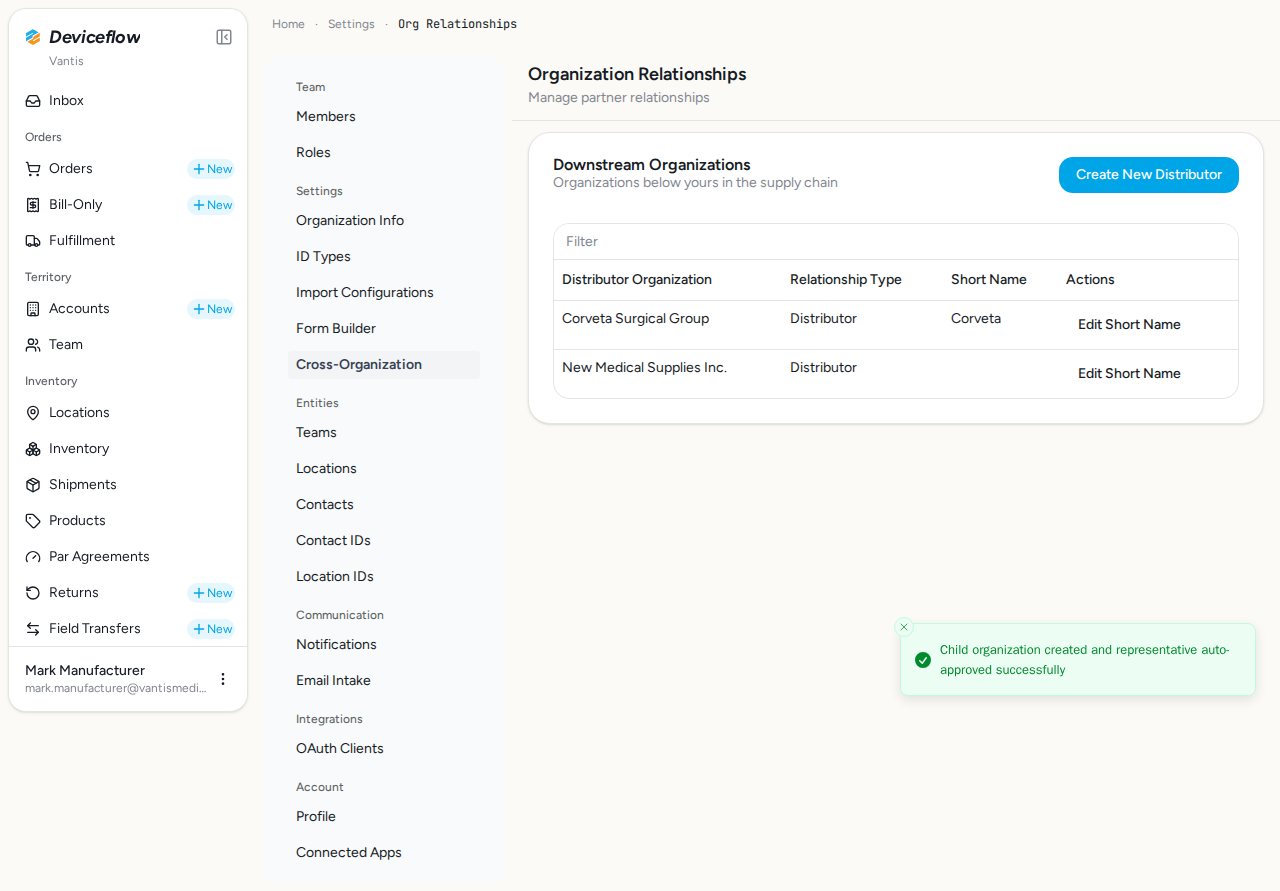
Fills out and submits the new distributor form with an organization name, invite email, invitee name, the “Add user as a representative” option, and the Rep ID and Trunk ID inputs. Confirms the system creates the distributor relationship and redirects back to the org-relationships page on success. The submitted Rep ID / Trunk ID values are asserted in DB validation to prove they were persisted.
Audit events generated by this step:
(Evidence scoped to step execution window: 2026-09-29T02:25:41.001Z → 2026-09-29T02:25:50.211Z)
| Time | Type | Action | User | Org | Performed |
|---|---|---|---|---|---|
| 2026-09-29 02:25:46Z | member | invited | mark.manufacturer@vantismedical.com | New Medical Supplies Inc. | — |
| 2026-09-29 02:25:46Z | organization_relationship | child_created | mark.manufacturer@vantismedical.com | Vantis | — |
| 2026-09-29 02:25:46Z | organization_representation | status_change | test-distributor@example.com | Vantis | — |
| 2026-09-29 02:25:46Z | checklist | checklists.create | test-distributor@example.com | New Medical Supplies Inc. | — |
| 2026-09-29 02:25:46Z | checklist | checklists.create | test-distributor@example.com | New Medical Supplies Inc. | — |
| 2026-09-29 02:25:46Z | organization | created | mark.manufacturer@vantismedical.com | New Medical Supplies Inc. | — |
| 2026-09-29 02:25:46Z | decision | representatives.require_certification_on_approval | test-distributor@example.com | Vantis | yes |
| 2026-09-29 02:25:48Z | user_log | rep_onboarding_request_approved | test-distributor@example.com | New Medical Supplies Inc. | — |
| 2026-09-29 02:25:49Z | transactional_email | rep_created | — | New Medical Supplies Inc. | — |
| 2026-09-29 02:25:49Z | transactional_email | verify_email | — | Vantis | — |
Emails triggered by this step:
(Evidence matched by declared name — step timing not available or no events fell in window)
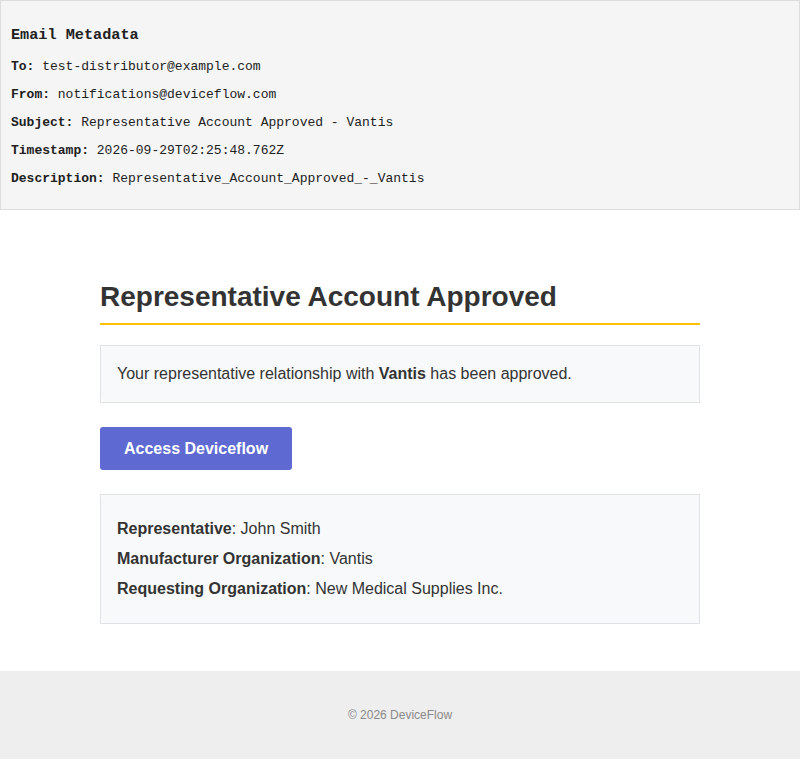
Email 1: Representative Account Approved - Vantis
Template: Representative_Account_Approved_-_Vantis
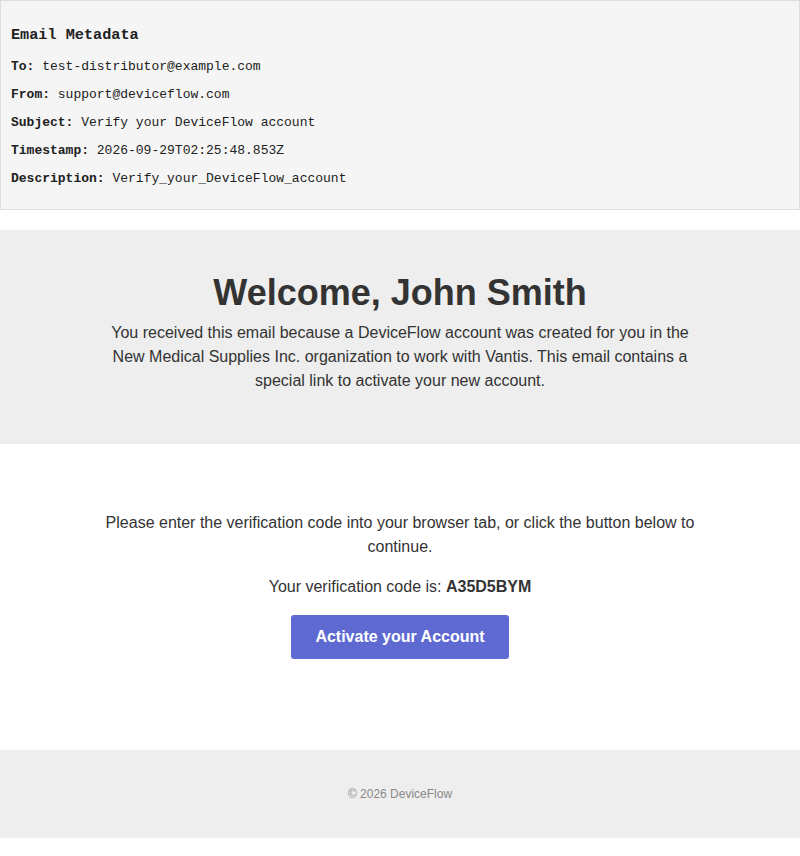
Email 2: Verify your DeviceFlow account
Template: Verify_your_DeviceFlow_account
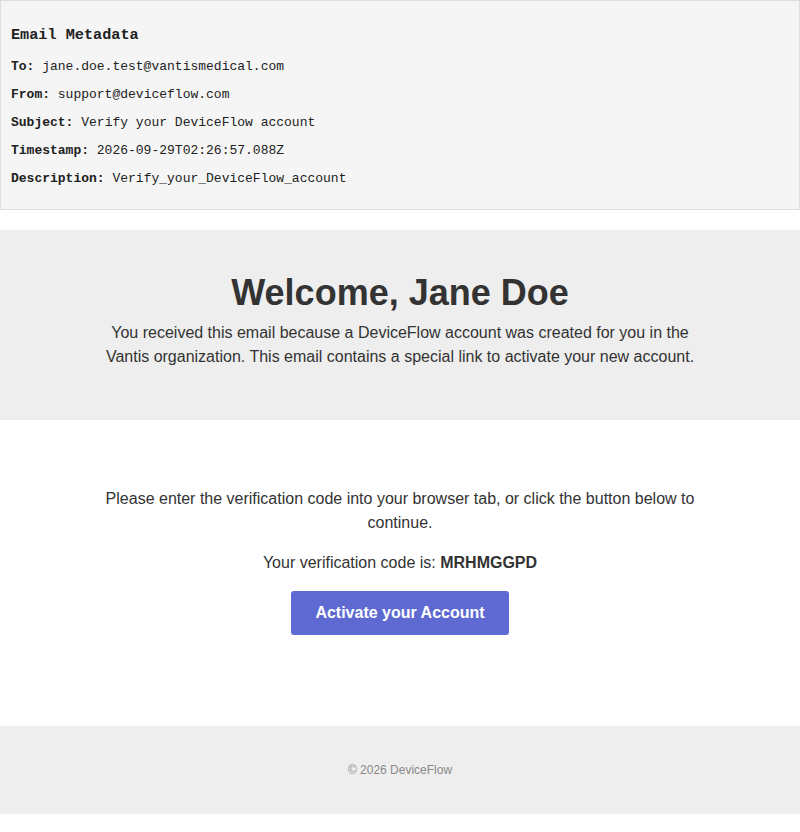
Email 3: Verify your DeviceFlow account
Template: Verify_your_DeviceFlow_account
Screenshots:
Video recording:
5. Step 5: Duplicate name rejected — ✅ PASS
Section titled “5. Step 5: Duplicate name rejected — ✅ PASS”What this step proves:
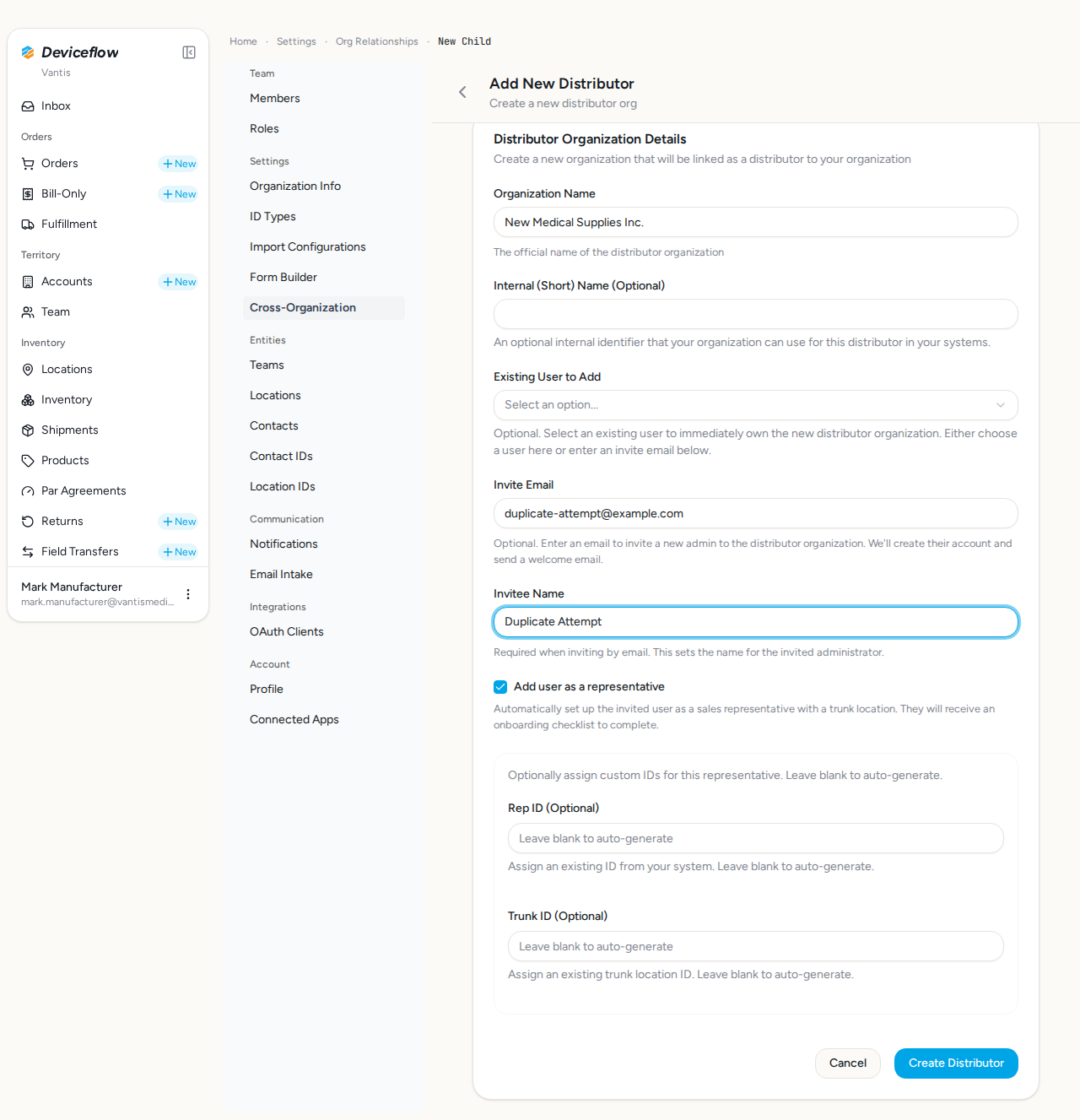
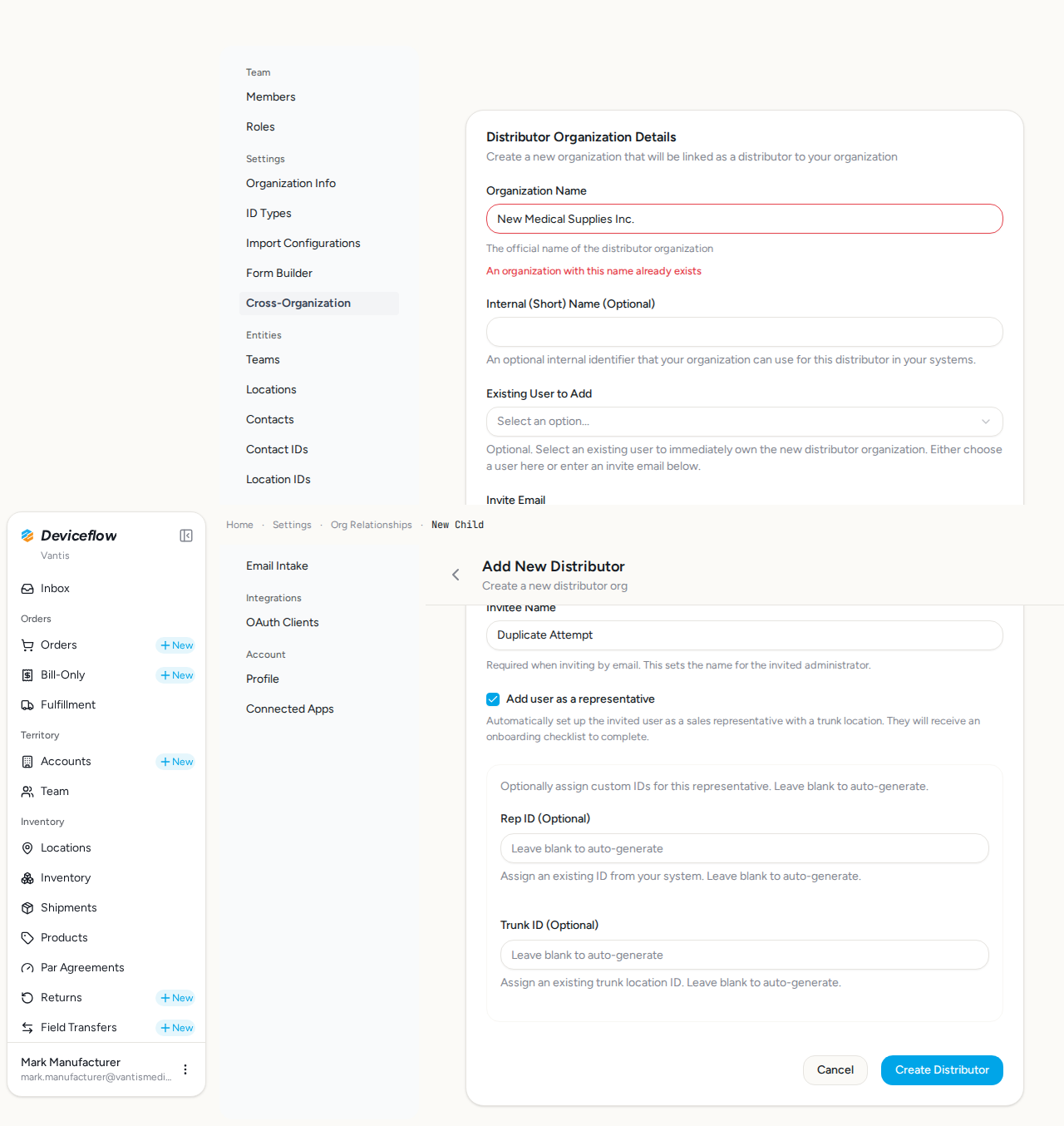
Re-submits the new-distributor form with the same organization name and asserts the server rejects it with the inline message “An organization with this name already exists”. Proves the case-insensitive ilike duplicate-name guard in new-child.remote.ts is active end-to-end — not just at the form schema level.
Screenshots:
Video recording:
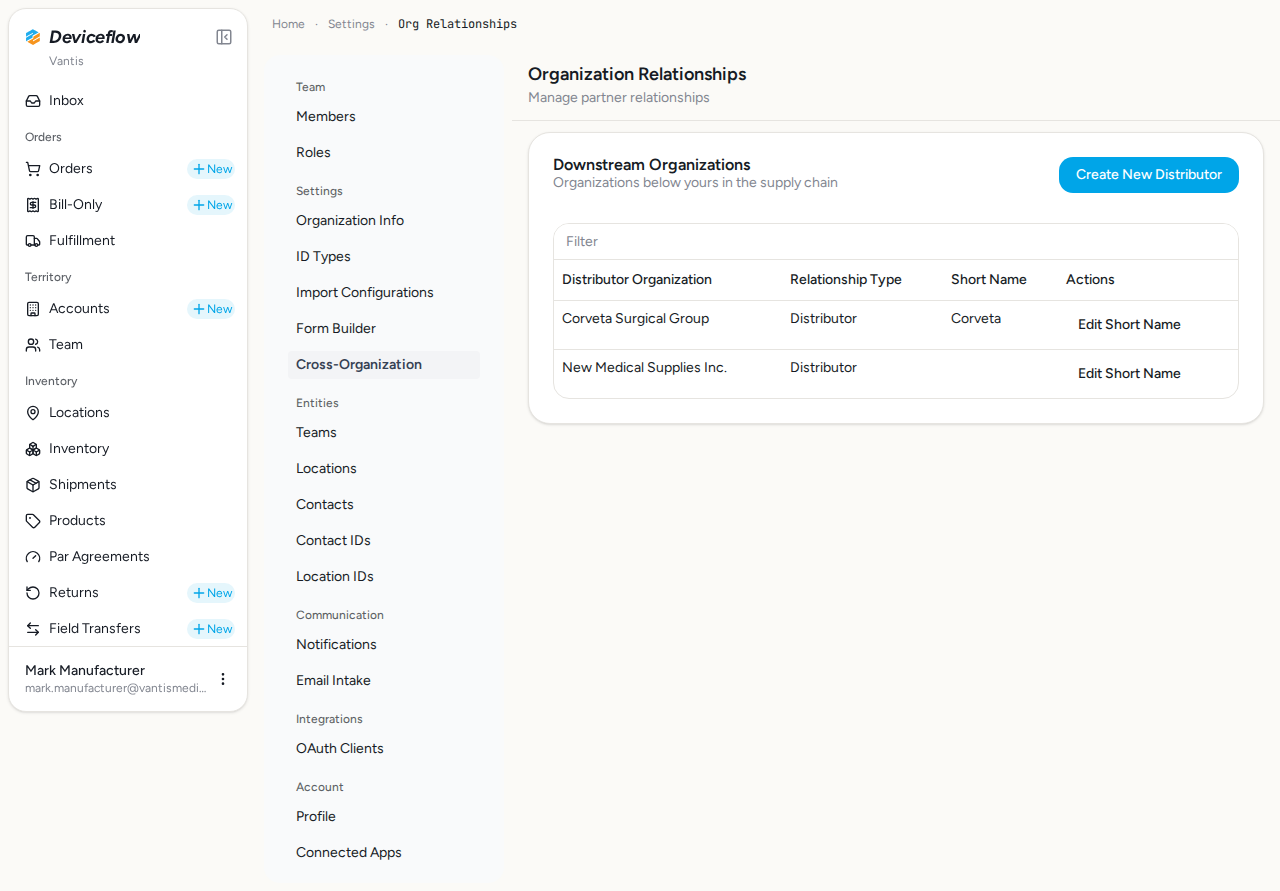
6. Step 6: New distributor in list — ✅ PASS
Section titled “6. Step 6: New distributor in list — ✅ PASS”What this step proves:
After creation, the new distributor organization (“New Medical Supplies Inc.”) appears alongside the existing Corveta in the downstream organizations list, confirming the relationship was persisted correctly.
Screenshots:
Video recording:
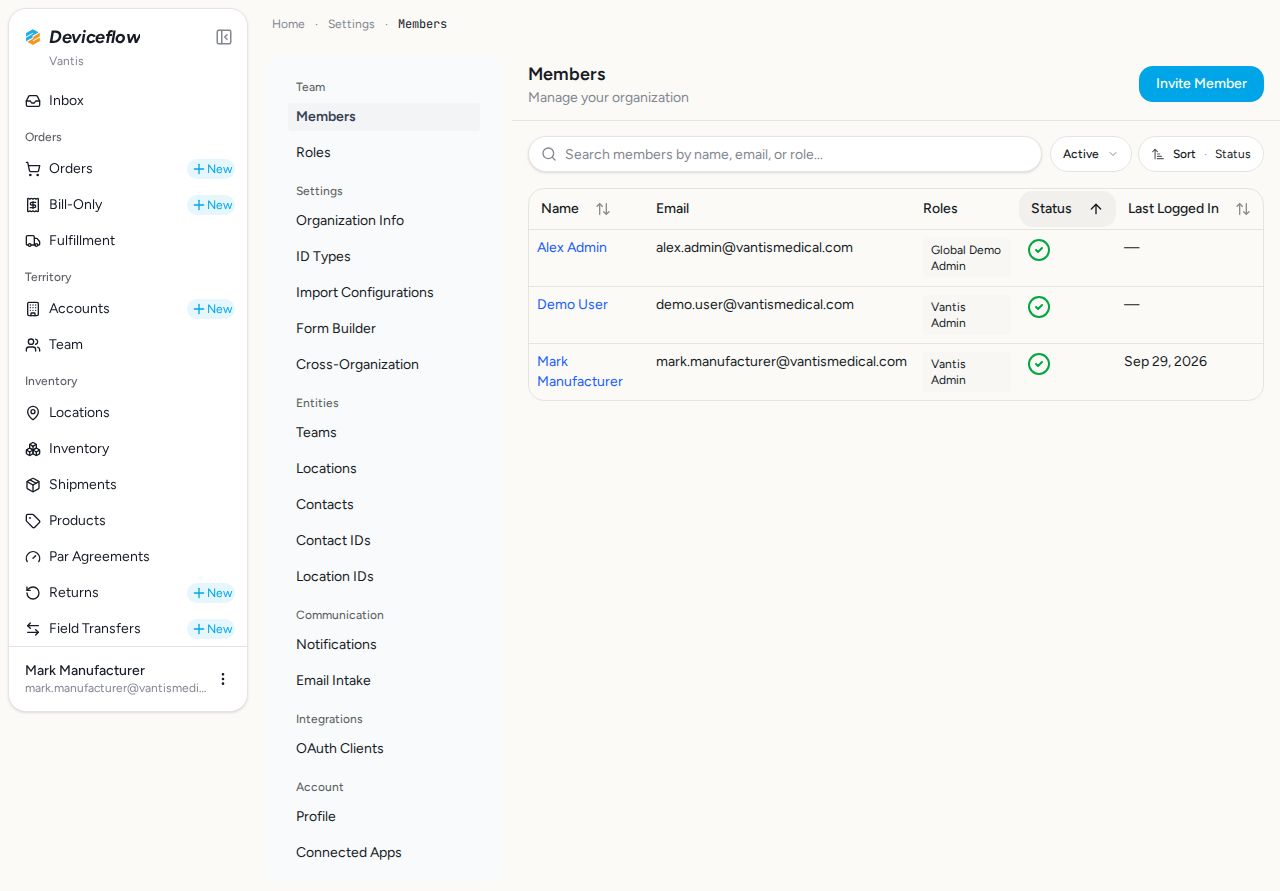
7. Step 7: Members page — ✅ PASS
Section titled “7. Step 7: Members page — ✅ PASS”What this step proves:
Navigates to the Members settings page and confirms it loads with an existing member table and the “Invite Member” button visible. Proves the admin has the manage_users permission required to send invitations.
Screenshots:
Video recording:
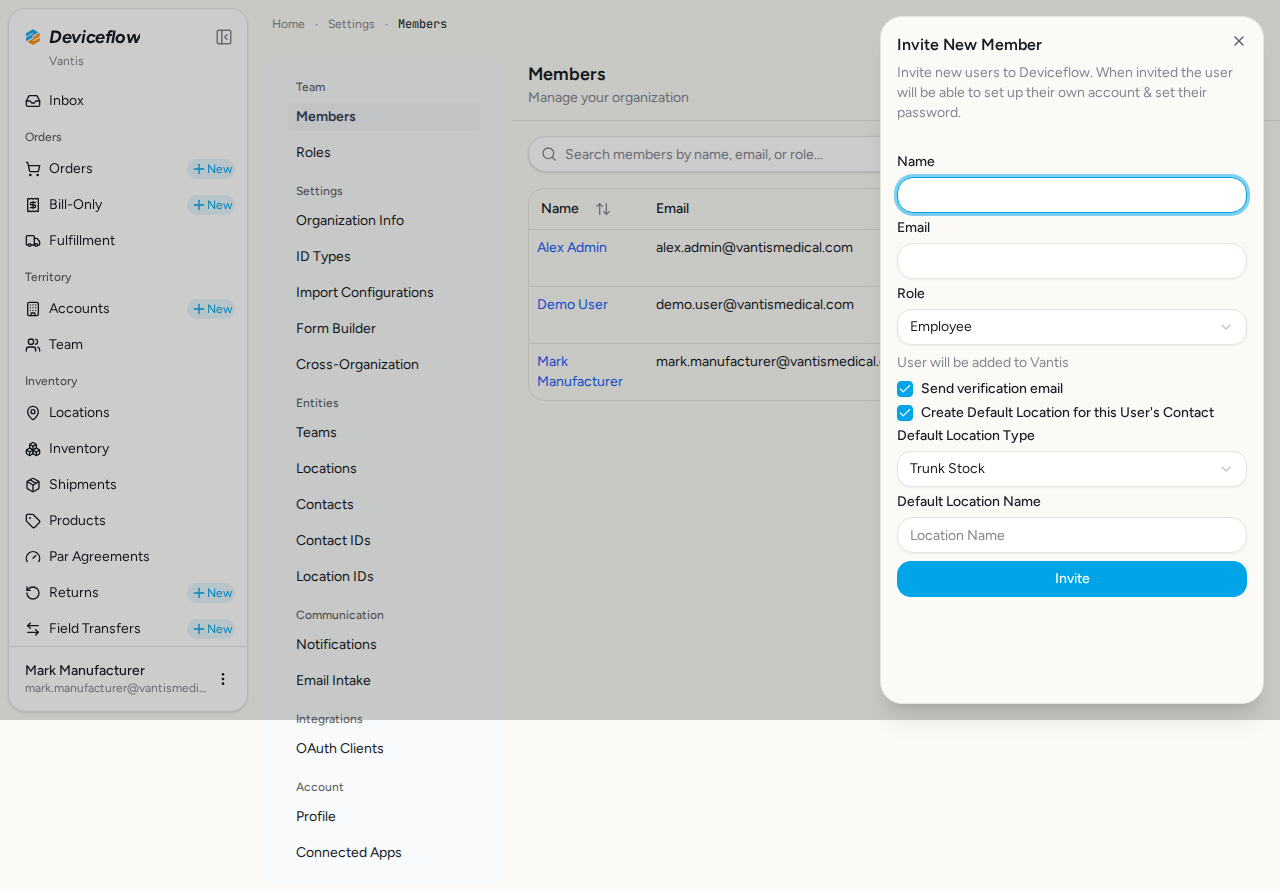
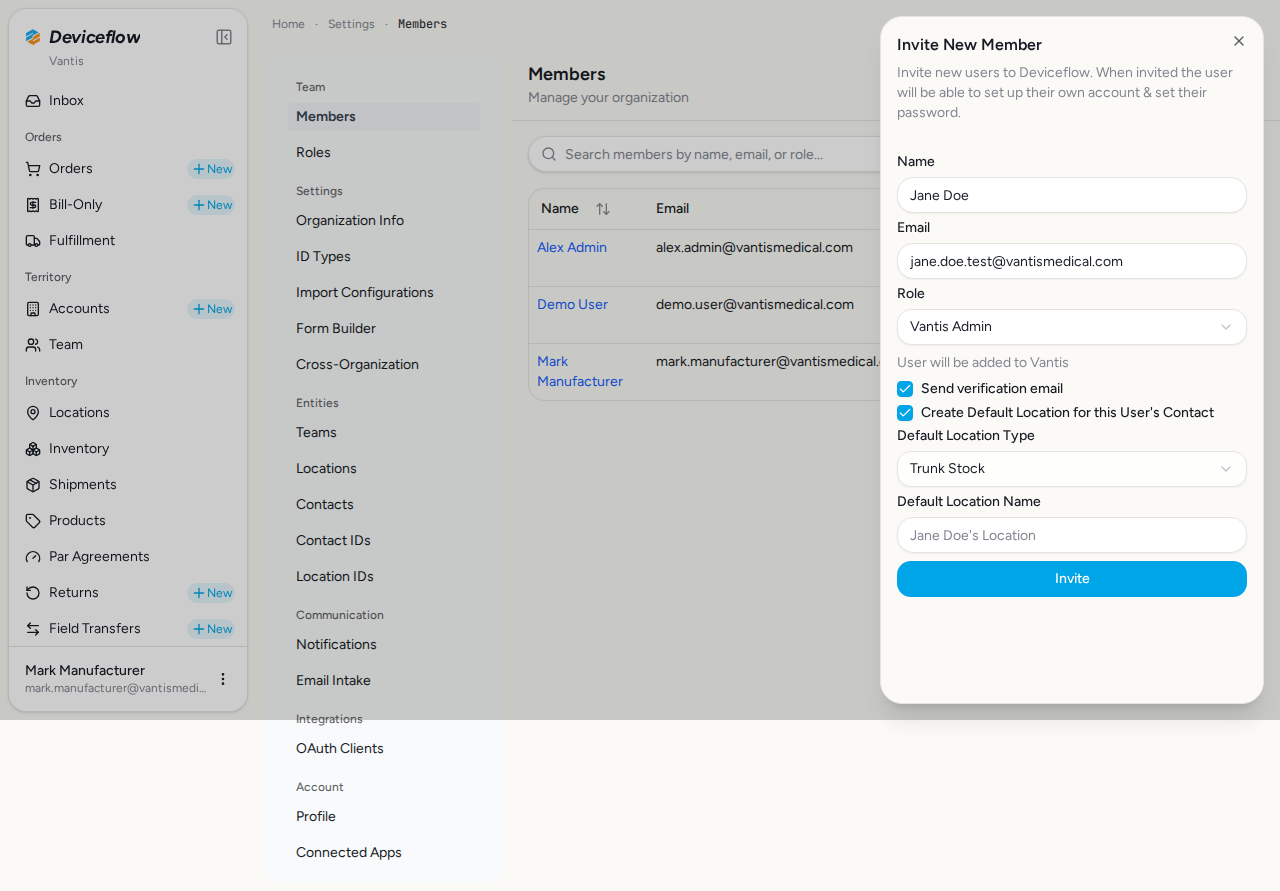
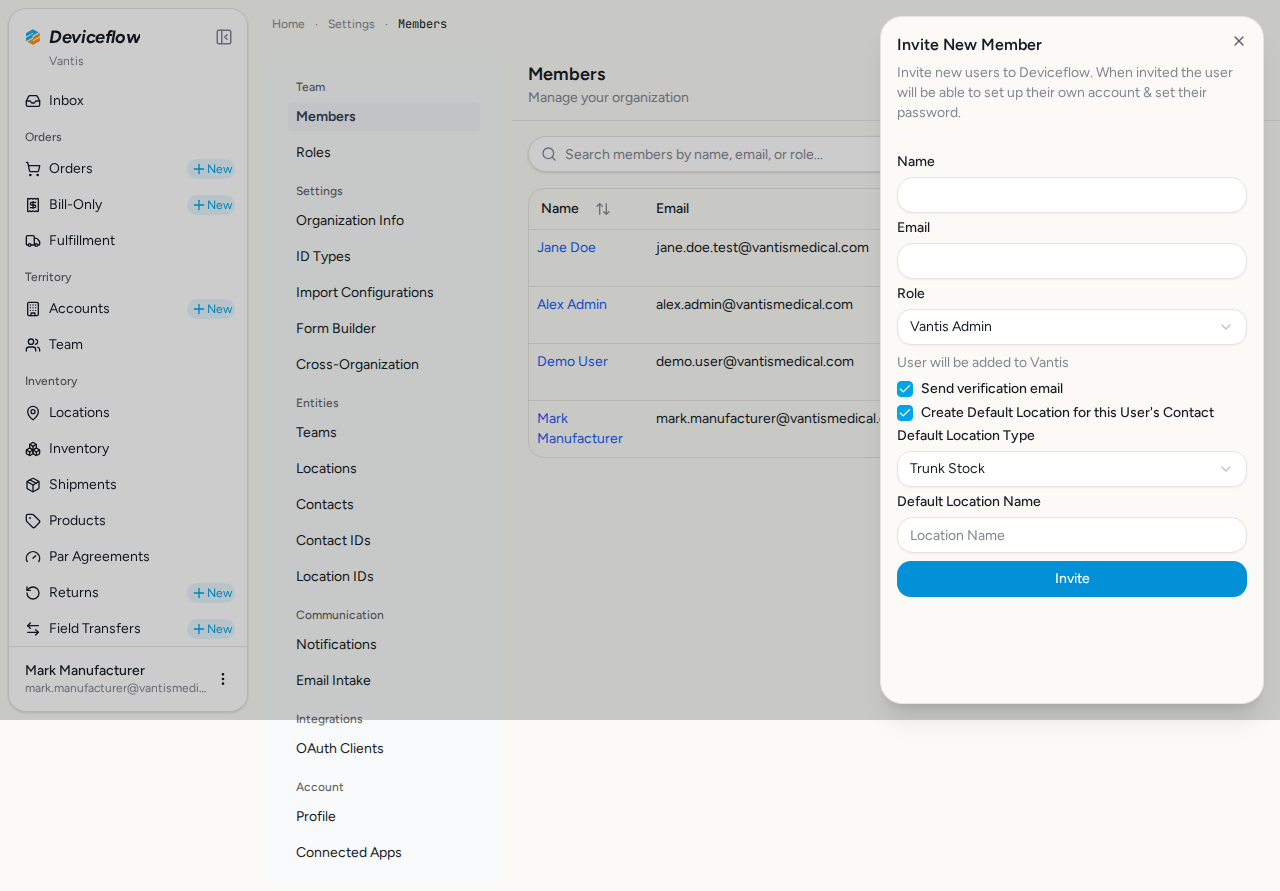
8. Step 8: Invite member — ✅ PASS
Section titled “8. Step 8: Invite member — ✅ PASS”What this step proves:
Opens the Invite Member form, fills in the new member’s name and email, and explicitly selects the “Vantis Admin” role from the role dropdown. Submits the invitation and verifies the form resets on success. The specific role picked here is asserted in DB check 8 so a silent regression (e.g. hardcoding the role on the server) is caught.
Audit events generated by this step:
(Evidence scoped to step execution window: 2026-09-29T02:26:49.377Z → 2026-09-29T02:26:55.478Z)
| Time | Type | Action | User | Org | Performed |
|---|---|---|---|---|---|
| 2026-09-29 02:26:55Z | member | invited | mark.manufacturer@vantismedical.com | Vantis | — |
Emails triggered by this step:
(Evidence matched by declared name — step timing not available or no events fell in window)
Email 1: Verify your DeviceFlow account
Template: Verify_your_DeviceFlow_account
Email 2: Verify your DeviceFlow account
Template: Verify_your_DeviceFlow_account
Screenshots:
Video recording:
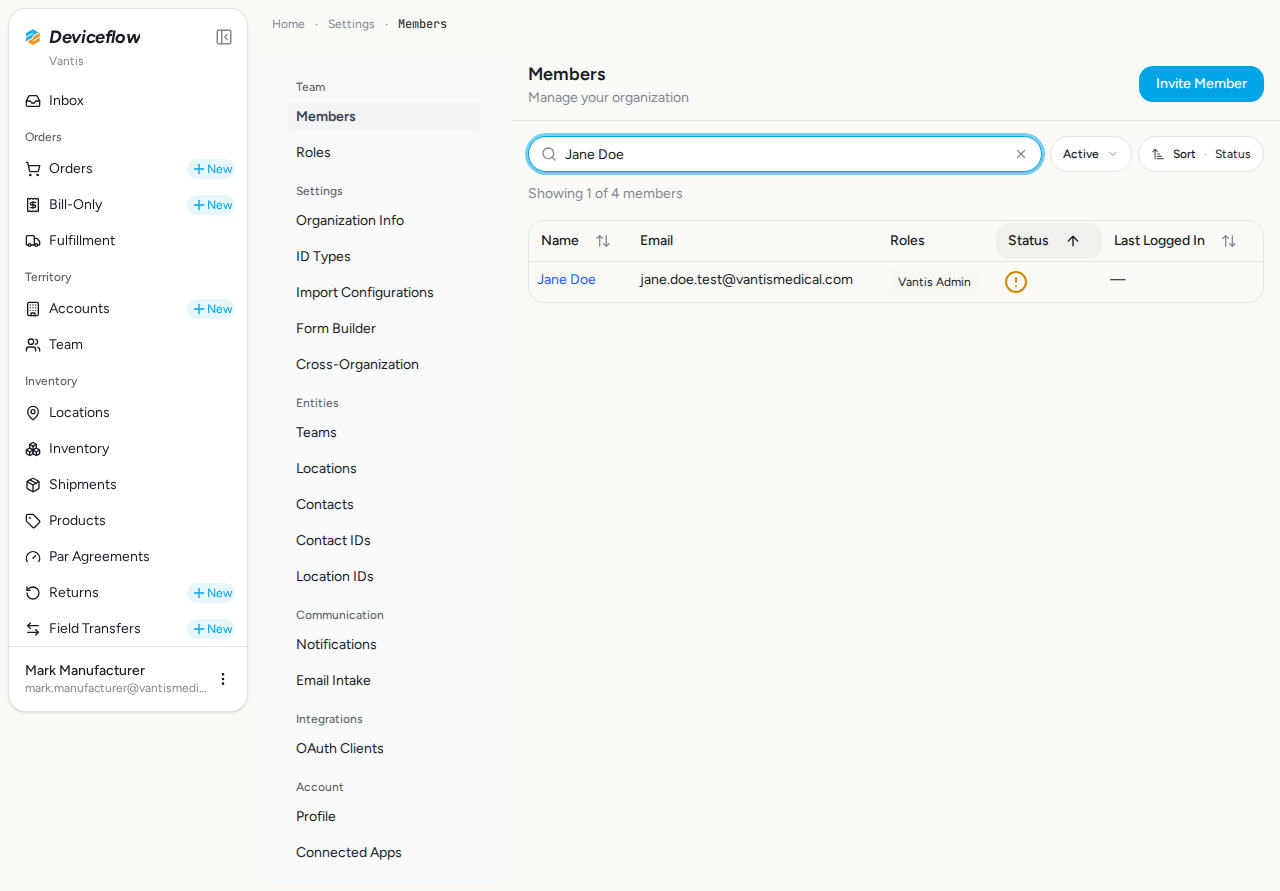
9. Step 9: Member in list — ✅ PASS
Section titled “9. Step 9: Member in list — ✅ PASS”What this step proves:
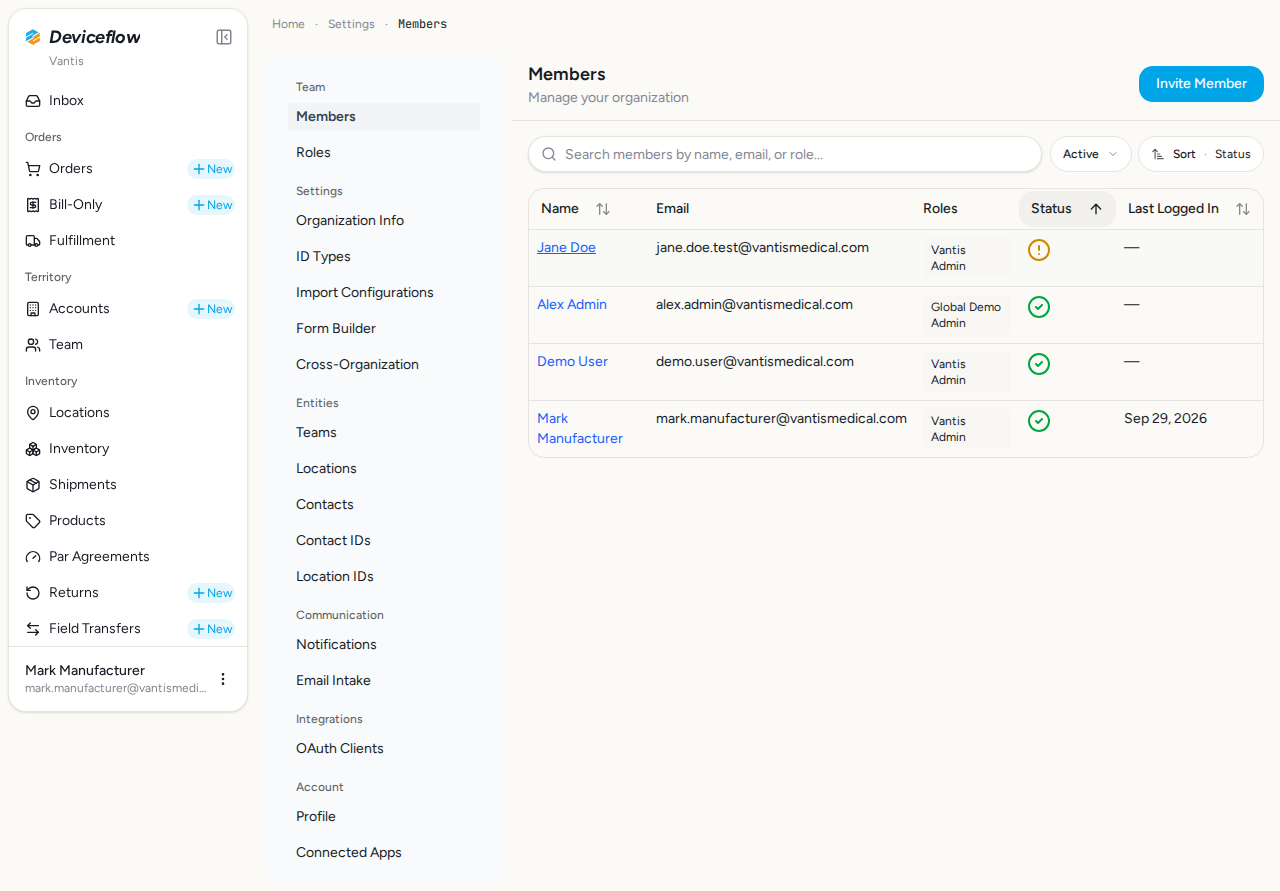
After invitation, the new member (“Jane Doe”) appears in the members list with their email address visible, confirming the invitation was recorded and the member is searchable from the admin interface.
Screenshots:
Video recording:
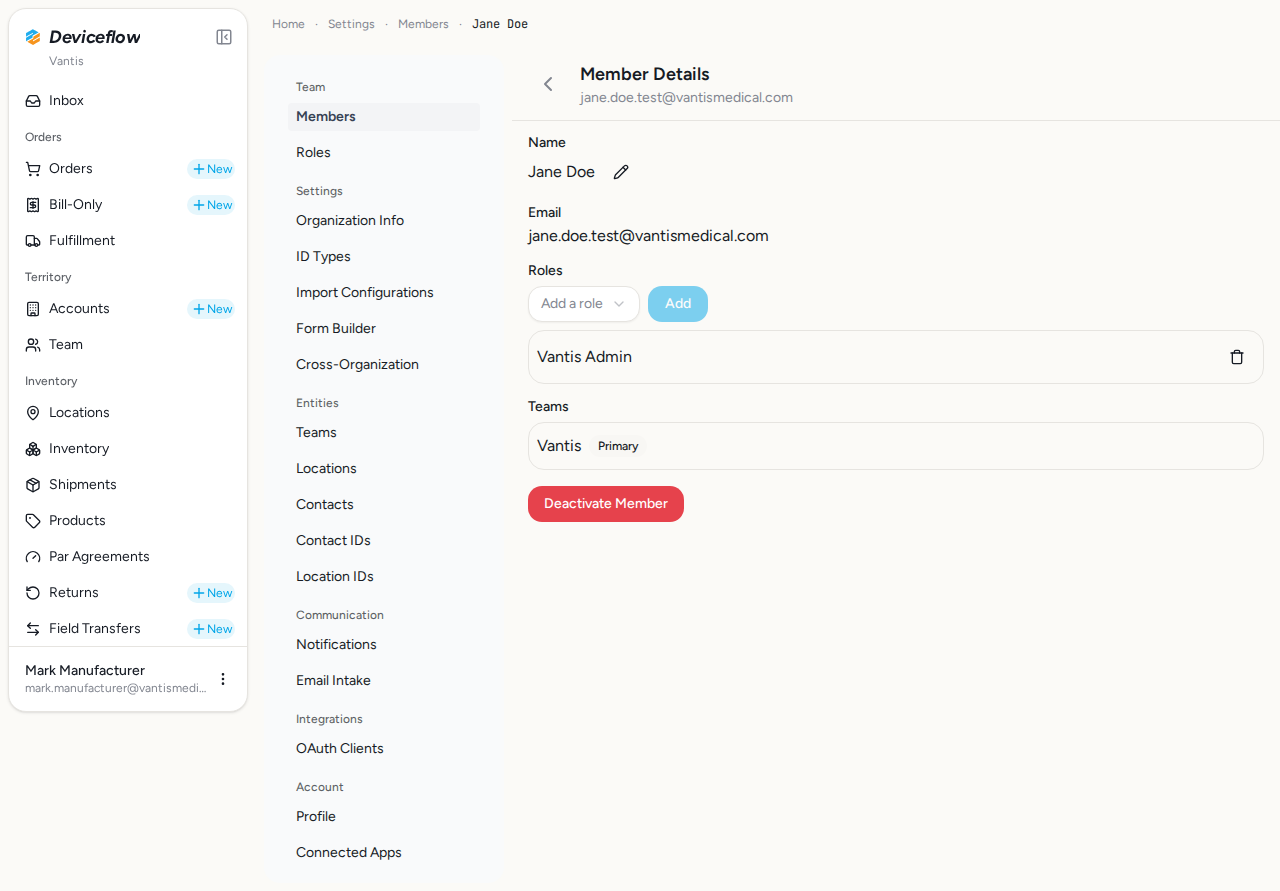
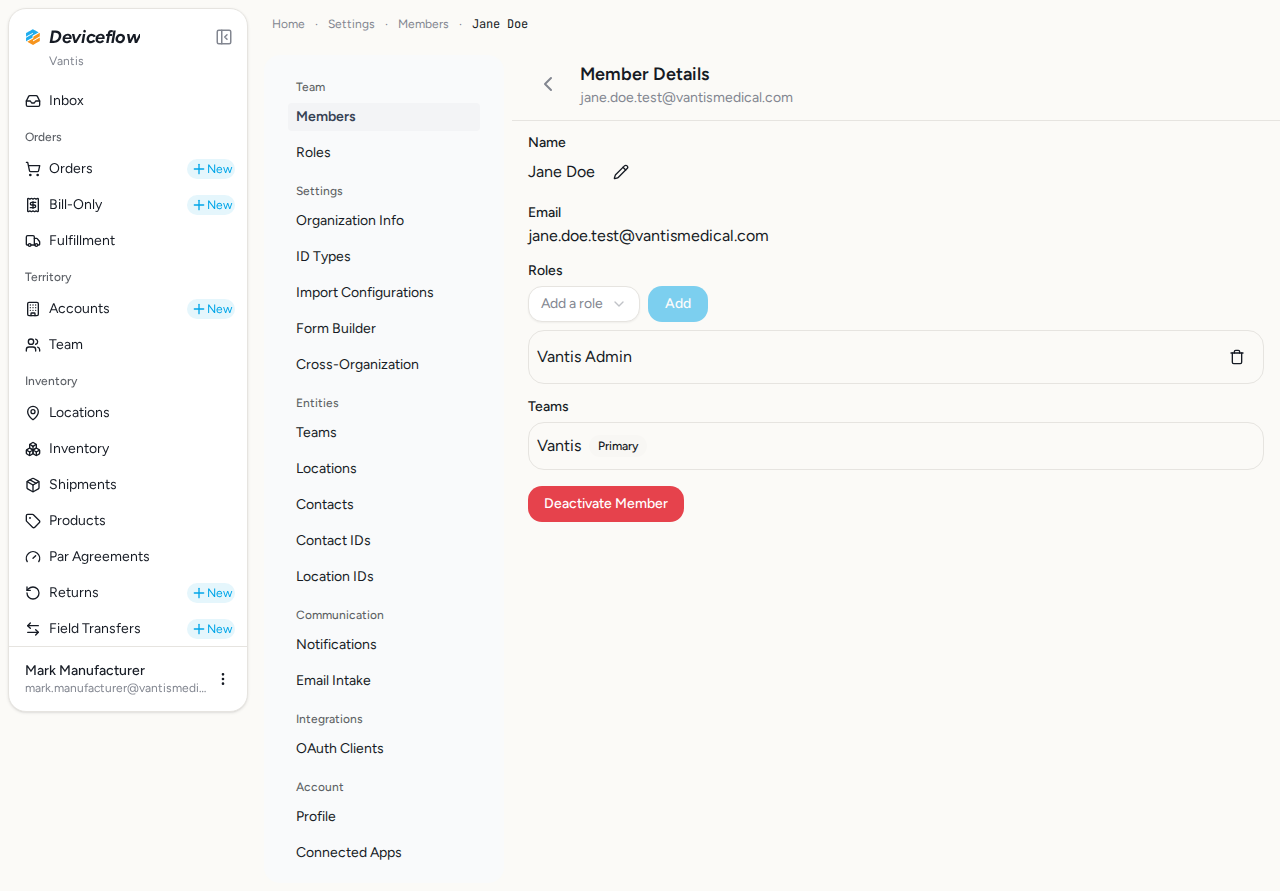
10. Step 10: Member details — ✅ PASS
Section titled “10. Step 10: Member details — ✅ PASS”What this step proves:
Opens the member detail page for the invited user and verifies the Roles section is present. Confirms that role assignments made during invitation are accessible and visible to administrators.
Screenshots:
Video recording:
11. Step 11: Admin overview — ✅ PASS
Section titled “11. Step 11: Admin overview — ✅ PASS”What this step proves:
Final admin view showing both the full distributor list (Corveta + new distributor) and the complete member roster. Provides end-to-end evidence that the entire distributor onboarding workflow — from agency creation through member invitation and role assignment — is operational.
Screenshots:
Video recording:
12. Step 12: Distributor first login — ✅ PASS
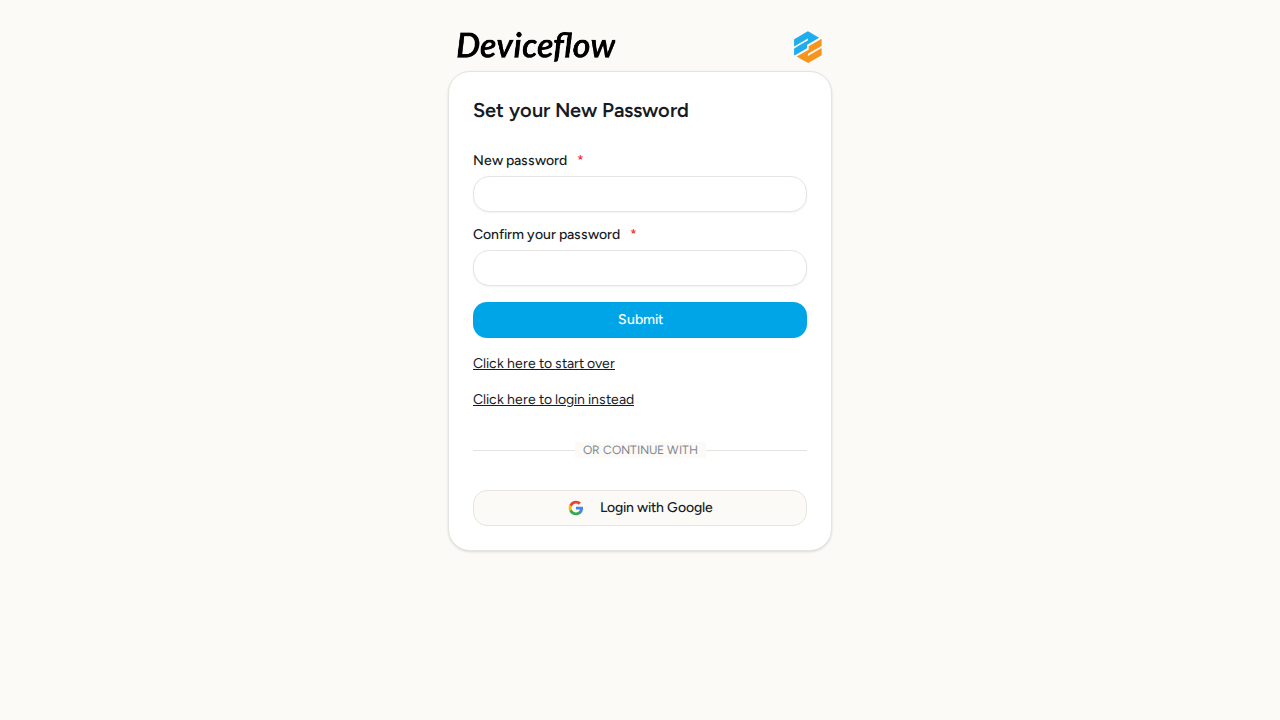
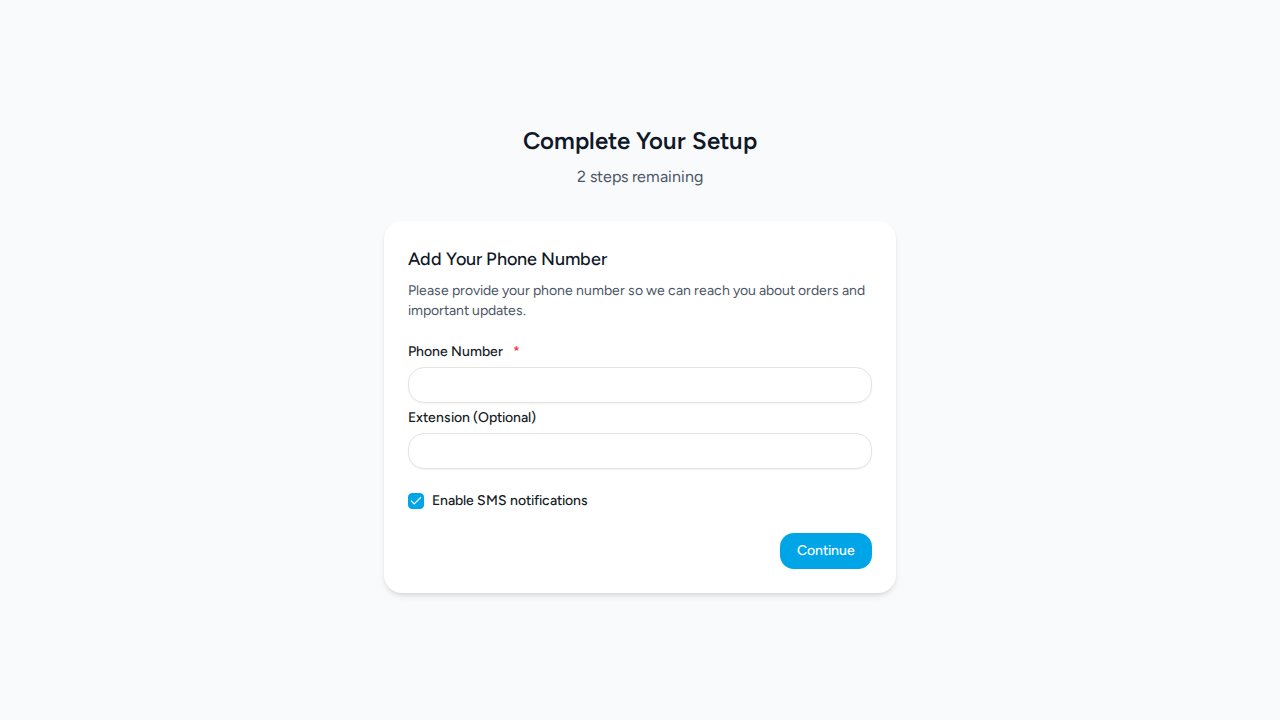
Section titled “12. Step 12: Distributor first login — ✅ PASS”What this step proves:
Switches to the distributor invitee’s perspective in a fresh browser context. Reads the verification email captured during step 4, extracts the /verify-email?requestId=…&code=… link, and navigates to it. The server auto-verifies the code and redirects through the password-reset flow, where the invitee sets an initial password and lands on the app home page. Proves the invitation link is functional from the recipient’s point of view, not just from the admin’s.
Audit events generated by this step:
(Evidence scoped to step execution window: 2026-09-29T02:27:15.327Z → 2026-09-29T02:27:19.058Z)
| Time | Type | Action | User | Org | Performed |
|---|---|---|---|---|---|
| 2026-09-29 02:27:18Z | user | activation_completed | test-distributor@example.com | New Medical Supplies Inc. | — |
Screenshots:
Video recording:
Database Validations
Section titled “Database Validations”The following SQL queries ran against the application database after the Playwright scenarios completed. Each query asserts a specific condition that proves the feature under test persisted its data correctly.
New distributor organization created — ✅ PASS
Section titled “New distributor organization created — ✅ PASS”Assertion: Organization “New Medical Supplies Inc.” should exist in the organizations table
SELECT id, name, created_at FROM organizations WHERE name = $1| id | name | created_at |
|---|---|---|
| 01a0eafb-82e6-7d60-8065-b5b8492afe45 | New Medical Supplies Inc. | 2026-09-29T02:25:46.726Z |
Distributor relationship established — ✅ PASS
Section titled “Distributor relationship established — ✅ PASS”Assertion: A distributor relationship should exist between Vantis and New Medical Supplies Inc.
SELECT r.parent_organization_id, r.child_organization_id, r.relationship_type, p.name as parent_name, c.name as child_name FROM organization_relationships r JOIN organizations p ON p.id = r.parent_organization_id JOIN organizations c ON c.id = r.child_organization_id WHERE r.parent_organization_id = $1 AND c.name = $2| parent_organization_id | child_organization_id | relationship_type | parent_name | child_name |
|---|---|---|---|---|
| a1b2c3d4-e5f6-7890-abcd-ef1234567890 | 01a0eafb-82e6-7d60-8065-b5b8492afe45 | distributor | Vantis | New Medical Supplies Inc. |
Invited distributor user created — ✅ PASS
Section titled “Invited distributor user created — ✅ PASS”Assertion: User with email test-distributor@example.com should exist in the users table
SELECT id, email, name, created_at FROM users WHERE email = $1| id | name | created_at | |
|---|---|---|---|
| 01a0eafb-82d9-79bd-8443-1498a74c1dda | test-distributor@example.com | John Smith | 2026-09-29T02:25:46.713Z |
Distributor user has expected role assigned — ✅ PASS
Section titled “Distributor user has expected role assigned — ✅ PASS”Assertion: User test-distributor@example.com should have role “Administrator (preset)” in New Medical Supplies Inc. (hardcoded at new-child.remote.ts as globalOrgAdminRoleId)
SELECT ur.user_id, ur.role_id, ur.organization_id, r.name as role_name, u.email, o.name as org_name FROM user_roles ur JOIN users u ON u.id = ur.user_id JOIN roles r ON r.id = ur.role_id JOIN organizations o ON o.id = ur.organization_id WHERE u.email = $1 AND o.name = $2| user_id | role_id | organization_id | role_name | org_name | |
|---|---|---|---|---|---|
| 01a0eafb-82d9-79bd-8443-1498a74c1dda | 24ee9b94-92a6-4bd4-89e6-48d4f19cfdbe | 01a0eafb-82e6-7d60-8065-b5b8492afe45 | Administrator (preset) | test-distributor@example.com | New Medical Supplies Inc. |
User is member of distributor org — ✅ PASS
Section titled “User is member of distributor org — ✅ PASS”Assertion: User test-distributor@example.com should be a member of New Medical Supplies Inc.
SELECT om.user_id, om.organization_id, om.active, u.email, o.name as org_name FROM organization_members om JOIN users u ON u.id = om.user_id JOIN organizations o ON o.id = om.organization_id WHERE u.email = $1 AND o.name = $2| user_id | organization_id | active | org_name | |
|---|---|---|---|---|
| 01a0eafb-82d9-79bd-8443-1498a74c1dda | 01a0eafb-82e6-7d60-8065-b5b8492afe45 | true | test-distributor@example.com | New Medical Supplies Inc. |
Representation relationship created — ✅ PASS
Section titled “Representation relationship created — ✅ PASS”Assertion: A representation relationship should exist for test-distributor@example.com (created via “Add as representative” checkbox)
SELECT orr.id, orr.user_id, orr.approving_organization_id, orr.requesting_organization_id, orr.status, orr.representative_type, u.email, ao.name as approving_org, ro.name as requesting_org FROM organization_representation_relationships orr JOIN users u ON u.id = orr.user_id JOIN organizations ao ON ao.id = orr.approving_organization_id JOIN organizations ro ON ro.id = orr.requesting_organization_id WHERE u.email = $1| id | user_id | approving_organization_id | requesting_organization_id | status | representative_type | approving_org | requesting_org | |
|---|---|---|---|---|---|---|---|---|
| 01a0eafb-848b-7fdf-b9da-fad0e0c4fac4 | 01a0eafb-82d9-79bd-8443-1498a74c1dda | a1b2c3d4-e5f6-7890-abcd-ef1234567890 | 01a0eafb-82e6-7d60-8065-b5b8492afe45 | pending_certification | salesperson | test-distributor@example.com | Vantis | New Medical Supplies Inc. |
Submitted Rep ID persisted for invited user — ✅ PASS
Section titled “Submitted Rep ID persisted for invited user — ✅ PASS”Assertion: Rep ID “TEST-REP-063” submitted through the new-distributor form should be stored in real_world_contact_ids for test-distributor@example.com scoped to New Medical Supplies Inc.
SELECT rwci.id, rwci.organization_id, rwci.contact_id, rwci.id_type, rwci.value, u.email, o.name as org_name FROM real_world_contact_ids rwci JOIN contacts c ON c.id = rwci.contact_id JOIN users u ON u.id = c.user_id JOIN organizations o ON o.id = rwci.organization_id WHERE u.email = $1 AND o.name = $2| id | organization_id | contact_id | id_type | value | org_name | |
|---|---|---|---|---|---|---|
| 01a0eafb-8454-77aa-a20b-922b1edccf96 | 01a0eafb-82e6-7d60-8065-b5b8492afe45 | 01a0eafb-82f8-7843-8967-611d35c7c9e1 | vantis_rep_id | TEST-REP-063 | test-distributor@example.com | New Medical Supplies Inc. |
Submitted Trunk ID persisted for invited user — ✅ PASS
Section titled “Submitted Trunk ID persisted for invited user — ✅ PASS”Assertion: Trunk ID “TEST-TRUNK-063” submitted through the new-distributor form should be stored in real_world_location_ids scoped to the manufacturer org (Vantis)
SELECT rwli.id, rwli.organization_id, rwli.location_id, rwli.id_type, rwli.value, u.email, o.name as org_name FROM real_world_location_ids rwli JOIN real_world_locations rwl ON rwl.id = rwli.location_id JOIN contacts c ON c.default_location_id = rwl.id JOIN users u ON u.id = c.user_id JOIN organizations o ON o.id = rwli.organization_id WHERE u.email = $1 AND o.id = $2| id | organization_id | location_id | id_type | value | org_name | |
|---|---|---|---|---|---|---|
| 01a0eafb-8458-753f-a414-815cf47e7555 | a1b2c3d4-e5f6-7890-abcd-ef1234567890 | 01a0eafb-8387-73b3-9394-0a90e747e82f | TRUNK_LOCATION_ID | TEST-TRUNK-063 | test-distributor@example.com | Vantis |
Invited member exists in Vantis org — ✅ PASS
Section titled “Invited member exists in Vantis org — ✅ PASS”Assertion: User jane.doe.test@vantismedical.com should be a member of Vantis
SELECT u.id, u.email, u.name, om.active, o.name as org_name FROM users u JOIN organization_members om ON om.user_id = u.id JOIN organizations o ON o.id = om.organization_id WHERE u.email = $1 AND om.organization_id = $2| id | name | active | org_name | |
|---|---|---|---|---|
| 01a0eafc-8ecf-7647-8403-26c8a0228dd3 | jane.doe.test@vantismedical.com | Jane Doe | true | Vantis |
Invited member has the role selected in the form — ✅ PASS
Section titled “Invited member has the role selected in the form — ✅ PASS”Assertion: User jane.doe.test@vantismedical.com should have role “Vantis Admin” in Vantis (this is the role the spec picks from the Invite Member dropdown)
SELECT ur.user_id, ur.role_id, r.name as role_name, u.email, o.name as org_name FROM user_roles ur JOIN users u ON u.id = ur.user_id JOIN roles r ON r.id = ur.role_id JOIN organizations o ON o.id = ur.organization_id WHERE u.email = $1 AND ur.organization_id = $2| user_id | role_id | role_name | org_name | |
|---|---|---|---|---|
| 01a0eafc-8ecf-7647-8403-26c8a0228dd3 | 39d0e1f2-a3b4-5678-3456-789012345678 | Vantis Admin | jane.doe.test@vantismedical.com | Vantis |
Distributor org has feature flags — ✅ PASS
Section titled “Distributor org has feature flags — ✅ PASS”Assertion: New Medical Supplies Inc. should have the org_type:distributor feature flag
SELECT ff.id as flag_id, ff.value, o.name as org_name FROM feature_flags ff JOIN organizations o ON o.id = ff.organization_id WHERE o.name = $1 ORDER BY ff.id| flag_id | value | org_name |
|---|---|---|
| org_type:distributor | true | New Medical Supplies Inc. |
manufacturer_can_create_distributors flag enabled — ✅ PASS
Section titled “manufacturer_can_create_distributors flag enabled — ✅ PASS”Assertion: manufacturer_can_create_distributors feature flag should be enabled for Vantis
SELECT id, organization_id, value FROM feature_flags WHERE id = 'manufacturer_can_create_distributors' AND organization_id = $1| id | organization_id | value |
|---|---|---|
| manufacturer_can_create_distributors | a1b2c3d4-e5f6-7890-abcd-ef1234567890 | true |
Audit & Email Assertion Ledger
Section titled “Audit & Email Assertion Ledger”Per-declaration outcome of every expectedAuditActions and expectedEmailTemplates entry written into the orchestrator. Missing evidence here is a real test failure, not a soft warning.
Audit Action Assertions
Section titled “Audit Action Assertions”Each row asserts that a declared expectedAuditActions entry produced a matching row in audit_events. A ❌ flips overall status to FAIL — the declaration is real proof, not just an annotation.
| Step | Expected Audit Action | Found |
|---|---|---|
| Step 4: Create distributor | user_log:rep_onboarding_request_approved | ✅ |
| Step 4: Create distributor | organization_relationship:child_created | ✅ |
| Step 8: Invite member | member:invited | ✅ |
Email Template Assertions
Section titled “Email Template Assertions”Each row asserts that a declared expectedEmailTemplates entry was matched (case-insensitive substring) by a captured email subject or template. A ❌ flips overall status to FAIL.
| Step | Expected Template | Found |
|---|---|---|
| Step 4: Create distributor | Verify your DeviceFlow | ✅ |
| Step 4: Create distributor | Representative Account Approved | ✅ |
| Step 8: Invite member | Verify your DeviceFlow | ✅ |
Audit Log Events
Section titled “Audit Log Events”Every row written to audit_events while this test was running (scoped to the demo organizations). Provides compliance evidence that user actions are traced end-to-end (URS-003).
Capture window start: 2026-09-29T02:25:14.653Z
SELECT ae.created_at, ae.event_type, ae.action, ae.user_id, u.email AS user_email, ae.organization_id, o.name AS organization_name, ae.object_id, ae.secondary_object_id, ae.payload, ae.route, ae.trace_id FROM audit_events ae LEFT JOIN users u ON u.id = ae.user_id LEFT JOIN organizations o ON o.id = ae.organization_id WHERE ae.created_at >= $1 AND ae.organization_id = ANY($2::uuid[]) ORDER BY ae.created_at ASC17 event(s) captured:
| Time | Type | Action | User | Org | Object ID | Performed | Reason |
|---|---|---|---|---|---|---|---|
| 2026-09-29 02:25:25Z | user_log | user:login | mark.manufacturer@vantismedical.com | Vantis | — | — | |
| 2026-09-29 02:25:46Z | member | invited | mark.manufacturer@vantismedical.com | New Medical Supplies Inc. | 01a0eafb-82d9-79bd-8443-1498a74c1dda | — | |
| 2026-09-29 02:25:46Z | organization_relationship | child_created | mark.manufacturer@vantismedical.com | Vantis | 01a0eafb-82e6-7d60-8065-b5b8492afe45 | — | |
| 2026-09-29 02:25:46Z | organization_representation | status_change | test-distributor@example.com | Vantis | 01a0eafb-848b-7fdf-b9da-fad0e0c4fac4 | — | Auto-approved, certification required |
| 2026-09-29 02:25:46Z | checklist | checklists.create | test-distributor@example.com | New Medical Supplies Inc. | 01a0eafb-8544-73ea-8b31-b24430de67a0 | — | |
| 2026-09-29 02:25:46Z | checklist | checklists.create | test-distributor@example.com | New Medical Supplies Inc. | 01a0eafb-866d-709d-b512-7f3001e6f141 | — | |
| 2026-09-29 02:25:46Z | organization | created | mark.manufacturer@vantismedical.com | New Medical Supplies Inc. | 01a0eafb-82e6-7d60-8065-b5b8492afe45 | — | |
| 2026-09-29 02:25:46Z | decision | representatives.require_certification_on_approval | test-distributor@example.com | Vantis | 01a0eafb-82d9-79bd-8443-1498a74c1dda | yes | mandatory_certifications_outstanding |
| 2026-09-29 02:25:48Z | user_log | rep_onboarding_request_approved | test-distributor@example.com | New Medical Supplies Inc. | 01a0eafb-848b-7fdf-b9da-fad0e0c4fac4 | — | |
| 2026-09-29 02:25:49Z | transactional_email | rep_created | — | New Medical Supplies Inc. | 01a0eafb-848b-7fdf-b9da-fad0e0c4fac4 | — | |
| 2026-09-29 02:25:49Z | transactional_email | verify_email | — | Vantis | 01a0eafb-82d9-79bd-8443-1498a74c1dda | — | |
| 2026-09-29 02:26:55Z | member | invited | mark.manufacturer@vantismedical.com | Vantis | 01a0eafc-8ecf-7647-8403-26c8a0228dd3 | — | |
| 2026-09-29 02:26:57Z | transactional_email | verify_email | — | Vantis | 01a0eafc-8ecf-7647-8403-26c8a0228dd3 | — | |
| 2026-09-29 02:27:13Z | decision | verify_email:issue_password_reset_session | test-distributor@example.com | New Medical Supplies Inc. | 01a0eafb-82d9-79bd-8443-1498a74c1dda | yes | user_has_no_password |
| 2026-09-29 02:27:13Z | user | email_verified | test-distributor@example.com | New Medical Supplies Inc. | 01a0eafb-82d9-79bd-8443-1498a74c1dda | — | |
| 2026-09-29 02:27:13Z | decision | verify_email:invalidate_password_reset_sessions | test-distributor@example.com | New Medical Supplies Inc. | 01a0eafb-82d9-79bd-8443-1498a74c1dda | yes | first_request_acceptance |
| 2026-09-29 02:27:18Z | user | activation_completed | test-distributor@example.com | New Medical Supplies Inc. | 01a0eafb-82d9-79bd-8443-1498a74c1dda | — |
Email Evidence
Section titled “Email Evidence”3 notification email(s) were captured during this test run. Each email is rendered as a screenshot for compliance review.
1. Representative Account Approved - Vantis
Section titled “1. Representative Account Approved - Vantis”Template: Representative_Account_Approved_-_Vantis
2. Verify your DeviceFlow account
Section titled “2. Verify your DeviceFlow account”Template: Verify_your_DeviceFlow_account
3. Verify your DeviceFlow account
Section titled “3. Verify your DeviceFlow account”Template: Verify_your_DeviceFlow_account