URS-064 · Bill-Only improvements: manufacturer, missing-PO label, PO upload, PO number
Title: Bill-Only improvements: manufacturer, missing-PO label, PO upload, PO number Date: 2026-09-29T02:30:53.586Z Duration: 99.6s Overall Status: ✅ PASS
User Requirement
Section titled “User Requirement”The system shall support creation and completion of bill‑only orders, including purchase order association.
Source: User_Requirement_Specifications_Vantis_DeviceFlow.xlsx — the run below proves the system meets this requirement.
Environment
Section titled “Environment”- Inbox URL: http://localhost:42893
- Database: localhost:40885/cc_repinbox_dev
Status: ✅ PASS
Input Files Used in This Test
Section titled “Input Files Used in This Test”The following files were used as test inputs. Auditors can review these to verify what data was submitted to the system during validation.
Sample Purchase Order (PO) Document
Section titled “Sample Purchase Order (PO) Document”Description: A sample PDF purchase order uploaded in Step 4 to demonstrate the “Add PO” dialog. This file is attached to the bill-only order during the test, creating a billing_order_files row with file_type=“purchase_order”. File: urs-064-sample-po.pdf
Test Steps
Section titled “Test Steps”Each step below corresponds to one Playwright test that ran sequentially. Screenshots and video recordings provide visual evidence of the UI behaviour.
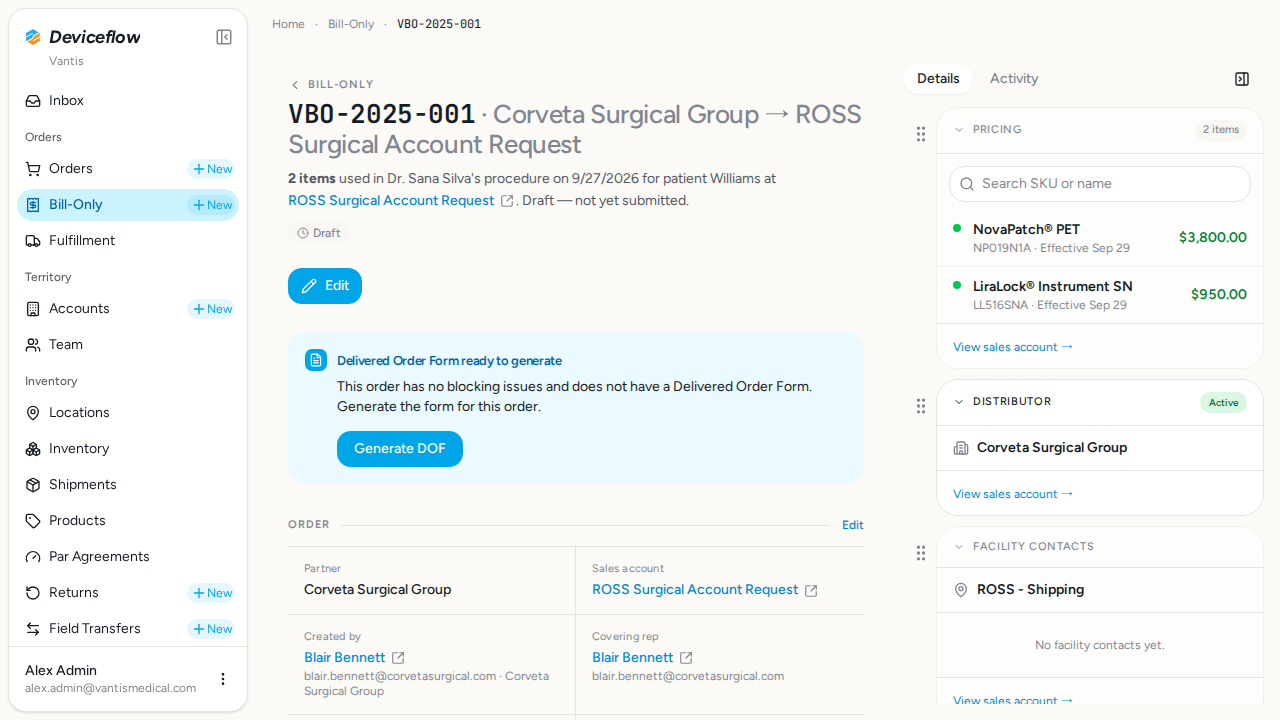
1. Step 1: Partner field visible on detail page — ✅ PASS
Section titled “1. Step 1: Partner field visible on detail page — ✅ PASS”What this step proves:
Confirms that the Bill-Only order detail page displays a “Partner” field identifying the manufacturer. Because every BO is tied to a single manufacturerOrganizationId, the field is always unambiguous — satisfying the URS-064 requirement to show the manufacturer when only one is available.
Screenshots:
Video recording:
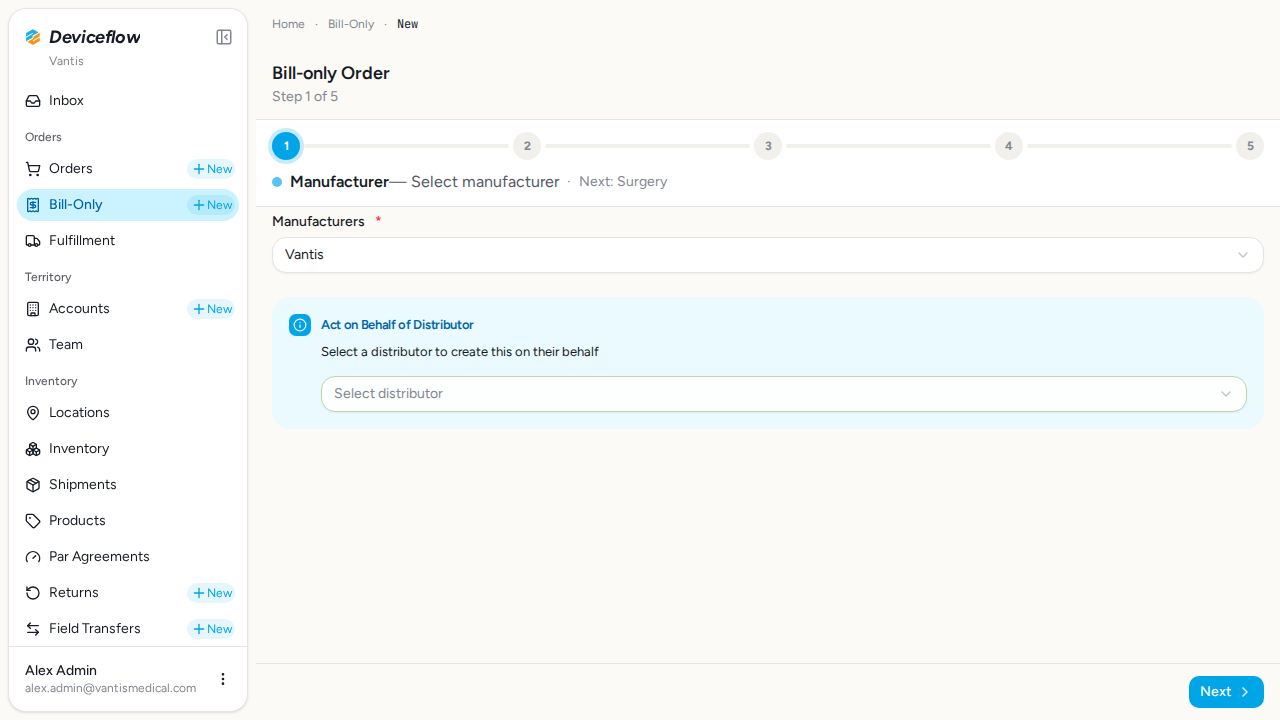
2. Step 2: Manufacturer auto-populated on /billing/new — ✅ PASS
Section titled “2. Step 2: Manufacturer auto-populated on /billing/new — ✅ PASS”What this step proves:
Confirms that the create flow (/billing/new) auto-selects the manufacturer in the “Manufacturers” dropdown when the user’s organization has exactly one available manufacturer. The trigger shows the org name rather than the placeholder text, eliminating an unnecessary selection step for single-manufacturer users.
Screenshots:
Video recording:
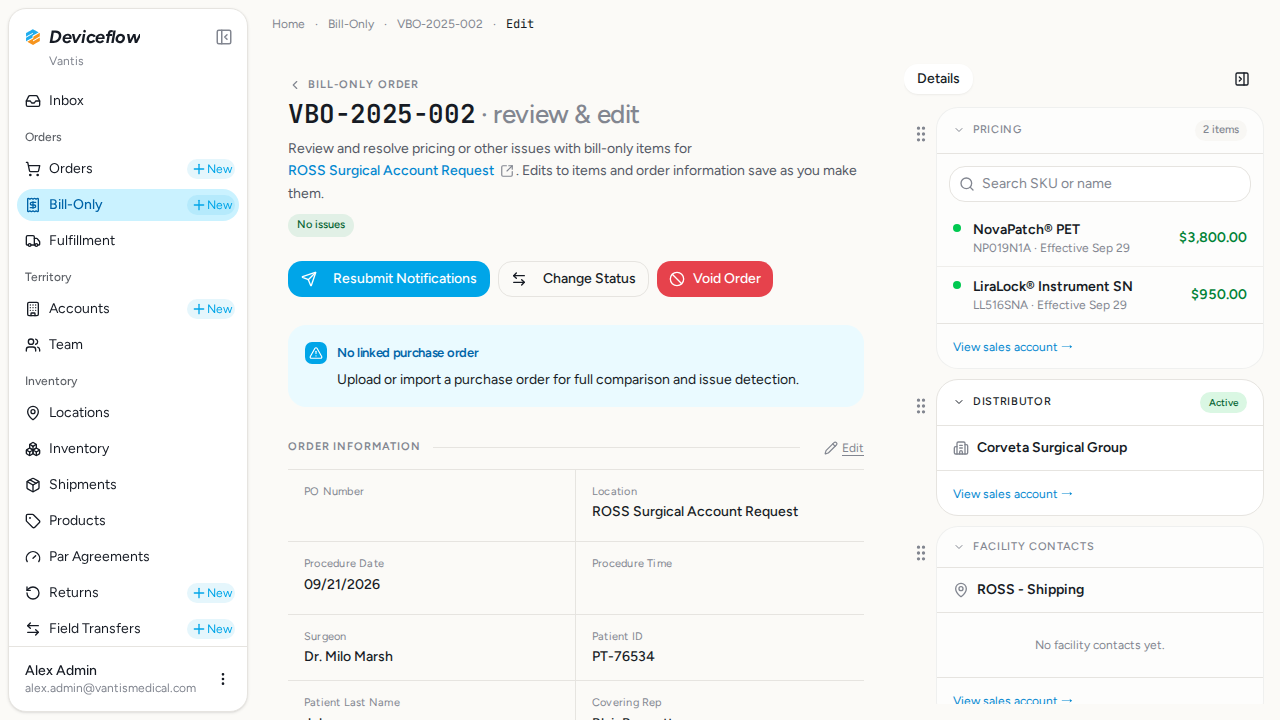
3. Step 3a: BO before Change Status — ✅ PASS
Section titled “3. Step 3a: BO before Change Status — ✅ PASS”What this step proves:
Baseline screenshot of the VBO-2025-002 edit panel before any status transition, establishing the “before” state for the Missing-PO label workflow.
Screenshots:
Video recording:
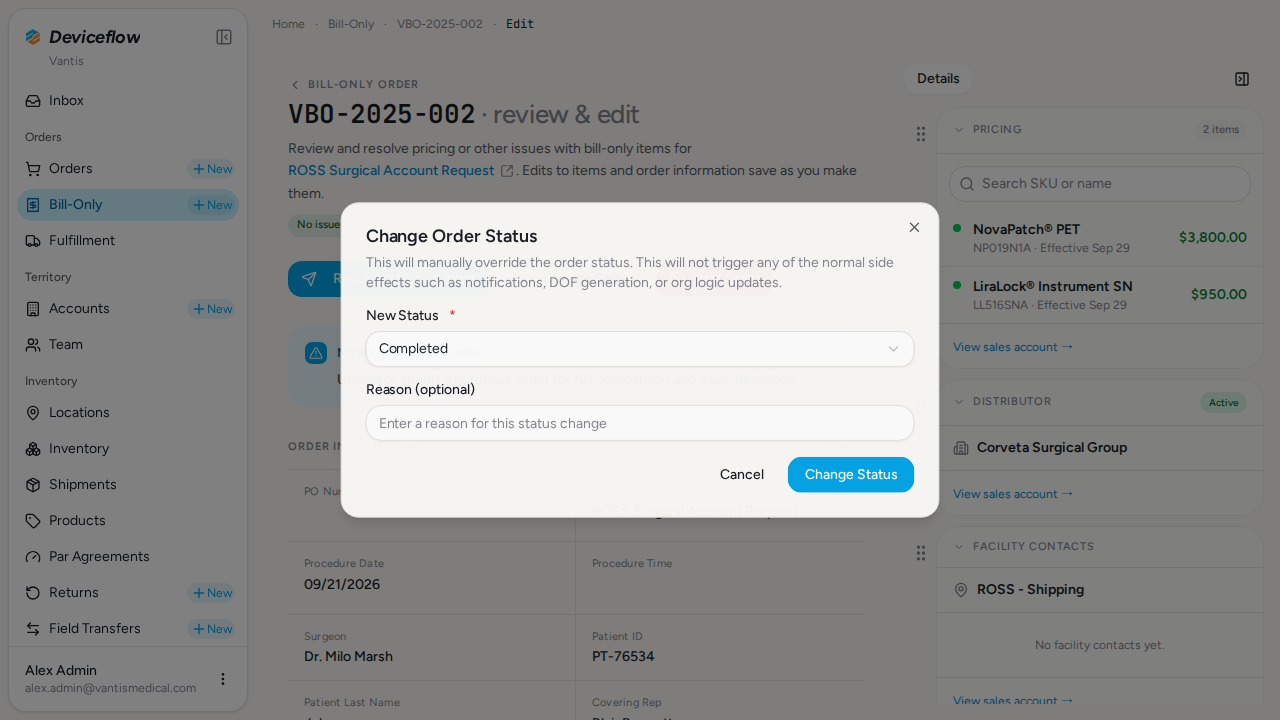
4. Step 3b: Change Status dialog open — ✅ PASS
Section titled “4. Step 3b: Change Status dialog open — ✅ PASS”What this step proves:
The “Change Status” dialog is open with the New Status field ready for selection. Confirms that manufacturer admins with billing:manage permission can access the status transition UI.
Screenshots:
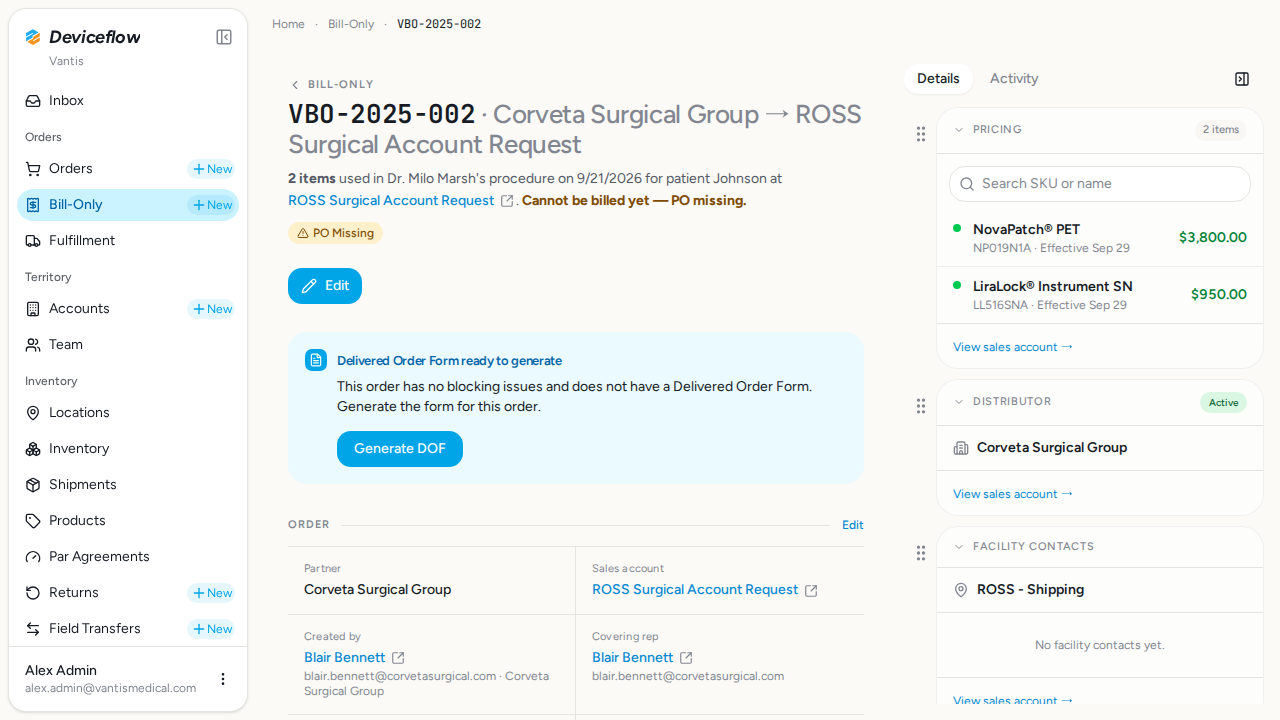
5. Step 3c: “PO Missing” badge on detail page — ✅ PASS
Section titled “5. Step 3c: “PO Missing” badge on detail page — ✅ PASS”What this step proves:
After transitioning VBO-2025-002 to “PO Missing” via the dialog, the detail page displays the “PO Missing” badge. Proves the status transition persisted and the badge renders correctly.
Audit events generated by this step:
(Evidence matched by declared name — step timing not available or no events fell in window)
| Time | Type | Action | User | Org | Performed |
|---|---|---|---|---|---|
| 2026-09-29 02:31:23Z | billing_order | status_change | alex.admin@vantismedical.com | Vantis | — |
| 2026-09-29 02:31:23Z | decision | manual_status_change | alex.admin@vantismedical.com | Vantis | yes |
Screenshots:
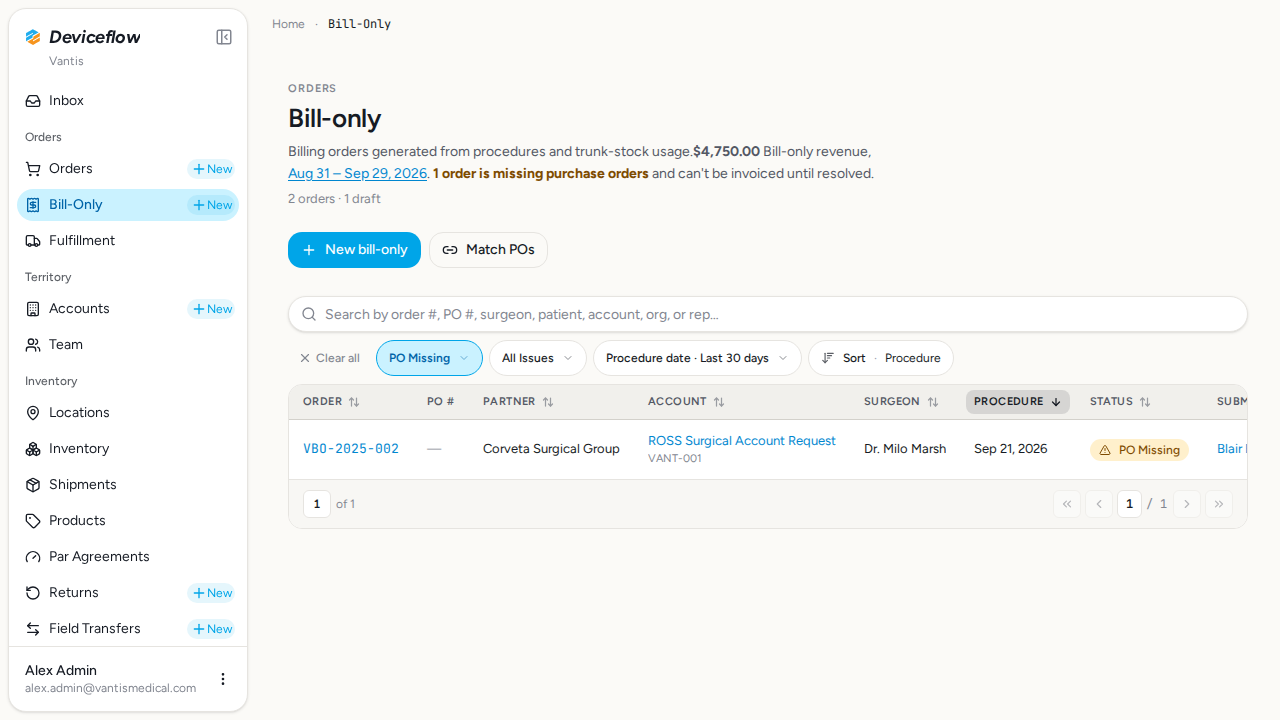
6. Step 3d: BO shown under the PO Missing filter — ✅ PASS
Section titled “6. Step 3d: BO shown under the PO Missing filter — ✅ PASS”What this step proves:
The billing list filtered by “po_missing” shows VBO-2025-002. Confirms the status is correctly indexed for filtering so users can find all orders awaiting a PO.
Screenshots:
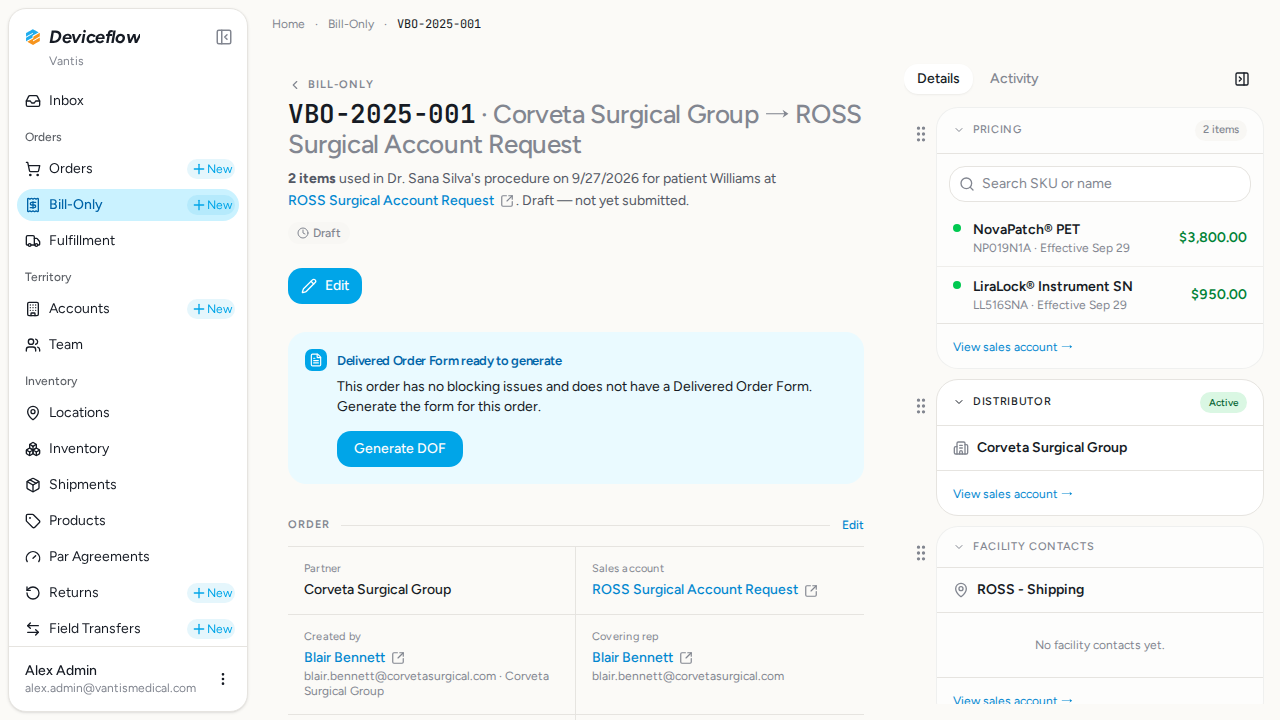
7. Step 4a: BO detail before opening Add PO dialog — ✅ PASS
Section titled “7. Step 4a: BO detail before opening Add PO dialog — ✅ PASS”What this step proves:
Baseline screenshot of the VBO-2025-001 detail page before the PO upload, confirming the “Purchase Order Documents” section and “Add PO” button are present.
Screenshots:
Video recording:
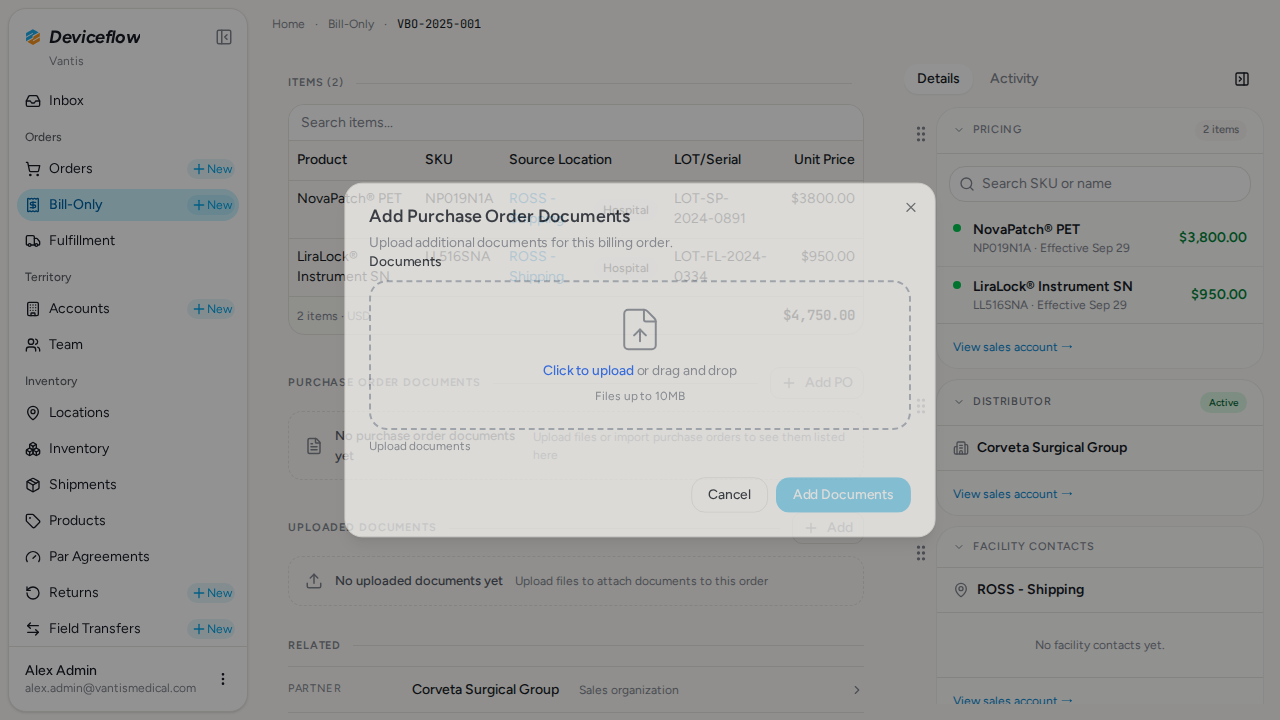
8. Step 4b: Upload dialog open with file-picker — ✅ PASS
Section titled “8. Step 4b: Upload dialog open with file-picker — ✅ PASS”What this step proves:
The “Add Purchase Order Documents” dialog is open. The file picker drop-zone is visible and the “Add Documents” submit button is disabled until a file is selected and uploaded, enforcing a complete upload before submission.
Screenshots:
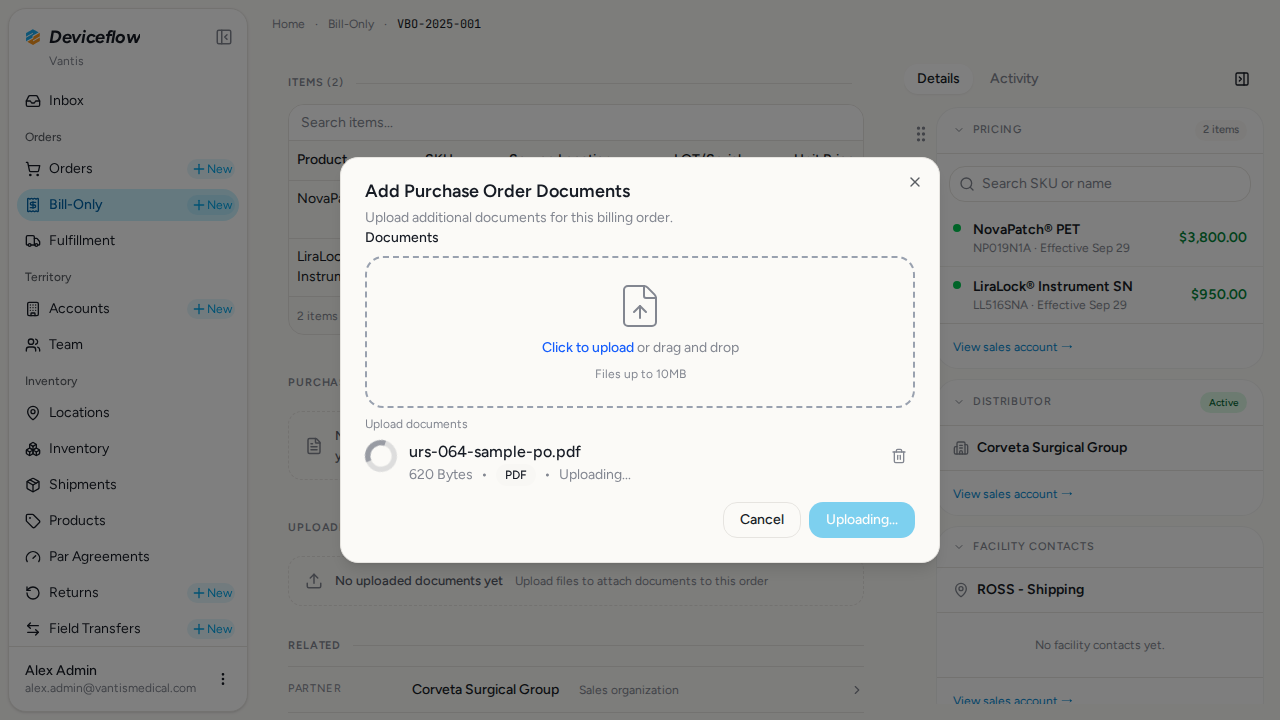
9. Step 4c: PDF file selected in the upload dialog — ✅ PASS
Section titled “9. Step 4c: PDF file selected in the upload dialog — ✅ PASS”What this step proves:
The sample PO PDF has been selected and the filename appears inside the drop-zone, confirming the FileUploader accepted the file and began the three-step upload sequence (POST /api/form_uploads → PUT to RustFS → POST confirmation).
Screenshots:
10. Step 4d: PO document attached to the BO — ✅ PASS
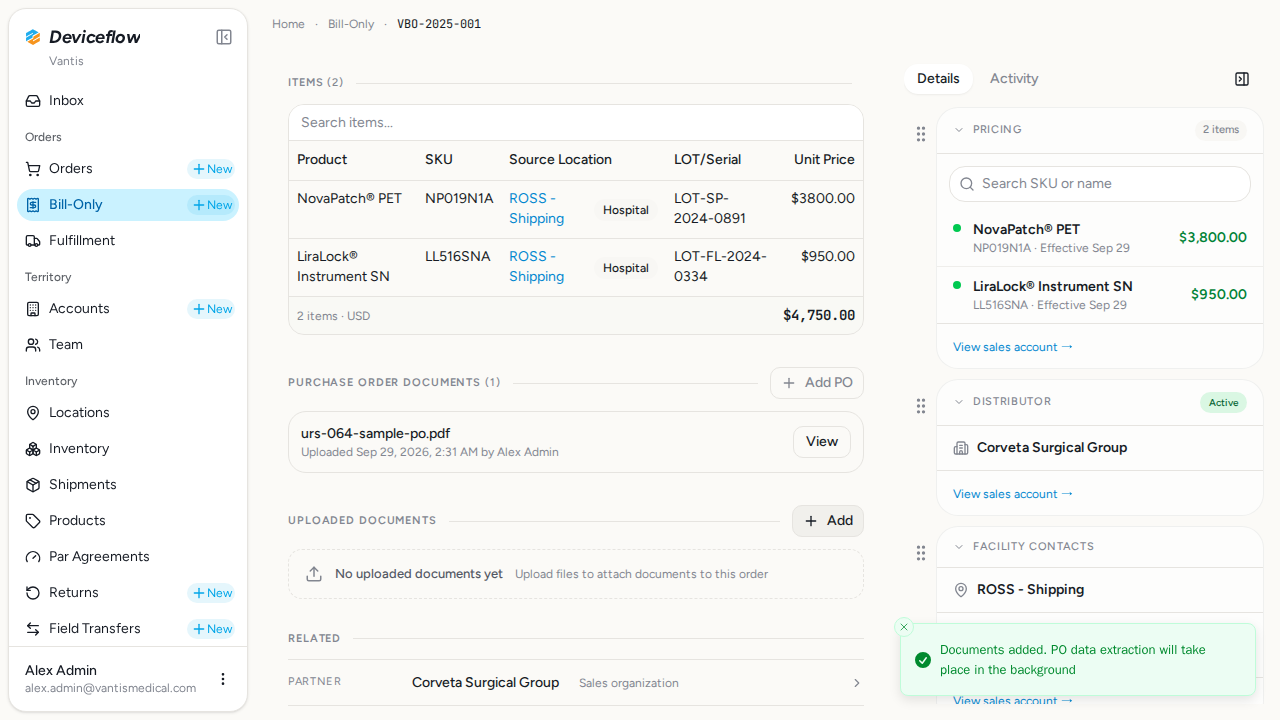
Section titled “10. Step 4d: PO document attached to the BO — ✅ PASS”What this step proves:
After submitting the dialog, the uploaded PDF filename appears in the “Purchase Order Documents” section on the detail page. Proves the full upload round-trip succeeded and a billing_order_files row was created with file_type=“purchase_order”.
Audit events generated by this step:
(Evidence matched by declared name — step timing not available or no events fell in window)
| Time | Type | Action | User | Org | Performed |
|---|---|---|---|---|---|
| 2026-09-29 02:31:40Z | decision | document_parser.extract_document | — | Vantis | yes |
Screenshots:
11. Step 5a: PO Number field in read mode — ✅ PASS
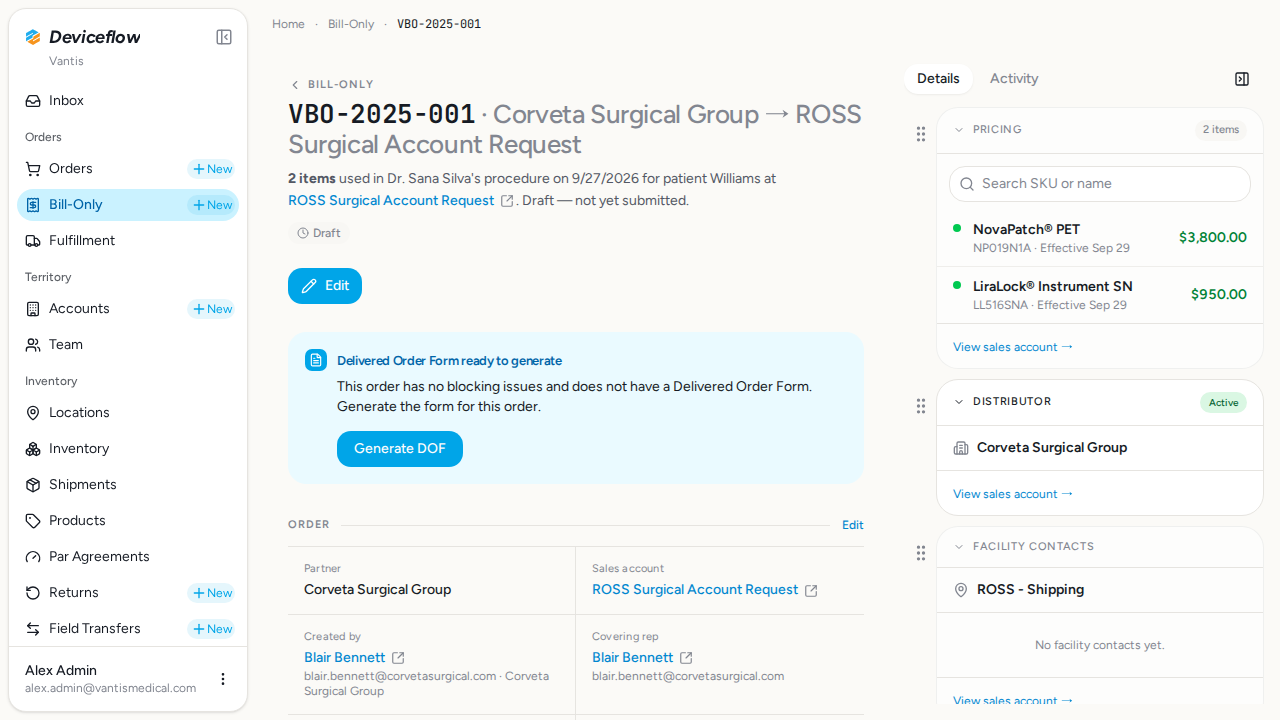
Section titled “11. Step 5a: PO Number field in read mode — ✅ PASS”What this step proves:
The “PO Number” row on the VBO-2025-001 detail page is in read mode, showing “Not set” with an edit icon. Establishes the baseline state before manual entry.
Screenshots:
Video recording:
12. Step 5b: PO Number entered — ✅ PASS
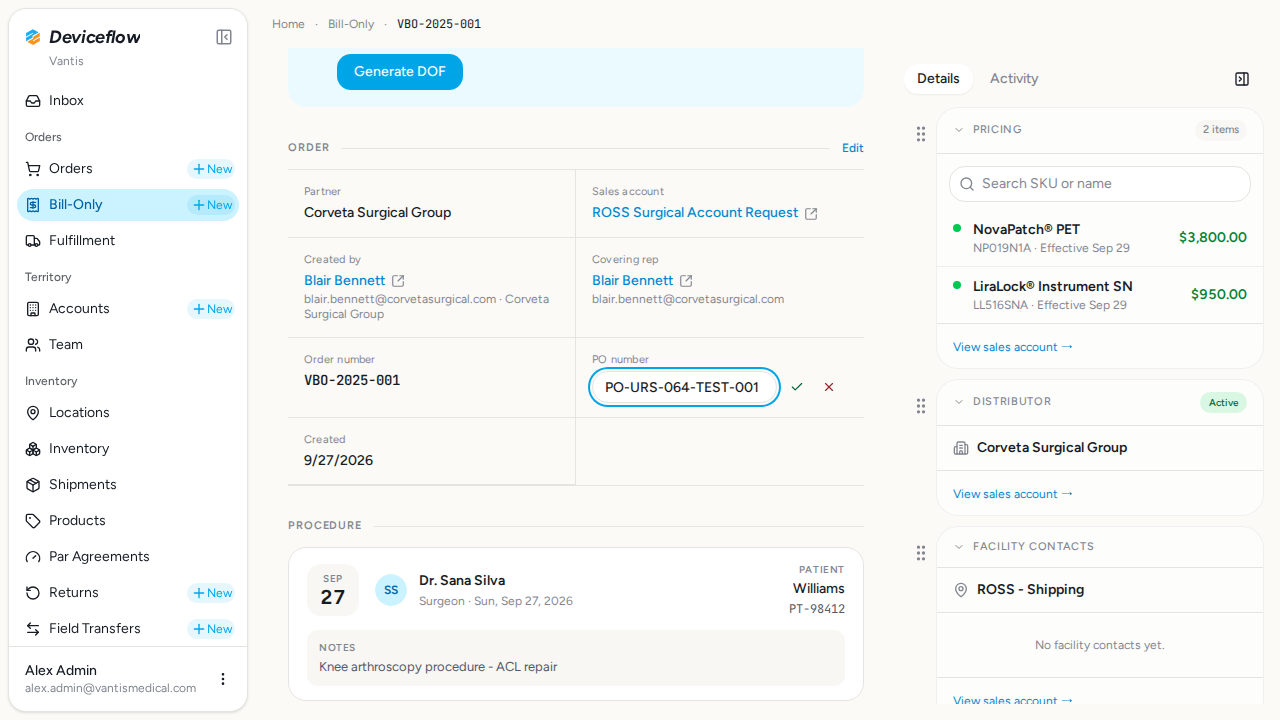
Section titled “12. Step 5b: PO Number entered — ✅ PASS”What this step proves:
The PO Number inline editor is open and the test PO number has been typed into the input field, ready for submission.
Screenshots:
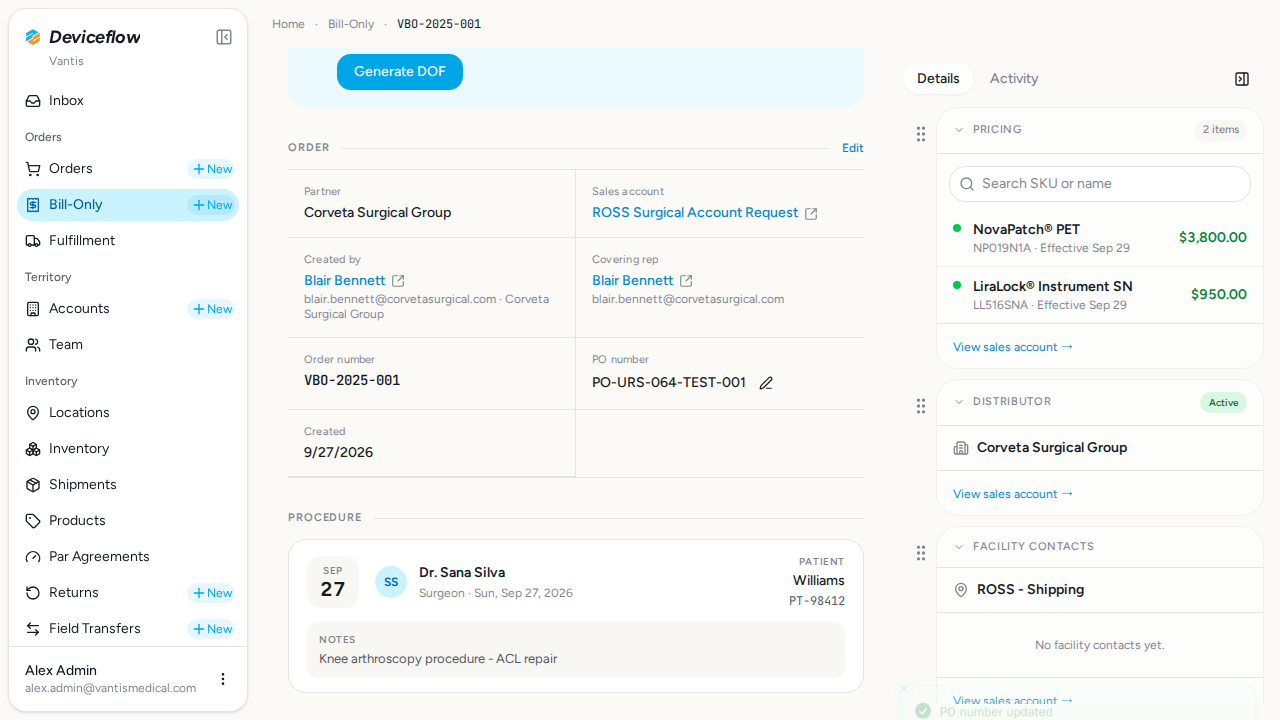
13. Step 5c: PO Number saved — ✅ PASS
Section titled “13. Step 5c: PO Number saved — ✅ PASS”What this step proves:
After pressing Enter the form returns to read mode and displays the saved PO number. Proves the EditPoNumberForm persisted the value to the database.
Audit events generated by this step:
(Evidence matched by declared name — step timing not available or no events fell in window)
| Time | Type | Action | User | Org | Performed |
|---|---|---|---|---|---|
| 2026-09-29 02:31:48Z | decision | process_order_edit | — | Corveta Surgical Group | no |
Screenshots:
14. Step 6: PO number and document persist after reload — ✅ PASS
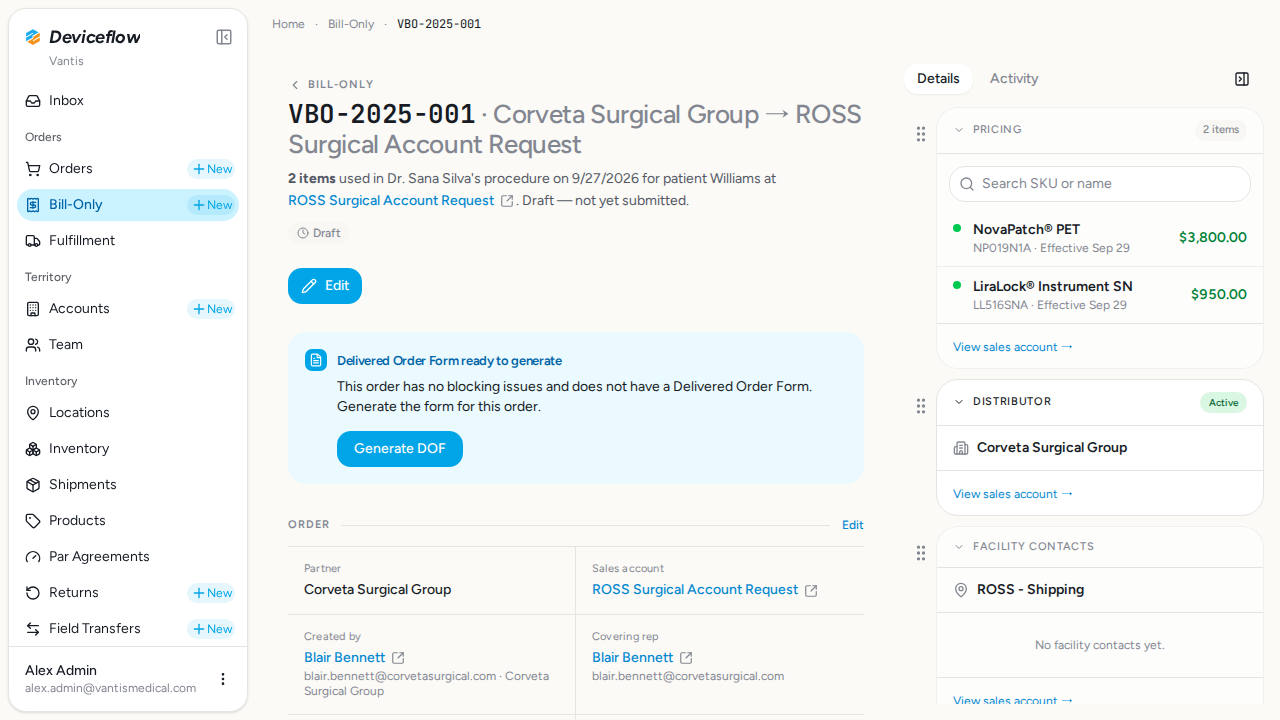
Section titled “14. Step 6: PO number and document persist after reload — ✅ PASS”What this step proves:
After a hard-reload of the VBO-2025-001 detail page, both the manually entered PO number and the uploaded PDF filename are still visible. Confirms that all data from Steps 4 and 5 was durably persisted in the database, not just held in client-side state.
Screenshots:
Video recording:
15. Step 7: Change Status button absent for user without billing:manage — ✅ PASS
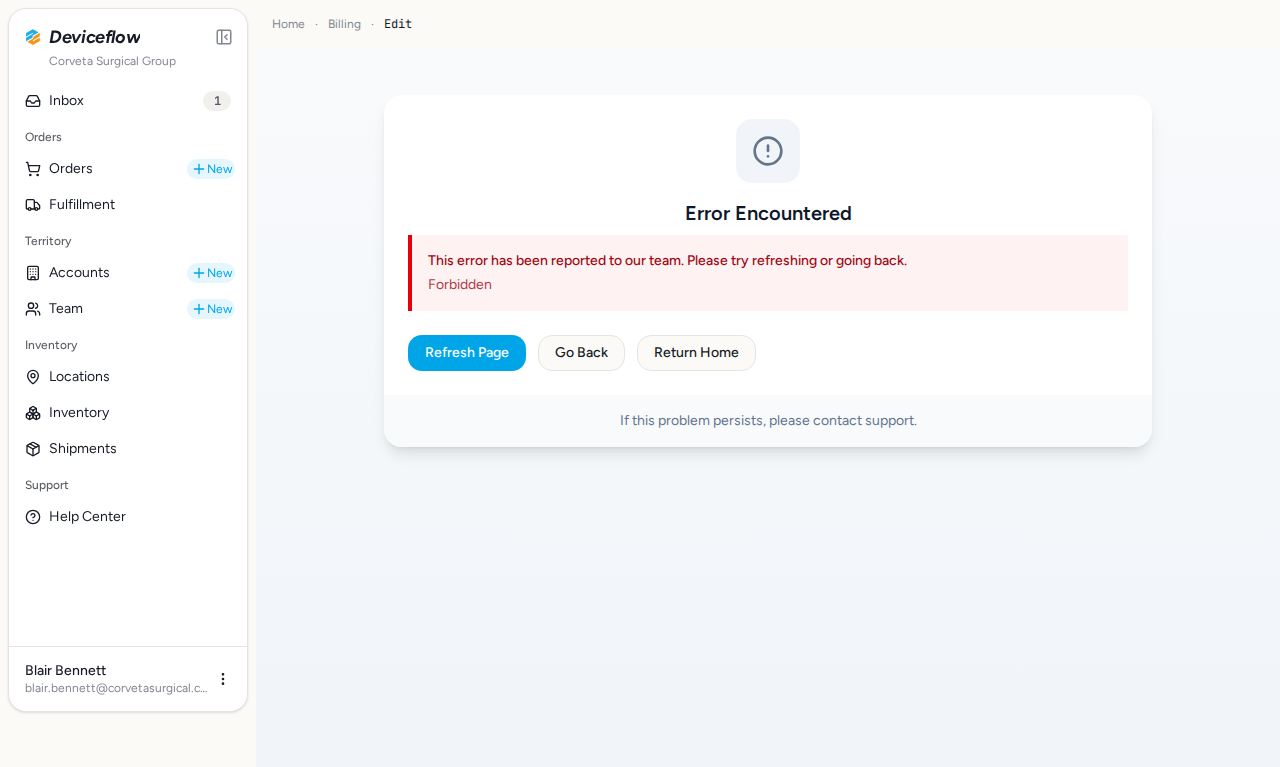
Section titled “15. Step 7: Change Status button absent for user without billing:manage — ✅ PASS”What this step proves:
Negative permission check: logs in as Blair Bennett (downgraded to the Corveta Sales Rep role by setup.ts) and navigates to the same edit page where Step 3 exercised the Change Status dialog. The Sales Rep role grants billing:view (via the bundle:sales_rep implication) so he can load the order, but lacks billing:manage. The button is gated behind canChangeStatus = hasManagePermission && isManufacturer (apps/inbox/src/routes/billing/[orderId]/edit/queries.remote.ts:231), so the expected outcome is that no “Change Status” button appears in the DOM. This proves the UI enforces the permission gate and is not relying on the Change Status action alone (which also rejects on the server via remoteGuard().anyPermission(['billing:manage'])).
Screenshots:
Video recording:
Database Validations
Section titled “Database Validations”The following SQL queries ran against the application database after the Playwright scenarios completed. Each query asserts a specific condition that proves the feature under test persisted its data correctly.
VBO-2025-002 is po_missing with po_number cleared after the Change Status step — ✅ PASS
Section titled “VBO-2025-002 is po_missing with po_number cleared after the Change Status step — ✅ PASS”Assertion: VBO-2025-002.status must equal “po_missing” and .po_number must be NULL after the Change Status dialog transitions it (ChangeStatusDialog clears po_number as a side-effect of this status).
SELECT id, order_number, status, po_number FROM billing_orders WHERE id = $1| id | order_number | status | po_number |
|---|---|---|---|
| ba000002-0000-4000-8000-000000000002 | VBO-2025-002 | po_missing | NULL |
VBO-2025-001 has po_number = “PO-URS-064-TEST-001” after the manual entry step — ✅ PASS
Section titled “VBO-2025-001 has po_number = “PO-URS-064-TEST-001” after the manual entry step — ✅ PASS”Assertion: VBO-2025-001.po_number must equal the value typed into the EditPoNumberForm in Step 5.
SELECT id, order_number, status, po_number FROM billing_orders WHERE id = $1| id | order_number | status | po_number |
|---|---|---|---|
| ba000001-0000-4000-8000-000000000001 | VBO-2025-001 | draft | PO-URS-064-TEST-001 |
VBO-2025-001 has a billing_order_files row with file_type=“purchase_order” — ✅ PASS
Section titled “VBO-2025-001 has a billing_order_files row with file_type=“purchase_order” — ✅ PASS”Assertion: VBO-2025-001 must have at least one billing_order_files row with file_type=“purchase_order” after the Add PO dialog submits.
SELECT id, billing_order_id, file_type, created_at FROM billing_order_files WHERE billing_order_id = $1 AND file_type = 'purchase_order' ORDER BY created_at DESC| id | billing_order_id | file_type | created_at |
|---|---|---|---|
| 01a0eb00-e015-7d37-b9f6-3a3f364f6b5f | ba000001-0000-4000-8000-000000000001 | purchase_order | 2026-09-29T02:31:38.138Z |
Audit & Email Assertion Ledger
Section titled “Audit & Email Assertion Ledger”Per-declaration outcome of every expectedAuditActions and expectedEmailTemplates entry written into the orchestrator. Missing evidence here is a real test failure, not a soft warning.
Audit Action Assertions
Section titled “Audit Action Assertions”Each row asserts that a declared expectedAuditActions entry produced a matching row in audit_events. A ❌ flips overall status to FAIL — the declaration is real proof, not just an annotation.
| Step | Expected Audit Action | Found |
|---|---|---|
| Step 3: “PO Missing” badge on detail page | decision:manual_status_change | ✅ |
| Step 3: “PO Missing” badge on detail page | billing_order:status_change | ✅ |
| Step 4: PO document attached to the BO | decision:document_parser.extract_document | ✅ |
| Step 5: PO Number saved | decision:process_order_edit | ✅ |
Audit Log Events
Section titled “Audit Log Events”Every row written to audit_events while this test was running (scoped to the demo organizations). Provides compliance evidence that user actions are traced end-to-end (URS-003).
Capture window start: 2026-09-29T02:30:51.801Z
SELECT ae.created_at, ae.event_type, ae.action, ae.user_id, u.email AS user_email, ae.organization_id, o.name AS organization_name, ae.object_id, ae.secondary_object_id, ae.payload, ae.route, ae.trace_id FROM audit_events ae LEFT JOIN users u ON u.id = ae.user_id LEFT JOIN organizations o ON o.id = ae.organization_id WHERE ae.created_at >= $1 AND ae.organization_id = ANY($2::uuid[]) ORDER BY ae.created_at ASC15 event(s) captured:
| Time | Type | Action | User | Org | Object ID | Performed | Reason |
|---|---|---|---|---|---|---|---|
| 2026-09-29 02:30:58Z | user_log | user:login | alex.admin@vantismedical.com | Vantis | — | — | |
| 2026-09-29 02:31:07Z | user_log | user:login | alex.admin@vantismedical.com | Vantis | — | — | |
| 2026-09-29 02:31:15Z | user_log | user:login | alex.admin@vantismedical.com | Vantis | — | — | |
| 2026-09-29 02:31:23Z | decision | basicErp.deriveSalesOrder | alex.admin@vantismedical.com | Vantis | ba000002-0000-4000-8000-000000000002 | no | flag_disabled |
| 2026-09-29 02:31:23Z | billing_order | status_change | alex.admin@vantismedical.com | Vantis | ba000002-0000-4000-8000-000000000002 | — | |
| 2026-09-29 02:31:23Z | decision | manual_status_change | alex.admin@vantismedical.com | Vantis | ba000002-0000-4000-8000-000000000002 | yes | Manual status change performed |
| 2026-09-29 02:31:32Z | user_log | user:login | alex.admin@vantismedical.com | Vantis | — | — | |
| 2026-09-29 02:31:40Z | decision | document_parser.extract_document | — | Vantis | 01a0eb00-e028-7385-88c9-21a120e9bdc9 | yes | new_extraction |
| 2026-09-29 02:31:42Z | user_log | user:login | alex.admin@vantismedical.com | Vantis | — | — | |
| 2026-09-29 02:31:48Z | decision | enqueue_post_submission_after_issues_cleared | — | Corveta Surgical Group | ba000001-0000-4000-8000-000000000001 | no | Blocking issues not cleared by this edit |
| 2026-09-29 02:31:48Z | decision | basicErp.deriveSalesOrder | alex.admin@vantismedical.com | Vantis | ba000001-0000-4000-8000-000000000001 | no | flag_disabled |
| 2026-09-29 02:31:48Z | decision | create_replenishment_order_on_bill_only | — | Vantis | ba000001-0000-4000-8000-000000000001 | no | automation_disabled |
| 2026-09-29 02:31:48Z | decision | process_order_edit | — | Corveta Surgical Group | ba000001-0000-4000-8000-000000000001 | no | No post-submission event - user can send manually |
| 2026-09-29 02:32:22Z | user_log | user:login | alex.admin@vantismedical.com | Vantis | — | — | |
| 2026-09-29 02:32:29Z | user_log | user:login | blair.bennett@corvetasurgical.com | Corveta Surgical Group | — | — |